

Take Your Students into a Typing Adventure PLUS Digital Literacy Essentials
Joined March 2017
- Tweets445
- Following368
- Followers259
- Likes588



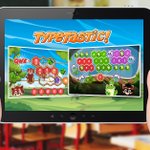



New for grades K-2: Cursor Island.
Seven playful activities for clicking, scrolling, double-clicking, and dragging and dropping, with a mouse or a touchpad.
Part of the Digital Citizenship Curriculum in TypeTastic School Edition. More below. #DigitalLiteracy #EdTech

1
14
Meet Cursor Island and request a free trial: typetastic.blog/2026/10/13/m…

13
The questions we're asked most about TypeTastic: class time, rostering, standards, student privacy and more.
Short answer to the first one: two 10-15 minute sessions a week is enough to see results.
All the answers below. #keyboarding #EdTech

1
28

Bringing TypeTastic School Edition to your district? If another district in your state has signed our privacy agreement, yours can usually adopt the same terms with one form, called Exhibit E.
Details below. #StudentPrivacy #K12

1
28
The full story, including how to find our agreements: typetastic.blog/2026/09/21/s…

1
17
Teaching K-5 this fall?
TypeTastic.com is more than typing now. Alongside keyboarding you'll find digital literacy, digital citizenship, computer science, and AI literacy for grades 3-5.
All free, ad-free, no login required. #edtech #digitalliter

1
61
Thanks for sharing @MrPowell20!❤️ We’d love to hear what your 2nd graders think about our Digital Citizenship lessons!🤩

Week 4! Today my 2nd grade students worked on some computer science centers! They work on @typetastic_com on typing and #digitalcitizenship! #teacher #STEM #STEMinPA


3
1,416
Unfortunately @clever logins to TypeTastic are currently failing on a large scale. We are investigating the issue together with Clever staff and hopefully it will be resolved soon. We apologize for the inconvenience.
1

“Maybe it sounds silly to an adult to say that someone doesn’t know how to use a mouse, but that’s tough for little ones!” To see how #edtech coordinator Helen Xiong uses TypeTastic to help her students learn how to use a mouse, read our blog post! zcu.io/poGm

Those are some excellent scores!!👏🏻👏🏻👏🏻 @WendyAlberti

Technology students are loving Typetastic! We are brushing up on our keyboarding skills. #WeAreHB #EngageHB @HamptonBaysES


1
Thanks for sharing, @McKeduc8or 🤩


This made our day!🥰 @tinytinateaches


Well done everyone!🥳 @MrsStilestech

This week K-2 students started getting familiar with the keyboard using @typetastic_com. 3rd graders started @Typing_com and loved getting to use the keyboards! I challenged all 4th & 5th graders to finish their beginner @typing_com lessons this year 💪🏼


For Micko Hughes, assistive technology coach at South Carolina School for the Deaf and Blind, TypeTastic does more than teach kids to type. The students “become more willing to take risks, embrace critical thinking, and improve technology skills.” zcu.io/8Wwz

Typing mode activated!☑️ @TBE_Tech

#kindergarten #technology skills shining today @TommieBarfield @collierschools ! @ABCyaGames @typetastic_com @richarli2018
1
“As any teacher knows, student engagement in any lesson is key.” We couldn’t agree more, @wendypurple407! Check out our blog post to see how Dr. Thompson uses TypeTastic to engage her #SPED students and teach them the 21st-century skills they need: zcu.io/m7Jo

That’s an excellent choice, @brownsbusyclass!👏🏻👏🏻👏🏻

Technology and computer science teacher Demetra Adams writes, “Our students have access to desktops, laptops, and iPads. In grades K–5, they use each nearly every day!” Read how her classes use TypeTastic as the basis of their #STEM education! zcu.io/p61l

Whether you call yourself a #librarian or a media specialist, chances are you’re now being asked to teach #typing on top of everything else you do. Here are 5 tips to help fit it all in! zcu.io/0UiD

#Accessibility and #StudentEngagement are challenging when trying to meet the needs of #DiverseStudents at any school, let alone one with 30,000 students. This curriculum coordinator explains in our blog how it’s possible! zcu.io/d3AC

With TypeTastic School Edition, kids as young as kindergarten can start playing their way into typing—and preparing for the high-tech jobs of the future! #21stcenturyskills #edtech #keyboarding zcu.io/THmq

1