

Recover deleted files on Mac & Windows with Disk Drill
Alexandria, VA
Joined October 2010
- Tweets3.8K
- Following667
- Followers5K
- Likes2.1K




How to recover data from a formatted hard drive:
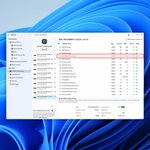
Stop using the drive. Install Disk Drill on a different drive, select the formatted one and hit Search for lost data.
Most of your files will be in the Reconstructed folder. Save them to a separate location.
1
29
Disk Drill found your deleted file. Will it actually open?
The stars in the Recovery Chances column are Disk Drill’s estimate: full star high, half star average, empty star low, question mark unknown. It’s an estimate, not a promise. Preview the file before you recover it.

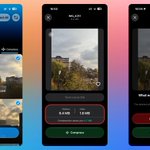
How to recover deleted photos and videos from an SD card on a Mac: Stop using the card, connect it, open Disk Drill and hit Search for lost data. Camera or drone card? Pick Advanced Camera Recovery.
Preview the results, then save them to your Mac.
1
104
After a scan, Disk Drill can show everything it found as a drive in Finder.
Click Show in Finder and Disk Drill PRO mounts the results as a read-only disk. Open recovered photos in Preview to check them, then copy only what you need to another drive.
2
217
One command shows whether Windows tells your SSD to clear deleted files. Open PowerShell or Command Prompt as administrator and paste:
fsutil behavior query DisableDeleteNotify
0 means TRIM is on, and a deleted file is usually gone for good. 1 means it's off. Reply with yours.

1
3
220
Recovered a video and it won't play? Sometimes the file has lost the information a player needs to decode it. Video Repair in Disk Drill can take that from a healthy clip shot on the same camera with the same settings, through Clever Online Video Repair.
2
149

Full Disk Access ≠ Background Activity on Mac.
Full Disk Access lets Disk Drill scan the folders macOS protects, so deleted files there can be found.
Background Activity lets its helpers run for S.M.A.R.T. monitoring and alerts. It doesn't give access to your files.
#macOS #DataRecovery

5
122
Recovered your video, but it still won't play? Sometimes the file is back, but the recording itself is damaged. Data recovery and video repair are two different things.
We've got both covered: Disk Drill for recovery and Clever Online Video Repair for damaged recordings. 🔧
Try it repair.cleverfiles.com/ #DataRecovery #VideoRepair #DiskDrill

2
3
133
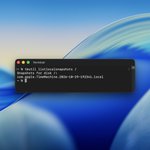
💡 Did you know that scanning a failing hard drive can actually make things worse?
If your drive starts acting up, remember: creating a Byte-to-Byte image first lets you recover files from a copy without repeatedly scanning the original.
A small detail that could save your data! 💾
#DataRecovery #DiskDrill

2
4
149
Ever noticed the little stars ⭐ next to files in Disk Drill’s scan results? They’re called Recovery Chances. They estimate how likely each file is to be recovered successfully, helping you decide where to start.
You can also preview files before recovering them. 👇
#DiskDrill #DataRecovery #FileRecovery

4
135
Can a photo still be recovered even if its original filename is gone? Yes.
A filename and the actual contents of a file are separate pieces of information. So even when the original name can no longer be recovered, Disk Drill may still be able to reconstruct and recover the photo itself.
The name may be lost. The photo doesn't have to be. 📸
#DataRecovery #DiskDrill

1
3
209
Disk Drill 6.3 is here for Windows and Mac.
Recover lost BitLocker partitions, get smarter help with damaged videos, scan faster, recover more photos and videos ✨
cleverfiles.com/help/news/
#diskdrill #datarecovery
🤖 Made with AI
