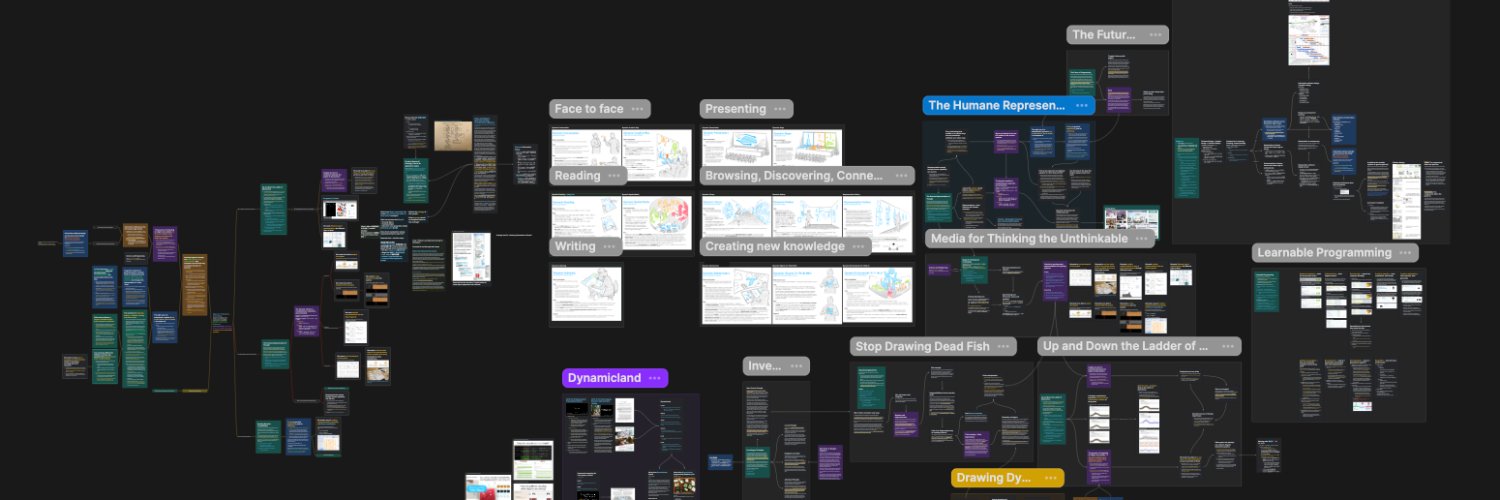

An intelligent visual knowledge base for anyone who wants to understand and create knowledge, not just collect it.
Joined January 2021
- Tweets605
- Following3
- Followers18.7K
- Likes759
Pinned Tweet
Today, we're excited to introduce AI Skills in Heptabase.
A skill is a reusable workflow that teaches the AI Agent how to perform a specific task. Simply describe what you want to accomplish, and the AI Agent will help you turn that idea into a structured workflow that you can review, customize, and reuse.
What makes AI Skills especially powerful is that you're not limited to asking AI for another text summary. You can ask it to transform a dense source into a visual knowledge structure on your whiteboard—helping you see the big picture, understand how ideas relate to one another, and move between the overview and the original source through citations.
In the video below, we give a live demo of creating a skill from scratch and using it on a 300-page philosophy book. The AI Agent turns the book into a series of mind maps on the whiteboard, with each card explaining a key claim and linking back to the relevant passage in the original PDF.
We also demonstrate a different way to process the same book: breaking it down into sequential summaries and arranging them as cards that follow the order of the original pages.
There is no single best way to read or process information. With AI Skills, you can create the workflows and visualizations that work best for you. You can customize what information a skill should extract, how detailed each card should be, and how the cards should be structured and arranged on your whiteboard.
Once you've created a workflow that works for you, you can reuse it on other books, papers, videos, and knowledge sources with a simple slash command.
If you create an interesting skill or discover a new way to visualize what you’re learning, feel free to share it with us—we’d love to see what you build!
In the latest version, we’ve upgraded the whiteboard, editor, and tag database experience.
Whiteboard: We’ve added sub-whiteboard preview mode, allowing you to switch sub-whiteboards from a list view to a visual preview of their layout.
Editor: You can now generate transcripts for audio blocks in the card editor, and Heptabase will insert the transcribed text right below the audio block.
Tag Database: You can now edit text properties with the full editor on both desktop and mobile. Previously, text properties only supported a single paragraph. Now you can write across multiple blocks using headings, lists, code blocks, slash commands, and more, just like in a card.
1
21
2,137
You can now make high-quality 3Blue1Brown-style explainer videos for your sources with Claude Code + the Heptabase plugin.
The plugin significantly improves Claude's teaching quality. It's free, open source, and no sign-up is required.
heptabase.com/plugin


I’ve been using Claude Code to make 3Blue1Brown-style explainer videos to teach myself textbooks and papers since the release of the Opus 5.5 model. While Opus 5.5 is great at creating animations, it’s not that good at teaching, so I’ve spent quite some time building a plugin to help it teach well. The result is quite astonishing. I've made almost a hundred videos and am really enjoying it.
While building this plugin, I thought, instead of keeping it for my personal use, why not release it to everyone? So we merged everything into Heptabase’s official plugin. It’s free, open-source, and no sign-up is required.
heptabase.com/plugin
Once installed, you can give Claude a source (e.g., a PDF file) and ask it to create videos for you. Claude will read the source, plan a series of videos, and choose the best teaching method for each video.
There are five teaching method in total, which I call “presenters”:
Over the past month, we've shipped a major wave of updates to our MCP, CLI, and plugins!
Our favorite part of these updates is that you can now open and edit your Heptabase whiteboards directly inside Claude Code and Codex (as well as ChatGPT and Claude). You can view and edit a whiteboard right in your chat, ask your agent to arrange cards, create sections, draw connections, or build mind maps, and jump in to make manual edits anytime.
We've also made it much easier for agents to organize your research and knowledge base. You can ask your agent to turn links and files (webpages, YouTube videos, PDFs, images, and audio or video files) into cards. If you save a lot of articles and papers through the Web Clipper, your agent can now process your Inbox, put cards onto the right whiteboards, and manage your tags and properties. External AI agents can also read your Space Instructions in Heptabase, so they'll follow your own rules and preferences when organizing your knowledge base.
Best of all, none of these updates force AI features into Heptabase if you don't want them. And if you're on the Heptabase Pro plan, you don't need to upgrade to Heptabase Premium to get a great AI experience. You can simply use your own tokens from your existing Claude Code and Codex subscriptions.
Update to the latest version and give it a try! If there's anything you'd like your agent to do in Heptabase that isn't supported yet, please let us know through in-app support and we'll work quickly to add it!
In the latest version, we’ve upgraded the whiteboard and AI Agent experience.
Whiteboard: You can now turn on a dotted grid and snap objects to it. We’ve also added smart guides to help you line up cards and other objects as you move or resize them.
AI Agent: You can now add comments to individual context items. When adding cards or selected text, you can tell the AI Agent what to do with each one.
In the latest version, we’ve made whiteboards easier to use!
You can now show tags and properties directly on whiteboard cards and navigate with a hierarchical table of contents. We’ve also improved the toolbar experience on mobile.
1
27
2,089

Just two weeks after launching our ChatGPT & Codex plugins, we're excited to officially launch our Claude & Claude Code plugin today!
Everything you can do with our ChatGPT plugin is now supported in Claude too, whether it's searching and viewing notes, editing and managing your knowledge base, or asking questions about your knowledge. If you're a Heptabase user who uses Claude, we'd love for you to install the plugin and give it a try!
For those who prefer using Heptabase on mobile, our latest mobile app now lets you ask AI questions directly about the whiteboard or card you're viewing!
7
40
4,744
Finally, a reminder: our main focus for October is improving performance across the product. Over the past week, we've made many improvements to startup and sync times. Next week, we'll release more improvements to make large whiteboards faster to load and smoother to use.
If you experience any performance issues, please let us know through in-app support. If you have a large whiteboard that feels slow, we'd also love for you to share it with us using this form so we can prioritize improving it!
form.typeform.com/to/N59Uzia…
2
849
In the latest version of our mobile app, you can now open your tag databases in Kanban and table views on your phone, just like on desktop! We’ve also given the mobile app a new look with a floating navigation bar.
We want to make the experience on mobile very smooth and polished, and we will be rolling out more mobile improvements over the coming weeks!
1
19
2,405
Hi everyone,
We're happy to announce that our official Heptabase plugin is now available in ChatGPT!
If you use ChatGPT to discuss ideas or Codex to help with your work, you may also want them to access the knowledge you’ve collected in Heptabase. Previously, this required setting up our MCP server or installing our CLI, which could be a barrier for users without a technical background. With the new plugin, you can simply search for Heptabase in the ChatGPT plugin store, install it, and connect your account.
Once connected, you can ask ChatGPT to save anything you want to keep from a conversation as a card in Heptabase, add it to the appropriate whiteboard, and assign tags and properties. You can also ask it to update existing cards and journal entries. This is especially convenient on your phone: anything you ask ChatGPT to save while you’re out will sync to Heptabase on your computer in real time, ready for you to continue working with when you get home.
ChatGPT can also answer questions based on your existing cards, journals, parsed PDFs, whiteboards, and tag databases. As it answers, it can display the Heptabase cards it references directly in the conversation, so you can read them and ask further questions without switching to the Heptabase app.
This reflects an important direction for Heptabase: we believe our product should be easy to use, both for you and for the AI you work with every day. Over the past six months, we’ve put a lot of work into making our MCP and CLI more complete, so you can use more of your Heptabase data with the AI tools you choose. The ChatGPT plugin is another step toward that goal.
If you often use ChatGPT or Codex, we’d love for you to try our official plugin! If there’s something you’d like it to do that isn’t supported yet, please let us know through customer support. We’ll work quickly to add it. We’ll also be developing a Claude Connector next, making it easier for Claude and Claude Code users to connect to Heptabase. Stay tuned!
We’ve just released the latest Heptabase update! This time, we’ve made the mobile app feel more native, with improved navigation headers and screen transitions on iPhone and iPad, plus an updated sidebar on iPadOS 26.
We’ve also made whiteboards easier to navigate on a smaller screen. The new minimap shows where you are and lets you quickly move around. You can now search within a whiteboard too, without constantly panning and zooming to find a card.
That minimap is available on desktop and web as well. Alongside it, this update adds drag-to-reorder options for select and multi-select properties in Tag Database, and three new AI models to choose from: GPT-6 Sol, GPT-6 Luna, and Claude Opus 5.5.
In the latest mobile app v1.39.2, we’ve shipped a new quick capture experience that feels more native, from opening the capture bar to typing and switching between capture options.
You can now create a card, add a to-do, or write in today’s Journal directly from the capture bar. You can also record a voice note, take a photo, or upload images and files from the same place. We’ve refined the animations and keyboard interactions to make capturing things on your phone feel smoother and more natural.
Give it a try and let us know what you think!
In the latest version, we’ve made Custom Filters more powerful and unified the filtering experience across Tag Database and Card Library.
You can now combine filters for properties, dates, whiteboards, tags, and keywords. For example, you can find cards on a particular whiteboard that have a specific tag and were updated in the past 30 days. Date filters support both fixed and relative ranges, so you can set up a filter for “this week” and have it update automatically as time passes. These filters work the same way wherever you use them.
We’ve also added Created time and Updated time properties to Tag Database, so you can display these timestamps in your table and sort cards by when they were created or last edited.
We’ve just shipped a new batch of updates!
Desktop:
- The editor now supports applying text color and background color together.
- Whiteboard objects support batch resizing and custom dimensions, without adjusting each one individually.
- Mind maps can now be converted into standalone whiteboard objects, keeping nodes in place and turning branches into editable connections.
- Mind maps now support deleting a single node while keeping its child branches.
Mobile:
- Use Inbox on your phone to organize pending items into whiteboards or add tags, then mark them as done. You can also set reminders for later.
- When viewing a card’s backlinks on mobile, you can now preview the passages in other notes that mention the card and tap to jump to their original location.
3
4
632
In the latest version, we’ve shipped a new batch of updates focused on making everyday use of Heptabase smoother, including improvements to search, whiteboard workflows, spell-check, mobile app, and AI Agent.
Search results now show more location context. When searching for a card, you can see which whiteboard or tag it belongs to. If it appears on multiple whiteboards or has multiple tags, the result will show the count. When searching for a whiteboard, you can also see its parent whiteboard. This makes it much easier to distinguish cards or whiteboards with the same name.
Whiteboard Focus mode now displays every object connected to the selected object. It shows one level of connections by default, and you can choose how many levels you want to see.
After selecting multiple objects on a whiteboard, you can now add them to another whiteboard, or create a sub-whiteboard and move them into it. You can also turn an existing section and everything inside it into a sub-whiteboard.
Spell-check now supports language and dictionary settings. If foreign-language text or specialized terms were incorrectly marked with red underlines, you can select the languages you use or add specific terms to your dictionary.
On mobile, we’ve added two useful workflows. You can now use the Share Sheet in your mobile browser to save the webpage you’re viewing as a note card, making it possible to do web clipping directly from your phone. When you tap a Heptabase deep link in another app, it will open the Heptabase mobile app and take you directly to the linked card, whiteboard, or other object.
Following last week’s release of block mentions and embeds, AI Agent can now inspect block links and embeds while reading a card, allowing it to access the content of the referenced blocks.
5
775
In the latest version, we’ve shipped a new batch of updates focused on making everyday use of Heptabase smoother.
We’ve improved two common workflows in the editor: searching and linking. Cmd + F can now search for content inside code blocks. When a result is inside a folded list, the list will expand to show it and fold again as you move to another result. You can also create or link a card directly from selected text. After selecting some text and opening the Link menu, you can create a new card using that text as its title, or link to an existing card with the same title.
Tag Database table view now supports more complete spreadsheet-like editing. You can select any range of cells, copy and paste their values, clear their content, or fill multiple cells at once. All of these table operations also support undo and redo.
On mobile, we’ve added more of the workflows that previously required the desktop app. You can now access every tab group created on desktop, including its folders and pinned tabs, making frequently visited whiteboards, cards, and tags much easier to find. Deleted cards and whiteboards can now be recovered from Trash. You can also copy code blocks directly from the mobile editor. Files such as PDFs and videos can now be shared or downloaded directly on your phone.
AI Agent can now view all backlinks to a card, allowing it to understand where that card is referenced across your knowledge base.
We’ll continue shipping more features and quality-of-life improvements. You can follow what’s coming next on our public roadmap!
3
584