

Developing stylized 3D rendering in Blender. I build custom tools + pipeline now. https://teapawt.org/t.co/XJ2dNUpt2G
Bay Area, California
Joined September 2015
- Tweets3.5K
- Following420
- Followers8.9K
- Likes9.3K




aVersionOfReality retweeted
Blender Geometry Nodes trick: you can exclude some geometry from later modifiers by converting it to an instance. Here I use it to stop the various mesh decals on Miku's skirt from getting unnecessary subdivision surface.
aVersionOfReality retweeted
aVersion_Lines is still 25% off on Gumroad today and tommorrow!

aVersion_Lines is out!
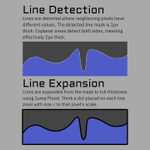
Draw lines from any data, not only geometry. Screen-space Jump Flood line art in Blender 5.2's Compositor. Draw lines from Depth, Normals, or Custom Color IDs.
Store: aversionofreality.gumroad.co…
Guide: youtu.be/Ejzm687bvzA
Docs: aversionofreality.github.io/…

aVersionOfReality retweeted

If you're into stylized 3D, check out this tool for Blender's Compositor by @AversionReality, which creates line art from rendered images instead of relying solely on geometry.
Available now with 25% off: 80.lv/articles/create-line-a…
aVersionOfReality retweeted
aVersion_Lines is out!
Draw lines from any data, not only geometry. Screen-space Jump Flood line art in Blender 5.2's Compositor. Draw lines from Depth, Normals, or Custom Color IDs.
Store: aversionofreality.gumroad.co…
Guide: youtu.be/Ejzm687bvzA
Docs: aversionofreality.github.io/…
aVersionOfReality retweeted
The documentation is now online! Go check it out if you want to understand more about what my compositor line addon does, how it's different from other options in Blender, pros and cons, and if it'll be right for your projects. I'm still working on guides and examples before the full launch, but the technical details are all here!
aversionofreality.github.io/…
They long, tedious grind of documentation and guides is almost over. This is definitely the most exasperating part of creating tools. I'm not going to wait for long form video guides to release this as that could push it out weeks more and most people won't need them. Trying to get to a minimum viable release asap!


aVersionOfReality retweeted
They long, tedious grind of documentation and guides is almost over. This is definitely the most exasperating part of creating tools. I'm not going to wait for long form video guides to release this as that could push it out weeks more and most people won't need them. Trying to get to a minimum viable release asap!
Here's a rough draft demonstration of how the Blender Compositor Lines addon works, and how I made those lines. This shows how setup and the actual workflow goes. It isn't hard to get results, but the tool is extremely open ended by design, and so can get complicated!
This is also why it isn't out quite yet, because there's a lot to cover in the documentation and guides. But it is close!
aVersionOfReality retweeted
Here's a rough draft demonstration of how the Blender Compositor Lines addon works, and how I made those lines. This shows how setup and the actual workflow goes. It isn't hard to get results, but the tool is extremely open ended by design, and so can get complicated!
This is also why it isn't out quite yet, because there's a lot to cover in the documentation and guides. But it is close!
Here's a turntable in 4k of the Blender Compositor Line Art from my addon. The lines hold up well in animations. There are some areas that aren't so great, but these are issues with the input data. My detail line pass is a bit messy in some areas because I made it by ramping the color textures, which isn't really the proper approach 😅


aVersionOfReality retweeted
Here's a turntable in 4k of the Blender Compositor Line Art from my addon. The lines hold up well in animations. There are some areas that aren't so great, but these are issues with the input data. My detail line pass is a bit messy in some areas because I made it by ramping the color textures, which isn't really the proper approach 😅
It needed some more time to cook, but my Blender Compositor Line Art addon is very close to finished (again)! Check out this test on a model by @lil_blk_rabbit
This shows multiple line sets with different levels of detail being set to different thicknesses. And when zooming out, they scale to 0 and disappear at different rates. Stylistic LOD control!
The addon includes tools for setting up these sorts of ID group lines conveniently, and also the scaling.
aVersionOfReality retweeted
It needed some more time to cook, but my Blender Compositor Line Art addon is very close to finished (again)! Check out this test on a model by @lil_blk_rabbit
This shows multiple line sets with different levels of detail being set to different thicknesses. And when zooming out, they scale to 0 and disappear at different rates. Stylistic LOD control!
The addon includes tools for setting up these sorts of ID group lines conveniently, and also the scaling.
aVersionOfReality retweeted
Proper options to control distance based line scaling in the shader nodes for my upcoming Blender Compositor Line Art Addon. You could use the same falloff for everything like in this example, or different settings per line type!
aVersionOfReality retweeted
The heart of my Blender Compositor Screen Space Lines is ID groups. The lines are drawn at the boundaries of different IDs, so we need to be able to make those easily. Technically we can in Vertex Paint, but the workflow isn't great. So I'm including scripts to conveniently build ID groups from existing mesh data - objects, separate mesh islands, areas bounded by edgemarks, etc
So far I've got one script that creates ID groups for the selected objects, and another that creates a new one for the selected faces in Edit mode.
Also working on Relative Scaling options!
aVersionOfReality retweeted
The goal of my Line Art addon is not merely to offer a source of Screen Space Extraction (aka post-process) line art, but to actually offer a fully functionable workflow. SSE lines are commonly used based on Depth and Normals in games for things like highlighting selections, but they aren't commonly used for high detail line art because they are hard to control. They allow very advanced results, but you have to setup the inputs for them.
My toolset is not just about extracting lines, but giving artist friendly tools to author the necessary mesh data. This clip shows an example of why this matters:
- First, we see regular Normal based lines on the hardsurface headset. These work fine from some angles, but the lines break from others. This is because the detection is based on comparing neighboring pixels and the angle of the Normals there. But those comparisons are in screen space, so as things move, areas can get occluded, or the comparison is between pixels that don't fall exactly on hardsurface edge. These work great on organic shapes where lines won't necessarily follow mesh edge loops, but not well on complex hard surfaces.
- Second, we see Marked Edges. These work slightly better, but still have similar problems. This is because they don't work well if both faces around the marked edge aren't visible and a decent size on the screen. There is 2 levels of subsurf on this mesh, so the marked faces can be very small. Marked edges work on flatter surfaces, but not so well here.
- Third is a proper ID mask. Each area contained by marked edges is set to a different color. Now the lines detect super cleanly because there are solid areas of color. It can detect a difference in the regions even if the actual edge is partly occluded, or the camera very zoomed out.
So we have 3 slightly different options for slightly different use cases. And the third requires the ID groups to be created. So a successful toolset needs to make it easy to do whichever is needed in a specific area, or run some combination. So I am including tools for ID group setup too.
And these will still be useful for other SSE workflows, like the new Raycast node in 5.1, which is doing the same process and has all the same artistic challenges, but we can't feed it arbitrary data yet. But hopefully in 5.2. The addon will support it in the future.
But getting all this figured out and working well is also why it still isn't ready for release 😅
aVersionOfReality retweeted
In the final stages of testing my Blender Compositor Line Art addon before release. Here's a look at how it works on a very high detail character. We have lines based on toon shading and vertex color ID groups. You can see it works very cleanly in some areas, but then runs into issues in others. That is because this mesh is complex but doesn't have smoothed normals yet, which causes the toon shading to create very small shaded areas that become lines. (We'll see it with Smoothed Normals next update.)
This is the double-edged sword of this method, and any other Screen Space Extraction method, including the new Raycast Node: they are extremely precise, which allows very high detail and fine control, but also means you need to guard against bad inputs. But my toolset gives you full control over what data you create lines from, so you can ensure clean ID groups, run lines on different Normals than you shade with, mask at any stage, or anything else you need!
And of course, most line methods (especially Inverted Hull) completely fail on complex or dirty geometry.
aVersionOfReality retweeted
I got depth priority working on Jump Flood lines, which means full color! I had given up on this working in Blender's Compositor previously, but decided to take another crack at it before releasing the addon. Now it works as well as the previous Brute Force lines but is vastly faster, and can easily go to 60+ px thick!
Now back to finishing up the python side of the addon so this can actually get released.
aVersionOfReality retweeted
Options panel complete! Now we can adjust our global line settings without even needing to keep a Compositor window open, and it also handles things that need to be changed within the group itself. Its getting very close!
aVersionOfReality retweeted
My upcoming Blender Compositor Line Art addon offers a huge amount of control. It uses attributes and AOVs, meaning you can customize lines on the mesh or material level! But it also means complex setup. So I'm including options that make it easy to add and remove.
aVersionOfReality retweeted
Would you like to be able to draw line art on any sort of data you want in Blender? Because with the Compositor Line Art addon I've been developing, that is possible! And you can adjust line thickness or detection thresholds per object, per material, or even with face corner attributes! (vertex colors.)
The nodes are now feature complete, and I'll be releasing an initial version very soon!

aVersionOfReality retweeted
Updating this anime girl avatar by @lil_blk_rabbit for Blender 5.0 and getting to work with my Normals tools again for the first time in awhile. They are still great! But I've thought of a lot of ugprades.Hopefully I'll get to update them more soon.
aVersionOfReality retweeted
Marked edge compositor line art in Blender!
I'm very close to releasing a test version of the Compositor Line Art addon I've been developing. I've implemented the sorts of lines the Malt render engine has, and am recreating my workflow that lets the lines be controlled via attributes or material settings.