


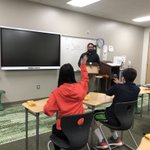


Day 12: A goal I have for technology integration is to post more student work and use strategies from @CommonSenseEd to ensure student privacy.
#FMSD12Days
3
Day 10: @SCDiscus under the high school category there is a section titled career transitions with job suggestions. This is a great resource to use for the upcoming school year. #FMSD12Days

2
Day 9: no policy = no go @CommonSenseEd I had no idea the importance. Great reminder to protect the privacy of students. Cropping pictures and using bitmojis are ways I have altered pictures in previous posts. #FMSD12Days

5
Day 8: Huge thanks to @mrsbagwellmath and @mrsdelapp who showed me how students can turn in homework on Google Classroom. It has saved so much class instruction time. #FMSD12Days
5
Day 7: @b_radmer78 putting #ChildrenFirstEveryDay and using #SOSStrategy to enhance student learning. #FMSD12Days

1
7
Day 6: Grade 11 lesson "Who's Looking at Your Digital Footprint?" @CommonSenseEd #FMSD12Days
Great lesson to remind high schoolers that they are marketing themselves in social media to potential colleges and employers.

1
4
Day 5: Hope you hear Jingle Bells. #FMSD12Days
Check out this song I created with Song Maker → musiclab.chromeexperiments.c… #songmaker #chromemusiclab

1
Day 4: @RidgeBiomed taught me how to use #SOSstrategy Snowball fight. I used it to review simplifying radicals in Algebra 2.
#FMSD12Days #FM21STEAM

1
9
Day 3: @CatawbaRidgeArt does an amazing job incorporating all subjects in her class. Check out this project with @adamsmathcr #FMSD12Days #Booksnap

3
10
Day 2: @adamsmathcr Not only leaves sticky notes with words of encouragement for her coworkers but spends more hours at school functions than at home putting #childrenfirsteveryday. I hope to grow up to be like her one day😊#FMSD12Days #OneCR
1
11
Day 2: Big shoutout to my Algebra 2 buddy @mrsbagwellmath! I am so thankful that we are together and we get to share in this journey. It has been an awesome experience. #FMSD12Days #ChildrenFirstEveryDay #OneCR
6
Day 1: Hi! I am Marion Bates. I teach math at Catawba Ridge. I am so excited to learn new ways I can use technology with my kiddos using the ideas from everyone on the #FMSD12Days Twitter Challenge.
12
Q4: So glad you showed me all of the great benefits of using Google Classroom! teapawt.org/KinardHistory/status/9…

Q3- My favorite is Google Classroom! Google Docs are amazing, but Classroom brings everything together easily! #FMSD12DAYS
1
Q4: Yes this is an awesome app and so easy to use! teapawt.org/AdamsMathFMHS/status/9…

Q3: my favorite app on my iPad is Genius Scan! It’s so easy to scan worksheets and notes into pdf files to upload or email! #FMSD12days
1
Q3: Google Classroom is the very best! Students have access to everything we do in class. #FMSD12Days
1
4
Q2: Great resource to show students how math is used daily
Fun parabola application ed.ted.com/lessons/the-math-…
#FMSD12Days #TEDEd
1
1
Q1: Students are using graphing calculators for the free-response portion of their exam. #FMSD12Days #edtech

Day 11: I am always looking for innovative ways to teach content so following other educators is extremely beneficial. #FMSD12DAYS #FM21STEAM
3
Day 10: Finding people in the community to come talk to my students would be top on my wishlist. Having students make real-world connections to topics in Algebra 2 can be tough so seeing how the content can be used in the workplace would be beneficial. #FMSD12DAYS #FM21STEAM
8