

AI for people who feel behind. One small win a day, in plain English. No jargon. No hype. Free weekly tips 👇
Joined October 2021
- Tweets5.3K
- Following1.9K
- Followers584
- Likes10.8K





Pinned Tweet
500 followers on X. Day 16.
Nov 1: 143
143 to 200: 4 days
200 to 300: 4 days
300 to 400: 3 days
400 to 500: 4 days
Goal: 1,000 by Dec 1. That's 500 to go in 15 days, about 33 a day. Real numbers here, even if I miss.
Who's one account you'd tell a beginner to follow?

1
5
107
Rule I gave my bots for my sleep videos: new music every time, and it has to be cleared before anything gets built.
Here's how the "is this music allowed?" check worked on Waves on a Quiet Shore.
1. Say the rule out loud.
My first Waves mix used the same Satie piece as the Rain video. I said: new music for every video, no reuse. The bots put the mix on hold the same afternoon.
2. Ask for a recording, not just a composer.
Chopin died in 1849, so the notes are free. But a recording has its own rights. I told the bots: public-domain or licensed recordings only.
3. Make the AI read the license page.
They pulled Nocturne Op. 9 No. 2 by Frank Lévy from Wikimedia Commons. That page says the recording itself was released into the public domain by Musopen. The bots saved the page, the file and its checksum, so there's a paper trail.
4. Write down what you changed.
The piece runs 4:31 and the video runs about 8 and a half minutes, so it plays through twice with a 6-second crossfade, lowered under my voice. That goes in the credit line.
5. Do the same for every sound.
The waves are "Calm ocean waves" by SamsterBirdies, CC0. The footage is free Pexels clips. Each one has its source and license saved next to the video.
6. Know the limit.
A license trail doesn't stop every automatic copyright claim. It does mean I can answer one in a minute.
"Is this allowed?" is a great question to hand to AI. Make it show you the page.
Chapter 4 Friday.
Night Window · youtube.com/@NightWindowFilm…

6
Fridge to dinner.
Got leftovers? Type what's in the fridge, then ask:
Give me 3 simple dinners using only these, plus what I'd still need to buy.

1
3
30
Build log, Day 29 (Thu Nov 12): I asked for a little more moonlight.
I loved the first chapter of a new Night Window video. One note: lighten the first frame, just slightly.
The new version came back at 8:23 PM. I locked it at 8:31.
What small fix made your work better?

1
1
6
Great tip from @DongDyD: stop describing your broken layout to AI. Just show it.
One screenshot plus one sentence beats a paragraph of guessing.
It helps with more than code too, like a confusing settings screen.
Have you tried sending AI a screenshot yet?

1
1
16
Simple way to start with AI, from @iToneSeria:
Each week, snap a photo of your grocery receipt, upload it to your AI, and ask it to keep track of where your money goes.
One small weekly habit teaches you more than any tutorial.
What simple task would you try first?

My best advice to start using AI is using AI for something simple eg every week when you do your grocery shopping take a picture of the slip upload to you prefered AI and ask it to keep a track of where you are spending.

10
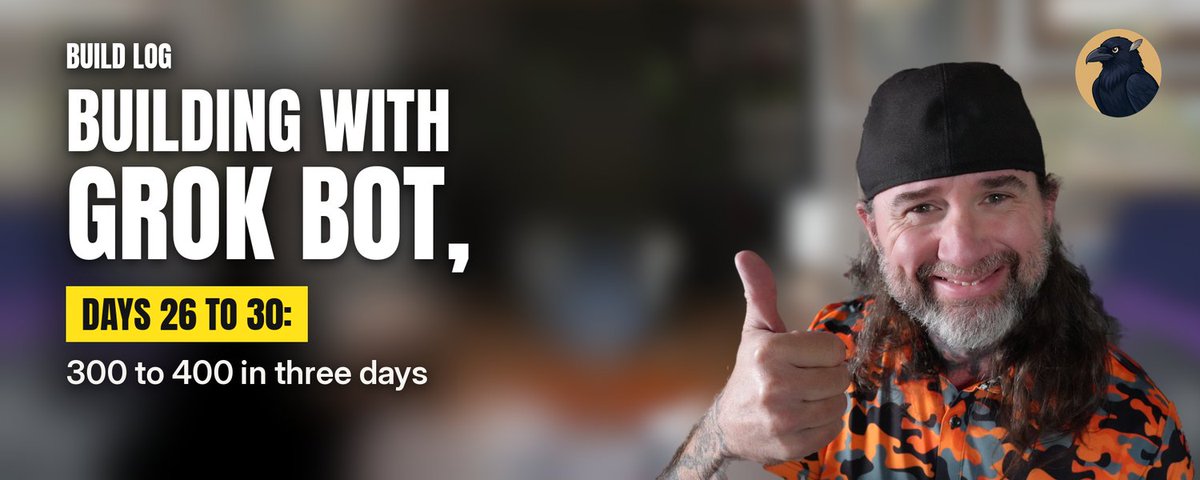
Banners on every post, missed morning posts, a quote-post test, and 300 to 400 followers in three days: November 9 to November 13, 2026.
2
16


Beginner tip: stuck on a personal decision? Paste this:
What would you ask me if you were a friend helping with this?
Let AI ask the questions for once.

8
Beginner Grok Bot tip: got a long article saved that you never finished? Paste it in and ask for the 3 things worth acting on.
"Here is an article I saved. What are the 3 things I should actually do?"
Reading becomes a short to-do list.
What is in your saved folder?
1
2
21
I recorded a 10-minute sleep story on my iPhone, stumbles and all. My bots turned it into a studio-clean voice the same evening.
Here's the exact audio playbook from Rain Through the Pines, so you can steal it:
1. Record in one take. Don't stop for mistakes.
My memo ran 9:55. Every time I tripped, I paused and read the line again. Those silences make the restarts easy for the bots to find.
2. Let AI find the restarts.
The bots transcribe the memo word by word and line it up with the script. They found 4 restarts, including two paragraphs I read twice in full. 85 seconds came out and the voice went from 9:55 to 8:30, with every cut placed in the silence of the room.
3. Never "fix" the words.
Rule #1 for Audio: cut restarts only. Keep every scripted pause and never add a word I didn't say. Sleep narration needs its silence.
4. Clean it like a studio.
Low hum filtered out, AI noise reduction, a little EQ for clarity, softened S sounds, gentle compression, then leveled to -16 LUFS, a standard loudness for online video.
5. Pick music you're allowed to use.
Satie's Gymnopédie No. 1, played by Robin Alciatore and released into the public domain. The rain is a real recording from a pine forest, "rainwind" by lathamgreen on Freesound (CC0).
6. Mix for sleep, not for drama.
My voice leads. The rain sits about 13 LU below it, and the piano about 20 LU below. The music dips a few dB whenever I speak.
7. Review in chapters and give honest notes.
The bots sent the video to me one chapter at a time. In the first version the piano faded out across the whole video, and I could hear it disappear halfway through. I said so, and Audio rebuilt it with the music steady and a 10-second fade only at the very end.
Picture: 8 real forest clips from Coverr, graded from overcast day to night.
Your voice + AI that never gets tired of editing = pure magic.
Chapter 3 Thursday.
Night Window · youtube.com/@NightWindowFilm…

1
21
Make AI your tutor, not your answer key.
Learning something? Copy this:
Don't give me the answer. Ask me one question at a time until I get it.
You do the thinking. It just steers.

1
13
Build log, Day 28 (Wed Nov 11): I caught a blurry opening.
At 6:31 AM I saw the first shot of a Night Window chapter was blurred. The sharp fix was locked by 6:48.
Same morning I made a rule: I check every chapter myself.
What do you always check yourself?

1
16
Fair point from @parvateezam: AI finishes a task in 20 seconds, then you spend 20 minutes checking it.
Speed alone isn't the win. Reliable finished work is.
A slower answer you can trust beats a fast one you have to redo.
How long do you spend checking AI output?

AI finishes a task in 20 seconds.
You spend 20 minutes checking whether it’s right.
The dashboard celebrates a massive productivity gain.
But speed isn’t productivity.
The real question is how much reliable work gets completed, not how quickly an answer appears.
1
1
20
Good nudge from @amusEcode1 for anyone learning AI:
Stop asking which tutorial to watch next. Start asking what you can build with what you already know.
A good first build is one small task you repeat every week.
What would you build first?

One thing nobody tells you about learning AI:
At some point, you have to stop asking, "Which tutorial should I watch next?"
And start asking, "What can I build with what I already know?"
That's where real progress begins.
12
My bots checked X 56 times last week.
That cost about 1% of my bot usage.
One kind of task ate 45%.
I run about 20 Grok Bot bots. Here's where it went (Nov 10-17):
Design work (banners, cards): 45%
Chief of Staff: 24%
X bot: 16%
Audio: 3%
The cheap stuff runs all day:
56 engagement checks: ~1%
37 daily post kits: ~1%
14 memo cleanups: under 1%
Today my audio bot cleaned an 8½-minute voice memo, cut 3 restarts, and laid soft piano under my voice.
A memo edit plus music runs me roughly 1.5% of my weekly usage.
The lesson:
Small, frequent checks are cheap.
Visual work and long hands-on asks are the big spenders.
Want your own numbers?
Settings > Usage & Billing.
Or ask your bot for a breakdown by bot and routine.
Which task do you think eats the most of yours?

3
2
25
