

Create Stunning Screen Recordings. No Editing Skills Needed.
Worldwide
Joined November 2023
- Tweets416
- Following170
- Followers258
- Likes254


A little sneak peek at what's coming to CANVID!
We're experimenting on a new Loupe zoom option, so instead of just zooming in normally, you'll be able to get that magnifying glass effect too! 🔍
Just another way to make your videos look even better without having to use other apps.

For people who make screen recordings: do you prefer recording the voiceover as you go, or adding it after you've figured out the visual sequence?
Your camera, your way! 👀
CANVID 3.2.1 introduces the new Floating camera layout, giving you more freedom to style your recordings.
Here's what's new! 👇

Our devs have been working hard to bring your feature requests to life, and this one has been high on the list. 👀
More info coming very soon. For now, we'll keep the details under wraps. XD

CANVID lets you edit your speech with AI, so you can change words you wish you'd never said.
Speaking of, here's a perfect example of a word you wish you'd never said. Watch till the end 💀
It's 2026 what-ifs and could've-beens are optional now. XD
canvid.com/support/editing/a…
Your cursor doesn't have to look different in your tutorials anymore.
CANVID 3.2.0 lets you preserve the original cursor style, so viewers can see exactly what you'd see on your screen.
Perfect for app tutorials. One less thing to worry about.
canvid.com/support/editing/c…
Whether you're creating software tutorials, product demonstrations, educational content, or quick walkthroughs for your team, the process should feel straightforward.
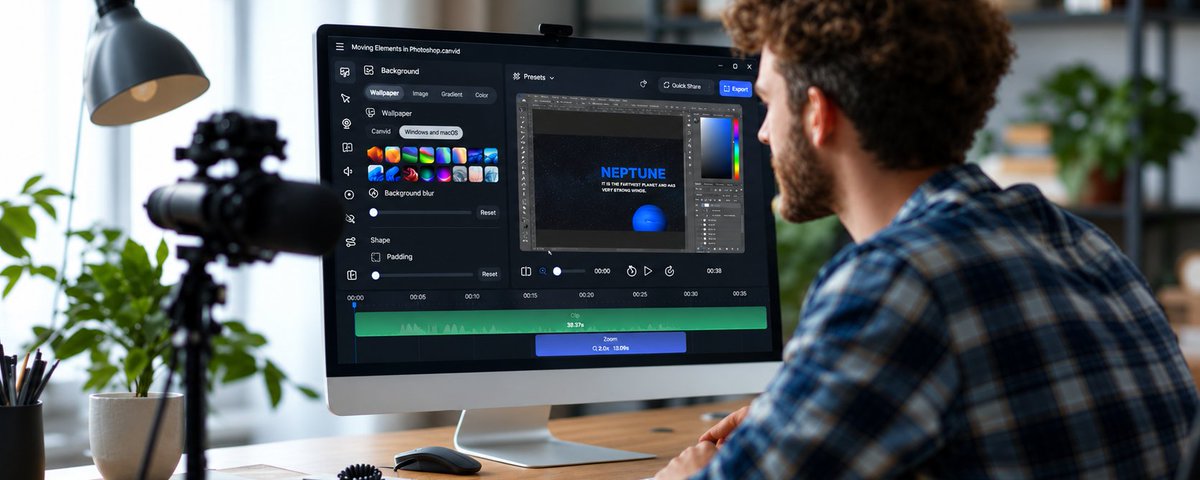
CANVID 3.2.0 is finally here 🚀
New camera shapes, a brand-new Split camera layout, resizable camera panes, webcam resolution settings up to 4K, and native cursor styles for Windows and Mac.
And that's just the highlights.
Full changelog 👇
canvid.com/changelog
What if your screen recorder was actually built for making tutorials and teaching?
🎥 Camera layouts
🔍 Dynamic zooms
🎙️ AI Voice Clarity
💬 Generated transcripts
🎵 Background music
✂️ Fast, easy editing
We put all of that into CANVID.
After you watch the video, give it a try:
canvid.com/download
Educators and tutorial creators, this one's for you. 👀
This short video was made entirely with CANVID.
Camera layouts.
Dynamic zooms.
Background music.
Generated Transcript.
Clean, engaging presentations.
No Premiere.
No After Effects.
No spending 3 hours figuring out why your text moved 4 pixels to the left. 😂
Just a few clicks.
And this is only a tiny part of what CANVID can do.
Split camera mode is free to try in Beta: canvid.com/download/beta
More info on Camera Layouts:
canvid.com/support/editing/c…
AI is making software faster.
Which means software is getting more complicated.
Which means documentation is getting more important.
Which means:
record everything.
2026:
AI agents are doing work for us.
Screen recordings are documenting the work.
Humanity has officially entered the tutorial era.
Which is why CANVID exists. Give it a try.
canvid.com/download

There are times the best screen recording is just... a screenshot.
Capture the moment. Add an arrow. Throw on a label. Hide the embarrassing stuff.
One frame. Zero explaining yourself for 5 minutes.
canvid.com/support/miscellan…
There's still the screen recording app for everything else of course xD
Behold! Split mode camera layout, another popular request is coming to CANVID stable soon!
But why wait? It’s already available in Beta if you’re feeling brave. 😂
This may or may not be its final form, but honestly... it’s looking pretty damn good already.
More details once it officially releases.
Try it here:
canvid.com/download/beta
Camera Layouts Guide (for obvious reasons, this guide does not include split mode yet but this will teach you how to go there at least:
canvid.com/support/editing/c…
Look at this video.
You’d think you need a professional editor, right?
WRONG.
You, your computer, CANVID, a few clicks.
Not kidding. This is stupidly easy.
canvid.com/support/editing/c…
canvid.com/features/camera-a…
CANVID AI Webcam lets you add yourself to a recording AFTER you record it.
Because apparently even the past can get software updates now.
Magic. canvid.com/features/ai-webca…
CANVID Zoom makes every boring little click look suspiciously important.
And adding automated zooms? Almost suspiciously easy.
canvid.com/features/auto-man…