

On-Chain Retail Pricing Founder KnifeRevive
Pittsburg, CA, USA
Joined October 2009
- Tweets864
- Following265
- Followers160
- Likes695







One of the biggest improvements in ChatGPT this year is the ability to write prompts on multiple tabs in the browser. It's a huge win for multitasking.
1
20
Numerous aircraft appear to be lined up on taxiways at San Francisco International Airport (SFO) following an FAA order halting departures. Planes remain grounded as they await clearance to take off.

428

Great job @WooCommerce on updating Premium Plans automatically to PHP 8.4.27 today!
PHP 8.4.27 includes today's critical security patches
Latest PHP 8.4 patch8.4.27
Security release dateOctober 21, 2026
Vulnerabilities fixedCVE-2026-109618 and CVE-2026-109619
119
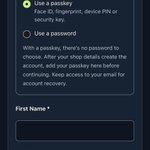
I am a trapped humbotrope right now. Stuck between two ChatGPT agents trying to wire up WooCommerce check out and Meta ad campaigns, new Meta terms like Database key, Meta pixel, passkeys popping up frequently. Head spinning.
3
1
64
Shop from @Muse with @KnifeRevive Concierge 🔪
Pick your sharpening service, day & pickup plan with in-app buttons. Watch Video DEMO:
kniferevive.com/wp-content/u…
👇 Install prompt in the reply
Update my existing KnifeRevive Concierge in place from clawhub.ai/svetlyoh/kniferev…
Import full folder + references. Keep its identity and one active copy; no duplicates. Verify v0.6.0 is active. If in-place updates aren't supported, tell me before creating anything new.

10
I am starting to wonder if my @kniferevive marketplace shows better in @Muse than the site itself in mobile view 😂
1
31
Update my existing KnifeRevive Concierge in place from clawhub.ai/svetlyoh/kniferev…
Import full folder + references. Keep its identity and one active copy; no duplicates. Verify v0.6.0 is active. If in-place updates aren't supported, tell me before creating anything new.
12
Shop the entire @kniferevive marketplace and book knife sharpening in the SF Bay Area, now within @muse or @openclaw
👇 Check the reply for the skill setup prompt.
1
72
Update my existing KnifeRevive Concierge in place from clawhub.ai/svetlyoh/kniferev…
Import full folder + references. Keep its identity and one active copy; no duplicates. Verify v0.6.0 is active. If in-place updates aren't supported, tell me before creating anything new.
19
Give used knives a next chapter! Sell knives, AI PCs, coins & art on KnifeRevive. Sharpeners & restorers welcome.
New sellers: 0% marketplace commission for 6 months from signup. Processing fees apply. Get paid via Stripe Express.
1
64
Your AI. Your setup. 🦞
Get an OpenClaw-ready Linux PC for under $100 on the KnifeRevive marketplace. Custom OpenClaw skins run directly on Linux, and free AI API credits are included.
See it in action 👇
kniferevive.com/wp-content/u…
1
108


Svet H. retweeted
I’ve seen a couple of posts about this so wanted to demystify. Today, every Muse user gets a free computer in the cloud. It's a real computer, and we’ve designed the security architecture of the Muse Secure VM carefully so you and your Muse can do almost anything you could with a computer sitting under your desk while keeping you and the system safe from threats like prompt injection. We wrote about this at length in our security blog post – security.muse.ai. Activity in the “runtime cell”, which you share with your Muse is unfettered, but sensitive actions are all overseen by the Sentinel, which runs outside of that cell. Similarly, all sensitive secrets - like the passwords you enter into Muse’s secure credential storage - are also stored outside the runtime cell.
The runtime cell gets its own root filesystem (including a full Ubuntu linux image) separate from the host filesystem where your other more sensitive data lives. Because it is isolated from the sensitive stuff that runs on the same box, this means that we can, and do, offer users full visibility and control over the files in the runtime cell. Just as you can when you install Linux on your home computer, you can poke around and see all the files that make the system work - both debian system files and the binaries and data files that implement the parts of Muse which run in the runtime cell.
This was a very deliberate choice - your Muse Secure VM truly is your own computer in the cloud. You can install software in it, write and compile code, use the browser to surf the web: it is your own Linux box that you can operate as you choose with your Muse. Poking around in this computer doesn't give you any privileged access to Meta infrastructure, or to other people's data
If I may geek out a little here for a second… As a kid I loved to take things apart to see how they worked. As a teenager I got into computers and soon found myself drawn to C:\WINDOWS\SYSTEM and the system registry, later Slackware’s /dev/, /proc/ etc – I could see how the system was laid out and as I explored what DLL files and .so files actually did, I gradually became able to meld the computer to my own will.
We’re really proud to be able to put a real computer in millions of people’s hands with a similar level of transparency. We built a file explorer right into the Library tab of the UI. We want you to be able to see the markdown files Muse writes while it thinks about how to serve you better, and explore the internals of the system if you’d like to.
So, when you ask your Muse to show you its entire filesystem, and receive gigabytes of files you’re seeing the full contents of the runtime cell. It’s yours to explore and enjoy!
If you’re not a geek like me, or simply want to download the data that you personally have created directly with your Muse, we added a feature for that too in Settings > Data controls > Download your agent data.
