



Got MiniMax H3 running on Intel Arc Pro B70 GPUs, both single-GPU and dual-GPU setups. I just published the setup guide, patches, benchmarks, and troubleshooting notes here:
github.com/PMZFX/minimax-h3-…
#LocalAI #IntelArc #MiniMaxH3

End state per 5-sec clip:
• 832×480 → 46 sec
• 720p → 3.5 min
• 30-sec long-form via chained I2V → 11 min
If you're running a B70/B580 and hitting multi-GPU memory doubling, the process-isolation pattern applies to any torch XPU workload.
How each piece helped:
• Multi-GPU split, one expert per card, process-isolated (dodged a multi-device host-RAM shadow bug on XPU)
• Lightning 4-step distilled LoRA from @lightx2v (9.5× on its own)
• torch.compile + persistent worker processes (amortizes compile over many videos)
All on stock torch 2.11+xpu, no IPEX needed.
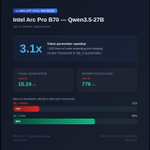
Been working on AI video generation with Wan 2.2 on my dual Intel Arc Pro B70s.
Things started rough: 13+ min per 5-sec 832×480 clip, and 720p wouldn't even fit.
With some trial and error I got to 46 seconds per clip. 16.7× faster
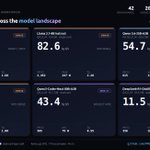
Dual Intel Arc Pro B70s (Battlemage), 42 benchmarks and counting!
LLM inference, 64K context scaling, power telemetry, every model we could load.
PSA: There's a build-flag trap that's been suppressing public B70 prefill by ~50%.
Take a look at the raw data, sweep configs, and the fix:
github.com/PMZFX/intel-arc-p…

I ran the same 9B model on 7 GPUs from $200 to $1,300.
RTX 3080 Ti: 113 t/s ($425)
RTX 3090: 113 t/s ($1,300)
Arc Pro B70: 54 t/s ($949)
RTX 3060: 51 t/s ($250)
RTX 4060: 43 t/s ($250)
BC-250: 26 t/s ($200)
M4 Mac Mini: 21 t/s ($499)
The 3080 Ti matches the 3090 at 1/3 the price.
But both are capped at models that fit in VRAM.
More VRAM = bigger models = smarter AI.
The B70 runs a 35B model on one card. Two cards run 80B.


As for Hermes vs OpenClaw, they're both good. Really depends on what you want to do. I switched to Hermes to act more as a reliable assistant, that I can depend on to do things regularly. OpenClaw really excels in being easy at telling it what to do (like in a Telegram message).
I'm a huge proponent of LM Studio as an easy way to get into running LLMs locally. Nice chat interface, easy to get models that fit the hardware, and provide API endpoints on the network if wanted.
That being said, it works on Windows well, but I strongly suggest Linux!
I benchmarked vLLM vs llama.cpp on dual Intel Arc Pro B70 GPUs (32GB each). Results are interesting.
The good: vLLM's prefill is 8-16x faster than llama.cpp. Same model, same precision (BF16 vs FP16), same hardware. The gap is real.
The bad: vLLM can't run Qwen3.5 on XPU (GDN attention unsupported). It also OOMs on Qwen2.5-14B on a single 32GB card at FP16. llama.cpp handles both fine.
Qwen2.5-14B, dual GPU, BF16/FP16:
pp128: llama.cpp 268 t/s vs vLLM 2,069 t/s
pp2048: llama.cpp 692 t/s vs vLLM 11,385 t/s
tg128: ~35 t/s both (tie)
Root cause: llama.cpp's SYCL flash attention uses scalar FP16 ops. vLLM uses Intel's XMX/DPAS matrix units via CUTLASS FMHA. The code literally has a "// Todo: Use the XMX kernel if possible" comment.
Token generation is a dead tie because both engines are memory-bandwidth-bound during decode - XMX doesn't help there.
For B70 owners today: llama.cpp is the practical choice (runs everything, great quant support, no Docker needed). But there's a massive fixable gap in prefill that the community should know about.
OpenClaw or Hermes Agent?
After digging into both:
OpenClaw is the better assistant platform; more chat surfaces, device nodes, channel routing.
Hermes is the better actual 'agent'; stronger memory, cleaner automation, tighter security, better sub-agent isolation.
One is the interface layer. The other is the work engine. Which are you running, and why'd you pick it?
I don't have a ton of hardware to test on, but the bits I've collected over the years and will start with. RTX 3060, 4060, 3080 ti, 3090, mac mini m2, mac mini m4 (both 16gb), the odd-ball AMD BC-250.
That's exactly what I've been working on lately. A full local LLM benchmarking suite on all the hardware I have available. Two separate tests: race (model loading time, time to first token (hot/cold), tokens per sec, etc. Then the more difficult, 'grading' mode for capability.
Two Intel Arc Pro B70s. 64GB VRAM total. Running a 70B model locally at 11 t/s, fully in GPU memory.
They're not the fastest cards. A 4090 will beat them on speed for smaller models. But a 4090 can't run 70B at all without crawling through system RAM. Two 5090's can! For around $7,000 though 😂
- DeepSeek-R1 70B Q4_K_M: 11.3 t/s (dual GPU)
- Qwen3.5-27B Q4_K_M: 20 t/s, 40K context (single GPU)
- Gemma 4 31B Q4_K_M: 22.6 t/s (single GPU)
- Gemma 4 26B-A4B MoE Q4_K_M: 30 t/s (single GPU)
The software side is still maturing. SYCL has its quirks and you'll spend some late nights with Intel's docs. But 64GB of VRAM I can actually afford, running models I never thought I'd run locally? That feels pretty great. 😄
Update: Found the root cause AND a fix path.
Tested IOMMU off, ACS disable, NEO debug keys — nothing helped at the config level. But then we tested Level Zero's zeCommandListAppendMemoryCopy directly:
16 GiB GPU-to-GPU copy: +113 MiB system RAM, 7.8 GB/s.
Same data via SYCL: +46 GiB system RAM.
Turns out kernel 7.0's xe driver HAS a working P2P/SVM path — but SYCL's buffer sharing triggers the older DMA-buf export path instead, which forces VRAM→RAM migration via TTM.
Two kernel paths, one good, one bad. SYCL uses the bad one. Intel's own llm-scaler uses Level Zero directly and avoids this.
Fix: modify llama.cpp's SYCL backend to use zeCommandListAppendMemoryCopy for cross-device transfers. Full writeup on Reddit.
reddit.com/r/LocalLLaMA/comm…

Update: Went deep on this. Tried disabling IOMMU, ACS, kernel debug keys, nothing helps. The xe driver simply doesn't implement PCIe P2P DMA. There are zero p2pmem entries, zero P2P symbols in the module. ALL cross-device sharing goes through host RAM via TTM.
Intel's own multi-GPU stack (llm-scaler/vLLM) works around this by using Level Zero IPC handles via oneCCL, completely bypassing the DMA-buf/TTM kernel path. But llama.cpp's SYCL backend doesn't have that option.
So, frustratingly, cards marketed for multi-GPU, but the kernel driver's only cross-device path mirrors VRAM into system RAM at ~3x the model size. No config fix. Need either driver P2P support or a different inference stack.
We also tested replacing llama.cpp's host bounce buffer (dev2dev_memcpy) with direct SYCL device-to-device
memcpy — which now works on compute-runtime 26.09. Transfers are 6x faster, but it doesn't reduce system RAM
usage. The overhead is entirely in the xe kernel driver's TTM layer, not userspace. No application-level fix
is possible.
cc @IntelGraphics — is PCIe P2P for xe on the roadmap?
This means for Intel multi-GPU, your system RAM needs to be at LEAST as large as whatever you're sharing across GPUs — on top of normal system usage. An Nvidia system with the same config wouldn't hit this.
This is NOT a hardware limitation — it's a driver maturity issue. The xe driver goes through the kernel's generic DMA-buf path instead of having optimized P2P transfers. Battlemage likely supports PCIe P2P at the hardware level.
Root cause: Intel's xe kernel driver uses DMA-buf exports to share GPU buffers between devices. Unlike Nvidia (NVLink/CUDA P2P) or AMD (ROCm/HSA), the xe driver's TTM subsystem allocates host-side shadow pages for every cross-device buffer. This scales with model + context size.
Kernel call stack: ttm_pool_alloc_page → xe_ttm_tt_populate → xe_gem_prime_export → drm_gem_prime_handle_to_dmabuf
PSA for Intel Arc / Battlemage multi-GPU users: Running dual-GPU inference (tensor parallel) on Intel dGPUs can eat your entire system RAM, even if the model fits entirely in VRAM.
We hit this running Qwen3.5-27B across two Arc Pro B70s (32GB each, 64GB total VRAM). Four OOM crashes in 25 minutes. 64GB system RAM, 100% consumed.
