

Voyant Data Viz Solutions
Joined January 2009
- Tweets359
- Following111
- Followers504
- Likes607

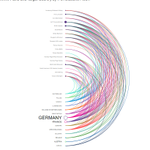
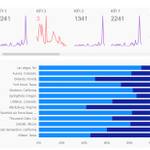

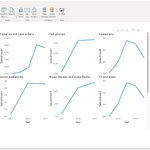

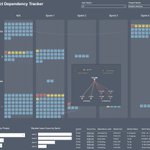
After 17 years of analytics and data viz (and #azure AI lately) consulting for large firms I am going out on my own! Let me know if anyone would like to work/partner together! Excited to move into this new journey and grow even further!
#datavisualization
#PowerBI
#Tableau
Nick Snapp retweeted

Please check out this demo on making a simple nested chart with the Charticulator visual. It includes a good hack to temporarily provide all the data while you create the nested chart. #PowerBI #Charticulator
youtu.be/cLiZpifYF4A
Nick Snapp retweeted

Inspired by Jeffrey Shaffer @HighVizAbility and Nick Snapp @Nsnapp, I decided to recreate all great bar chart variations using #Charticulator and #PowerBI.
dataplusscience.com/BarHoppi…
teapawt.org/Nsnapp/status/10952272…


Attempted to recreate @HighVizAbility great "Bar Hopping" blog post example in #charticulator and #PowerBI dataplusscience.com/BarHoppi…
.CHART files can be found here for you to use 1drv.ms/f/s!AqrbpKVUQ0Yhs4ol…

Its out!
Spend some time improving your data communication and get this book! No matter what tool you love #Tableau or #PowerBI
I have an example (#PowerBI) in the book, but don't just buy it for that ;) its chock full of good stuff!
amazon.com/Big-Picture-Visua…
Check out #1 on the hot new releases! Pre order it now! ....I may or may not have an example in it :) @DataRevelations

I gotta say I was hesitant at first to start using the #charticulator visual in #PowerBI and thought I would just stick to local app. Wow! Even for a preview it works well! I didn't realize how much time I'd be saving just developing in PBI. Way to go team! @zBritva @bongshin

Wow, didn’t see this coming! Very cool to see it realized! powerbi.microsoft.com/en-us/…
#charticulator

A Design mock had a "KPI Carousel" at the top of the dashboard. I thought...I bet you could do this in #PowerBI leveraging a table and SVG. Color formatting works based off targets as well! You can easily make it vertical.


Using @MSPowerBI with direct query to @databricks. Love it! But the cluster keeps starting back up after auto shutdown when the PBI report is published to the PBI service. My assumption is unless someone is actively using the report the cluster should shutdown and stay off? Help!

I have waited years for this to come (back?)...and its hopefully here next month. Will make life easier and increase confidence with being able to utilize Power BI as a "Data viz tool"!
#PowerBI #smallmultiples


Always liked Lyra now Lyra 2 looks even better! The interaction feature is killer!

We're thrilled to introduce Lyra 2, updating our venerable design tool to create *interactive* visualizations by demonstration!
Try now 📊: vega.github.io/lyra/
Demo 📽️: vimeo.com/453645616
Research 📄: vis.csail.mit.edu/pubs/lyra2
#ieeevis talk 🎤 @ 2:15pm ET today!
🧵»
Used #PowerBI to extract #Amazon X-ray data from the browser for my favorite movie Aliens. Mocked up screen time data for each character and relationship data. Finally visualized in #charticulator and #PowerBI. @MSPowerBI y'all make it too easy :)

Nick Snapp retweeted

How to create a map style custom visual chart with Bar chart, packed scatter bubble chart, or even images with #Charticulator #PowerBI youtu.be/DyVGpdUaELY
