


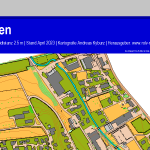




We have released the next update to the OCAD App with new features, such as the ellipse and fill drawing behavior, and the option to only allow pencil input for map drawing.
All the new features are summarized on our blog:
web.ocad.com/blog/2026/10/ne…
In our latest blog post, we share best practices with our OCAD App users to minimize data loss if the mobile device breaks, is lost or experiences an unexpected software error.
ocad.com/blog/2026/10/keep-y…

Have you ever had to create a map layout?
In our latest blog post, we explain the term 'bleed' and show you how to create and export a layout correctly, with or without bleed.
ocad.com/blog/2026/09/layout…


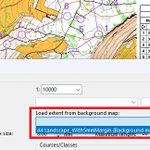
Since the latest OCAD Update, extents from background maps can be loaded in OCAD.
For example, when you use the Canvas function, you can load already defined extents from your layouts files.
Read more about extents in our blog: ocad.com/blog/2026/09/create…

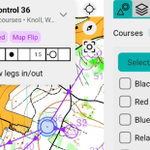
We have improved the Course Setting Layer to make the OCAD App even more appealing to course setters, controllers and control setters.
Blog: ocad.com/blog/2026/08/improv…
Video: youtu.be/ahmnCo_wios
Give it a try!

A control description is as essential to orienteering as a compass. You could manage without it, but it makes things easier.
What do you need to know about control descriptions, and what tools does OCAD offer for viewing, printing, and exporting them?
-> shop.ocad.com/knowledge/arti…

In our latest blog post, we’ll show you the tools OCAD offers that help you determine your location in the field and allow you to identify and map terrain features, vegetation, and man-made objects.
ocad.com/blog/2026/06/how-oc…
On the website 'GPS in Orienteering Map Map Making', you’ll find a summary of useful information about GPS and instructions on how to use GPS with OCAD.
shop.ocad.com/knowledge/arti…


The recording of yesterday's webinar about the OCAD App is now available on our YouTube channel.
It was fun introducing you to the new app, and we hope we have convinced you to give it a try.
youtu.be/OWt0Qazp9xg

We are hosting a webinar to introduce you to our new OCAD App and explain step by step how you can use it.
Date: Wednesday, 11.03.2026
Time: 19.00-20:30 (UTC+01:00) Amsterdam, Berlin, Bern, Rom, Stockholm, Wien
Registration here:
events.teams.microsoft.com/e…

We have officially released the OCAD App!🥳🥳🥳
We are pleased to introduce the new app to you in this short video.
youtu.be/A5sddywjcDY
Have fun exploring the OCAD App and its new features!
Last Saturday, we put our new OCAD App through another practical test and presented it to around 50 mapmakers in a workshop.
The feedback on the new app was overwhelmingly positive! 👍 🎉
We will be officially releasing the app soon. Stay tuned!
ocad.com/app


OCAD App - Beta Release🎉
We have released our new OCAD App as a beta version.
As a further development of the OCAD Sketch App, the OCAD App allows not only sketching but also direct editing of the map.
Have fun exploring the new app at
ocad.com/app/
With the latest OCAD Update, an option has been added to define Base Colors from which the values of the other colors are derived. This makes color management easier for people who print maps.
ocad.com/blog/2025/10/base-c…

Have you ever had to cover parts of the map to make room for logos, control descriptions, or layout elements?
Read our blog to find out what possibilities OCAD offers.
ocad.com/blog/2025/09/cover-…


A month ago, the World Orienteering Championships took place in Kuopio, Finland.
We interviewed Janne Weckman, one of the mapper and long-time OCAD partner, to gain insights into his working methods.
ocad.com/blog/2025/08/janne-…

With the latest OCAD Update the option 'Use backside for PDF export' has been added.
This option allows you to export a PDF with two pages for double-sided printing.
ocad.com/blog/2025/05/use-ba…

In our latest blog post, we give you an update on the most important OCAD innovations from last year.
ocad.com/blog/2025/01/review…
Find out how you can win an OCAD license in our new blog post:
ocad.com/blog/2024/12/win-oc…
