


Pinned Tweet
you don't need a motion studio for your launch video anymore.
steal a structure, keep your brand, fix it by typing.
the full Claude workflow, every prompt included ↓

ok this actually made me stop scrolling
the TSLA/USDG pool on @metricxyz was sitting at ~$549k while doing ~$1.27m in volume in a single day
more than 2x its own liquidity in 24h
my first thought was wait, why is there this much activity here
so i went digging and tbh the reason is pretty simple
normal dex pools sit on an old price and wait for arb bots to pick them apart. Metric keeps every pool tied to the real market, so when tesla moves on nasdaq the pool already moved with it
and that one change fixes like three things at once
> lps stop getting farmed by bots
> traders get tighter prices, and there's 0% frontend fee on top, you just pay the spread
> and the big routers already send flow there. Metric says it filled 61% of the bstocks volume going through binance wallet over 30 days
that's not hype volume, that's aggregators picking the best price and the best price happening to be here
not gonna make APR promises because that shit moves around constantly
but i get it now, and my whole research budget is apparently going into the TSLA pool 😭
ref if you wanna look yourself app.metric.xyz/r/yaori

fun fact: 庄 in chinese trading slang means the house. the guy who moves the market while everyone else guesses
and now it's sitting next to my name
officially a @Hertzflow_xyz affiliate 🫡
shoutout @Bankyo for reviewing me and letting me in
locking in. the house doesn't take days off

STEAL MY FINISHING PASS. ONE PROMPT THAT MAKES A CODE VIDEO LOOK SHOT, NOT RENDERED
run it last, after the edit is locked. in this video the left side is the raw render and the right side is the same scene with the pass on, one layer at a time.
copy this:
"Do a finishing pass on the whole video. Don't touch timing or layout.
glow: bloom only on the brightest parts, high threshold
depth: hero sharp, everything in front and behind it soft. never blur the main text
chromatic: a tiny RGB fringe on edges, plus a 2 frame kick on every hard cut
grain: animated film grain, low opacity, over everything
light leak: a warm flare drifting slowly across one corner, screen blend
motion blur: wrap the fast moves in CameraMotionBlur from Remotion's motion-blur package, 5 samples
Show me 3 stills before you render the full video."
why last: these effects multiply render time. motion blur alone renders every frame several times and averages them. lock the edit, then pay that cost once.
why stills first: one look at a still tells you if it's too much. if it starts to look like a filter, cut every value in half. the best finishing pass is the one nobody can point at.
full workflow in the article ↓

Yaori retweeted

📣 HERTZFLOW X CONTENT CHALLENGE: WINNERS ANNOUNCED 🎉
859 entries. Original posts, artwork and memes about HertzFlow mainnet, all made by the community.
1,000 USDC goes to 23 winners. The team reviewed every single entry and saw the creativity behind each one.
Full list 🧵
YOUR CLAUDE VIDEO LOOKS CHEAP BECAUSE IT'S FLAT. ONE PROMPT FIXES THAT
most Claude launch videos are cards sliding around on a flat background. that's not a Claude limit. it's a prompt limit.
Remotion has an official Three.js package (remotion.dev/docs/three) that puts a real 3D scene inside your video. real camera, real light, real depth. add the React Three postprocessing library and you get bloom, chromatic aberration and grain on top.
it's still code, so you still fix it by typing.
the prompt:
"Add Remotion's Three.js package and the React Three postprocessing library to my Remotion project. Rebuild the hero scene in real 3D: my app screens as floating panels around a phone, a slow camera orbit, a soft key light and a violet rim light. Add bloom on the bright parts, light chromatic aberration and film grain. Use Remotion's seeded random() so every frame renders the same. Keep all timings in one config file."
two things that save you an hour:
→ render with gl set to "angle". the Remotion docs say Three.js doesn't work with the default OpenGL renderer
→ 3D renders slower. preview at --scale=0.5 before the full render
everything in this video is rendered from code. no Blender, no After Effects.
full workflow in the article ↓
THE REFERENCE YOU PICK MATTERS MORE THAN YOUR PROMPT. RUN IT THROUGH THESE 5 RULES FIRST
step 1 of the workflow below is "find a reference". most people rush it. they grab the fanciest launch on their timeline and wonder why Claude's version feels off.
Claude copies structure really well. so if the structure is wrong for you, you get a polished copy of the wrong thing.
the test i run on every reference before it goes into prompt 1:
01. 20 to 45 seconds
longer than that and the pacing falls apart once Claude swaps in your content. you also burn render time on scenes nobody watches.
02. same kind of product
messaging app → chat bubble launches
SaaS → dashboards and data
consumer app → big type and color
a car ad's rhythm won't fit an invoicing tool.
03. no footage you don't have
if the reference leans on real camera shots (people, drones, hands holding phones), level 1 can't rebuild it. stick to motion graphics and UI. save the footage-heavy ones for level 2 with Higgsfield.
04. count the cuts
scrub through 10 seconds and count. if you can't read a line of text before it's gone, your viewers can't either. the scene map from prompt 1 gives you every timestamp for free.
05. closest to your story
does it introduce a product, show 2 or 3 features and end on a logo? that's the launch structure you want. a brand mood film with no product in it is a different job.
where to look: whatships.com. 2,000+ startup launch videos from X, filtered by AI, developer tools, design, motion, productivity, consumer and hardware. open one, hit "Original on X", that's the link you paste.
green flags:
→ the product UI fills the screen
→ one sentence per scene
→ a clear end card with a name and a URL
red flags:
→ a logo intro longer than 3 seconds
→ 3D renders of a physical product
→ the whole thing only works because of the song
pro move: save 3 that pass all 5 rules. run prompt 1 on each, compare the scene maps, then tell Claude which scene to take from which. that's how you end up with something that doesn't look like a copy of anything.
full workflow and every prompt in the article ↓
Yaori retweeted
THE CHEAPEST WAY TO MAKE A CLAUDE VIDEO FEEL EXPENSIVE: CUT IT ON THE BEAT
every video in the article below was cut this way. here's the exact method, because "add music" is where most AI videos lose people.
the problem: Claude can't hear. if you just say "add this track", it fades it in and calls it done. the cuts land wherever the scenes happen to end. your brain notices even if you can't say why.
the fix is math. Claude is great at math.
01. pick the track yourself
royalty-free, one you have the rights to. drop it in /audio.
02. let Claude find the beat grid
it runs librosa, a free Python audio library: tempo, every beat, and the biggest drop. a typical house track sits around 120 to 130 BPM, so a beat every half second.
03. snap the cuts
every scene change moves to the nearest beat. bigger moments go on the first beat of a bar. the animation in between stretches or shrinks by a few frames, so nothing looks rushed.
04. land the drop
the loudest moment of the song goes on your product reveal. that one sync does more than any effect.
05. make the frame breathe
a 1% scale punch on every kick, a bit more on each bar, a short flash on the drop. subtle enough that nobody notices it. obvious the second you turn it off.
the prompt i use:
"Here's my track: ./audio/track.mp3. Detect the BPM and every beat with librosa. Find the biggest drop. Move every scene cut onto a beat. Land the drop on the product reveal. Punch the frame 1% on each kick."
bonus: in Remotion, @remotion/media-utils can read the audio and drive bars and shapes from it, so parts of the video move with the real sound. the equalizer at the end of this video is built from the track's actual loudness.
don't sync everything. at 129 BPM a cut on every beat feels like a strobe light. cut every 4 or 8 beats, and let the punches carry the beats in between.
how to check it worked: scrub the first 10 seconds with sound on. if one cut feels late, it's usually 1 to 3 frames off. tell Claude which cut, and it nudges just that one.
music decides the edit.
full workflow in the article ↓
THE CHEAPEST WAY TO MAKE A CLAUDE VIDEO FEEL EXPENSIVE: CUT IT ON THE BEAT
every video in the article below was cut this way. here's the exact method, because "add music" is where most AI videos lose people.
the problem: Claude can't hear. if you just say "add this track", it fades it in and calls it done. the cuts land wherever the scenes happen to end. your brain notices even if you can't say why.
the fix is math. Claude is great at math.
01. pick the track yourself
royalty-free, one you have the rights to. drop it in /audio.
02. let Claude find the beat grid
it runs librosa, a free Python audio library: tempo, every beat, and the biggest drop. a typical house track sits around 120 to 130 BPM, so a beat every half second.
03. snap the cuts
every scene change moves to the nearest beat. bigger moments go on the first beat of a bar. the animation in between stretches or shrinks by a few frames, so nothing looks rushed.
04. land the drop
the loudest moment of the song goes on your product reveal. that one sync does more than any effect.
05. make the frame breathe
a 1% scale punch on every kick, a bit more on each bar, a short flash on the drop. subtle enough that nobody notices it. obvious the second you turn it off.
the prompt i use:
"Here's my track: ./audio/track.mp3. Detect the BPM and every beat with librosa. Find the biggest drop. Move every scene cut onto a beat. Land the drop on the product reveal. Punch the frame 1% on each kick."
bonus: in Remotion, @remotion/media-utils can read the audio and drive bars and shapes from it, so parts of the video move with the real sound. the equalizer at the end of this video is built from the track's actual loudness.
don't sync everything. at 129 BPM a cut on every beat feels like a strobe light. cut every 4 or 8 beats, and let the punches carry the beats in between.
how to check it worked: scrub the first 10 seconds with sound on. if one cut feels late, it's usually 1 to 3 frames off. tell Claude which cut, and it nudges just that one.
music decides the edit.
full workflow in the article ↓
Yaori retweeted
you don't need a motion studio for your launch video anymore.
steal a structure, keep your brand, fix it by typing.
the full Claude workflow, every prompt included ↓
tried buying gold through my bank and somehow ended up doing more paperwork than trading
then i found @Hertzflow_xyz
gold, stocks, forex, crypto, all tradable from one wallet with USDT on BNB Chain
what caught my attention was Hyper Lev mode
zero opening fees, zero closing fees, and a profit based fee only when you win
plus mandatory stop losses, which honestly makes sense when leverage is involved
$134m in trading volume already, and more markets on the way
season 2 merits close october 19
made a quick video showing why this caught my eye ↓
#HertzFlow
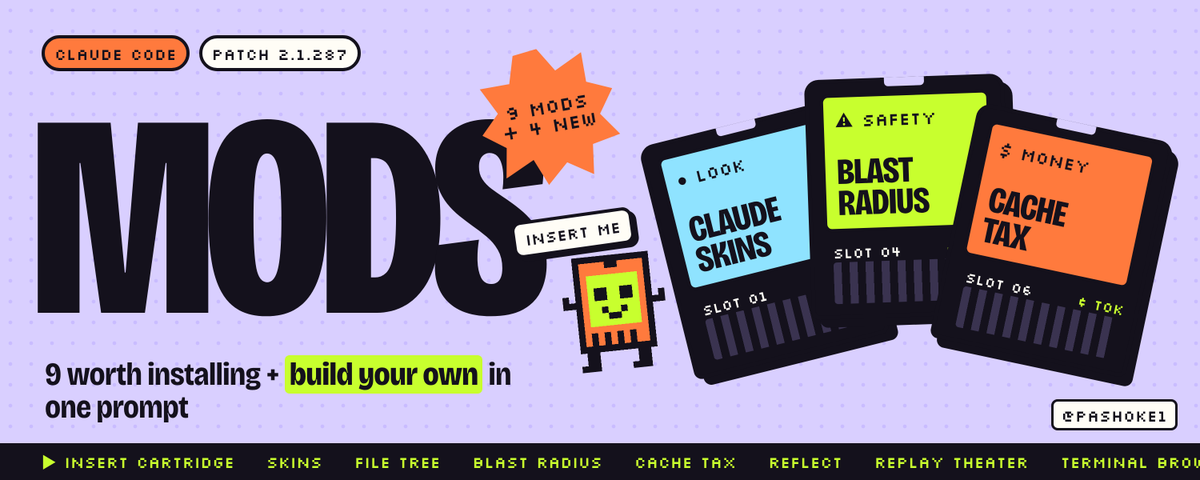
I PUT A VIDEO GAME INSIDE CLAUDE CODE. IT PLAYS WHILE CLAUDE WORKS. IT TOOK ONE SENTENCE.
you know that moment. you ask Claude for something big, and then you just sit there watching "Working..." for two minutes.
so i built a fix. you can get the same thing with one sentence to Claude Code:
"build me a mod: a tiny runner game above the prompt that plays while you work, and shows my score when you're done"
that's it. Claude writes it, you click yes twice, and from then on every time Claude works, a little runner jumps over rocks above your prompt. when Claude finishes, it shows your score.
it's silly. it's also the best way i've found to explain what mods are.
a mod is a small add-on that changes Claude Code itself. not what Claude knows. the app. how it looks, what it shows you, what it lets through.
and you don't write the code. you describe the thing in plain words and Claude builds it for you. Claude Code ships with a built-in skill just for writing mods.
i built mine and checked it with claude plugin validate before writing this. it passes. it only uses the clock and the screen. no internet, no reading your files, zero AI tokens.
how to make your own:
01. open Claude Code (terminal or the Code tab in the desktop app)
02. type "build me a mod:" and describe what you want, like you'd explain it to a friend
03. Claude asks before it writes each file. say yes
04. Claude Code asks "Enable hot reloading for this session?". pick Enable
05. your mod turns on as soon as Claude finishes. ask for changes the same way. "make the runner faster." "show my best score."
one thing people miss: a mod Claude writes lives in that session only. if you like it, ask Claude to copy it to a folder you keep.
5 more one-sentence mods anyone can ask for:
→ "play a sound when you finish, so i can look away"
→ "show how much this chat has cost so far, above the prompt"
→ "show a timer for how long you've been working on this"
→ "add a /todo command that lists my open tasks instantly"
→ "ask me before you delete any file"
none of these need coding skills. if you can describe it, you can have it.
the full guide, the 9 mods worth installing and how to check a mod before it touches your computer are in the article below.
Yaori retweeted
CLAUDE CODE CAN RUN A WHOLE TEAM OF AI HELPERS AT ONCE. ONE FREE MOD SHOWS YOU EACH ONE, WHAT IT'S DOING AND WHAT IT COSTS.
this is the part of Claude Code most people never see.
when you give it a big job, it doesn't always do it alone. it can split the work and send out helpers, each one doing a piece at the same time. Anthropic calls them subagents. think of them as a small team.
picture a normal request:
"build our cold brew launch kit"
Claude can send one helper to design the graphics, one to build the landing page, one to research what competitors did. then a last one reviews everything when they're done.
the problem: by default you just see a spinner. you have no idea who is doing what, how far along they are, or what it's all costing you.
that's what Savvy Progress fixes.
it adds a progress bar above your prompt and a panel (/agents-info) that shows every helper:
→ what task it's on
→ which AI model it's using
→ how far along it is
→ how much it has cost so far
→ how long it's been running
so instead of "Working..." you see something like: graphics 2 of 4 done, landing page 2 of 5 done, research finished, reviewer waiting. and the total cost of the whole team at the top.
that last part matters more than it sounds. helpers run in parallel, which is fast, but it also means the bill grows in parallel. seeing it live is how you stay in control.
how to get it:
/plugin marketplace add JohnnyVizz/claude-kit
then open /plugin, go to Discover, and install savvy-progress. it's built to work with the savvy-flow skill in the same repo, so install that too.
/reload-plugins loads it without restarting.
a few honest notes:
→ check the README first. mods change fast and the exact steps can move
→ before you install any mod from someone you don't know, run claude plugin validate on it. it shows you what the mod can touch in 30 seconds
→ install one mod at a time. if something acts weird, you know which one did it, and claude --safe-mode starts a session with every mod off
once you watch your AI team work, you don't go back to staring at a spinner.
the other 8 mods worth installing and what each one costs you in tokens are in the article below.
CLAUDE CODE CAN RUN A WHOLE TEAM OF AI HELPERS AT ONCE. ONE FREE MOD SHOWS YOU EACH ONE, WHAT IT'S DOING AND WHAT IT COSTS.
this is the part of Claude Code most people never see.
when you give it a big job, it doesn't always do it alone. it can split the work and send out helpers, each one doing a piece at the same time. Anthropic calls them subagents. think of them as a small team.
picture a normal request:
"build our cold brew launch kit"
Claude can send one helper to design the graphics, one to build the landing page, one to research what competitors did. then a last one reviews everything when they're done.
the problem: by default you just see a spinner. you have no idea who is doing what, how far along they are, or what it's all costing you.
that's what Savvy Progress fixes.
it adds a progress bar above your prompt and a panel (/agents-info) that shows every helper:
→ what task it's on
→ which AI model it's using
→ how far along it is
→ how much it has cost so far
→ how long it's been running
so instead of "Working..." you see something like: graphics 2 of 4 done, landing page 2 of 5 done, research finished, reviewer waiting. and the total cost of the whole team at the top.
that last part matters more than it sounds. helpers run in parallel, which is fast, but it also means the bill grows in parallel. seeing it live is how you stay in control.
how to get it:
/plugin marketplace add JohnnyVizz/claude-kit
then open /plugin, go to Discover, and install savvy-progress. it's built to work with the savvy-flow skill in the same repo, so install that too.
/reload-plugins loads it without restarting.
a few honest notes:
→ check the README first. mods change fast and the exact steps can move
→ before you install any mod from someone you don't know, run claude plugin validate on it. it shows you what the mod can touch in 30 seconds
→ install one mod at a time. if something acts weird, you know which one did it, and claude --safe-mode starts a session with every mod off
once you watch your AI team work, you don't go back to staring at a spinner.
the other 8 mods worth installing and what each one costs you in tokens are in the article below.
Yaori retweeted
LETTING AN AI INTO YOUR FILES IS SCARY. THIS FREE MOD SHOWS YOU EXACTLY WHICH FILES CLAUDE OPENED AND WHICH ONES IT CHANGED.
here's a very normal thing to ask Claude Code, and it has nothing to do with programming:
"add my work expenses from the receipts to deductions.csv"
Claude reads the receipts, pulls out the laptop, the desk chair, the work share of the phone bill, and adds them to your spreadsheet. it's great.
but your tax folder also has payslips and bank statements in it. and the whole time a little voice is asking: what else did it look at?
by default, you have to scroll back through the chat to piece it together.
File Tree fixes that. it puts a live list of your folder right next to the chat, and marks the files Claude touches while it works.
so after that request, you'd see something like:
→ desk-chair.pdf: opened
→ laptop.pdf: opened
→ phone-bill.pdf: opened
→ deductions.csv: edited
and the payslips and bank statements sit right there, untouched. no guessing, no scrolling.
it works for anything you do with Claude Code. a website, a folder of client files, your notes. you always see where Claude is working and what changed.
how to get it:
/plugin marketplace add data-goblin/claude-code-filetree
then open /plugin, go to Discover, and install it. /reload-plugins turns it on without restarting. check the README for the exact steps, mods are new and things move.
it costs zero AI tokens. it just reads your folder and draws the list. it never calls the AI at all.
two more i'd pair with it if you let Claude near anything important:
01. Replay Theater
type /replay and it walks you through every change Claude made in the last answer, one at a time. like a "show me what you did" button.
02. a one-sentence guard
Claude Code can build mods for you. type:
"build me a mod that asks me before you open anything in my bank folder"
Claude writes it, you click yes, and from then on it has to ask.
and one rule for any mod from someone you don't know: run claude plugin validate on it before you install. it tells you in 30 seconds what the mod can reach.
you shouldn't have to trust an AI blindly. you should be able to see what it did.
the full guide, the 9 mods worth installing and the safety checklist are in the article below.
LETTING AN AI INTO YOUR FILES IS SCARY. THIS FREE MOD SHOWS YOU EXACTLY WHICH FILES CLAUDE OPENED AND WHICH ONES IT CHANGED.
here's a very normal thing to ask Claude Code, and it has nothing to do with programming:
"add my work expenses from the receipts to deductions.csv"
Claude reads the receipts, pulls out the laptop, the desk chair, the work share of the phone bill, and adds them to your spreadsheet. it's great.
but your tax folder also has payslips and bank statements in it. and the whole time a little voice is asking: what else did it look at?
by default, you have to scroll back through the chat to piece it together.
File Tree fixes that. it puts a live list of your folder right next to the chat, and marks the files Claude touches while it works.
so after that request, you'd see something like:
→ desk-chair.pdf: opened
→ laptop.pdf: opened
→ phone-bill.pdf: opened
→ deductions.csv: edited
and the payslips and bank statements sit right there, untouched. no guessing, no scrolling.
it works for anything you do with Claude Code. a website, a folder of client files, your notes. you always see where Claude is working and what changed.
how to get it:
/plugin marketplace add data-goblin/claude-code-filetree
then open /plugin, go to Discover, and install it. /reload-plugins turns it on without restarting. check the README for the exact steps, mods are new and things move.
it costs zero AI tokens. it just reads your folder and draws the list. it never calls the AI at all.
two more i'd pair with it if you let Claude near anything important:
01. Replay Theater
type /replay and it walks you through every change Claude made in the last answer, one at a time. like a "show me what you did" button.
02. a one-sentence guard
Claude Code can build mods for you. type:
"build me a mod that asks me before you open anything in my bank folder"
Claude writes it, you click yes, and from then on it has to ask.
and one rule for any mod from someone you don't know: run claude plugin validate on it before you install. it tells you in 30 seconds what the mod can reach.
you shouldn't have to trust an AI blindly. you should be able to see what it did.
the full guide, the 9 mods worth installing and the safety checklist are in the article below.
Yaori retweeted
A CLAUDE CODE MOD CAN READ YOUR API KEYS AND APPROVE COMMANDS BEFORE YOU SEE THEM. HERE'S HOW TO CHECK ONE IN 30 SECONDS.
not a theory. it's written on Anthropic's own mods page.
once a mod loads, it can:
→ read and write files anywhere your user account can
→ read your environment variables and settings files, API keys included
→ see every prompt you send and every tool call Claude makes
→ rewrite a prompt or a tool call
→ approve a tool call before you're asked
→ spend your usage by calling a model
mods aren't sandboxed either. sandboxing isolates the Bash commands Claude runs. a process a mod starts runs outside it.
the one thing a mod can't touch is the permission prompt. it can't change what that prompt shows you.
so here's the 30-second check before installing anything from a stranger:
01. get the files without running them
git clone the repo. don't install yet.
02. run the validator
claude plugin validate ./the-mod
it reads the code without running it and tells you exactly what the mod does.
03. read the "hooks:" line
the events it listens to. a theme should be drawing things. if a theme also hooks every tool call, ask why.
04. read the "calls:" line
everything it asks Claude Code to do. a skin calling http.fetch is a red flag. a cost tracker writing files outside its own folder is a red flag. anything calling a model is spending your usage.
05. look for "env reads:"
if the mod reads environment variables, the validator prints that line. a timer has no reason to read your keys.
06. know your brakes before you need them
→ one mod: /plugin, Installed tab, disable it
→ every mod you installed, one session: claude --safe-mode
→ every mod you installed, every session: "disableAllHooks": true in ~/.claude/settings.json (this also stops your settings hooks and custom status line)
one more trap if you write your own guard mod: a hook that throws gets skipped, and the command it was meant to stop runs anyway. give every guard a .catch and test that it actually blocks.
good news for the mods Claude writes for you: they only load after you approve hot reload, only in a workspace you've trusted, and never in claude -p where nobody can say yes.
mods are the best thing to happen to Claude Code in a long time. just treat them like browser extensions that run as you, because that's what they are.
the full safety section, the install order and every command are in the article below.
A CLAUDE CODE MOD CAN READ YOUR API KEYS AND APPROVE COMMANDS BEFORE YOU SEE THEM. HERE'S HOW TO CHECK ONE IN 30 SECONDS.
not a theory. it's written on Anthropic's own mods page.
once a mod loads, it can:
→ read and write files anywhere your user account can
→ read your environment variables and settings files, API keys included
→ see every prompt you send and every tool call Claude makes
→ rewrite a prompt or a tool call
→ approve a tool call before you're asked
→ spend your usage by calling a model
mods aren't sandboxed either. sandboxing isolates the Bash commands Claude runs. a process a mod starts runs outside it.
the one thing a mod can't touch is the permission prompt. it can't change what that prompt shows you.
so here's the 30-second check before installing anything from a stranger:
01. get the files without running them
git clone the repo. don't install yet.
02. run the validator
claude plugin validate ./the-mod
it reads the code without running it and tells you exactly what the mod does.
03. read the "hooks:" line
the events it listens to. a theme should be drawing things. if a theme also hooks every tool call, ask why.
04. read the "calls:" line
everything it asks Claude Code to do. a skin calling http.fetch is a red flag. a cost tracker writing files outside its own folder is a red flag. anything calling a model is spending your usage.
05. look for "env reads:"
if the mod reads environment variables, the validator prints that line. a timer has no reason to read your keys.
06. know your brakes before you need them
→ one mod: /plugin, Installed tab, disable it
→ every mod you installed, one session: claude --safe-mode
→ every mod you installed, every session: "disableAllHooks": true in ~/.claude/settings.json (this also stops your settings hooks and custom status line)
one more trap if you write your own guard mod: a hook that throws gets skipped, and the command it was meant to stop runs anyway. give every guard a .catch and test that it actually blocks.
good news for the mods Claude writes for you: they only load after you approve hot reload, only in a workspace you've trusted, and never in claude -p where nobody can say yes.
mods are the best thing to happen to Claude Code in a long time. just treat them like browser extensions that run as you, because that's what they are.
the full safety section, the install order and every command are in the article below.
Yaori retweeted
CLAUDE CODE CAN NOW BUILD ITS OWN PLUGINS. YOU DESCRIBE THE FEATURE IN ONE SENTENCE AND IT LOADS IT INTO ITSELF LIVE.
no JavaScript. no bundler. no build step.
it ships with a built-in skill called plugin-authoring. it knows where mods go, which events your version has, and how they load. here's the exact loop:
01. describe the annoyance, not the code
bad: "make me a cool mod"
good: "make a mod that shows a band above the prompt with the git branch, how many files Claude changed this session, and a red dot for uncommitted work. no network calls. no model calls."
that last line matters. it keeps the mod free and keeps it off the internet.
02. approve the files
Claude writes the mod into ~/.claude/dev-mods/ for this session. that's a protected path, so in the default permission mode it asks before each file. read them. it's 3 small files.
03. say yes to hot reload
the first time, Claude Code asks "Enable hot reloading for this session?". pick Enable for this session. the mod loads when the turn ends.
04. iterate in plain english
"make the dot orange." "add a /ship command that prints the same thing." each change reloads at the end of the turn. no restart.
05. check it the way Claude Code sees it
claude plugin validate ./your-mod
it lists every event the mod hooks and every call it makes. if you asked for "no network" and you see http.fetch in there, you know something's off.
06. save it before it disappears
the dev-mods folder belongs to that one session and gets cleaned up later. copy the folder to ~/mods/ and load it anywhere:
claude --plugin-dir ~/mods/your-mod
the part nobody mentions: when a mod loads from a folder like that, Claude Code writes the type definitions for your exact version right next to it. so the next time you ask Claude to change the mod, it isn't guessing the API. it's reading it.
i built 3 mods from one-line specs and ran validate on all of them. all three pass.
5 starter ideas, one prompt each:
→ a band that shows how long the current turn has been running
→ a /todo command that lists every TODO comment in the repo, no Claude turn
→ a sound when a turn ends, so you can look away
→ a counter of files Claude touched today
→ a guard that refuses any edit to .env
what should you build first? the thing you check by hand after every single task. that's your first mod.
the 9 mods worth installing, 4 creator prompts and the full tell-guard code are in the article below.
CLAUDE CODE CAN NOW BUILD ITS OWN PLUGINS. YOU DESCRIBE THE FEATURE IN ONE SENTENCE AND IT LOADS IT INTO ITSELF LIVE.
no JavaScript. no bundler. no build step.
it ships with a built-in skill called plugin-authoring. it knows where mods go, which events your version has, and how they load. here's the exact loop:
01. describe the annoyance, not the code
bad: "make me a cool mod"
good: "make a mod that shows a band above the prompt with the git branch, how many files Claude changed this session, and a red dot for uncommitted work. no network calls. no model calls."
that last line matters. it keeps the mod free and keeps it off the internet.
02. approve the files
Claude writes the mod into ~/.claude/dev-mods/ for this session. that's a protected path, so in the default permission mode it asks before each file. read them. it's 3 small files.
03. say yes to hot reload
the first time, Claude Code asks "Enable hot reloading for this session?". pick Enable for this session. the mod loads when the turn ends.
04. iterate in plain english
"make the dot orange." "add a /ship command that prints the same thing." each change reloads at the end of the turn. no restart.
05. check it the way Claude Code sees it
claude plugin validate ./your-mod
it lists every event the mod hooks and every call it makes. if you asked for "no network" and you see http.fetch in there, you know something's off.
06. save it before it disappears
the dev-mods folder belongs to that one session and gets cleaned up later. copy the folder to ~/mods/ and load it anywhere:
claude --plugin-dir ~/mods/your-mod
the part nobody mentions: when a mod loads from a folder like that, Claude Code writes the type definitions for your exact version right next to it. so the next time you ask Claude to change the mod, it isn't guessing the API. it's reading it.
i built 3 mods from one-line specs and ran validate on all of them. all three pass.
5 starter ideas, one prompt each:
→ a band that shows how long the current turn has been running
→ a /todo command that lists every TODO comment in the repo, no Claude turn
→ a sound when a turn ends, so you can look away
→ a counter of files Claude touched today
→ a guard that refuses any edit to .env
what should you build first? the thing you check by hand after every single task. that's your first mod.
the 9 mods worth installing, 4 creator prompts and the full tell-guard code are in the article below.