

Design Engineer Prev: @tellidotcom, @mintgate_io, @leapdao, @0xhabitat
Berlin, Deutschland
Joined September 2012
- Tweets721
- Following2.5K
- Followers366
- Likes4.8K





honest disclaimer: on first launch sayso downloads 660 MB of models (speech 467 MB, mood colours 195 MB)
that's the price of running on your Mac. after that it works offline and only goes online to check for updates
6
had a Pro plan, a trial and a checkout ready for sayso
then shipped it free. everything it does today runs on your Mac, no server, no AI bill behind it. charging monthly for that felt wrong
no account, no trial, no card
1
18
things that broke when my agents and I shared one Runway window:
- an agent switched the project to its worktree. for me too
- an agent's build selected its project, so my Return ran the wrong one
- my ⌘R on a busy project silently did nothing
all fixed in 1.4
21
the rule I gave sayso: clear commands run at once, risky ones wait
"volume up" just happens. quitting an app, closing a window or locking the screen waits for a second press of your key. esc cancels
and commands never run inside password fields
22
sayso is out, and it's free 📻
a radio to your Mac: hold a key, talk, let go. the text lands in whatever app you're in, cleaned up
hold fn ⌃ instead and it's a command: "open Notes", "search for flights to Lisbon", "volume down"
1
31
all on device, offline after a one-time model download. no account, no trial, no card
Apple silicon, macOS 26
sayso.happyface.studio

4
tested Runway 1.4 with 3 agents pressing play at the same time, from 3 worktrees of the same app
all three answered within 15s, each on its own simulator, all three apps still running after
before 1.4 they shared one session and closed each other's app 🫠
15
the simple way to build dictation: record while you talk, transcribe when you let go. the longer you talk, the longer you wait
sayso transcribes at your pauses while you're still talking. let go and ~0.3 s is left, however long you spoke
1
34
Runway isn't only for the simulator. plug in your iPhone and press play, or run Mac apps right on the Mac
same window, same logs, same ⌘R. works with Xcode 27 too

ALT Runway main window: one app running on iPhone 17 Pro, one on the Mac
2
88
sayso comes out on Tuesday 📻
hold a key, talk, let go. words land in the app you're in, or fn ⌃ makes it a command
free, no account, runs on your Mac. and the listening glow takes its colours from the mood of your voice
1
25
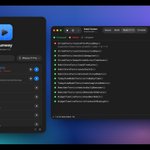
Runway's main window is basically Xcode's welcome window grown up. borderless, app icon, search, your projects, Return to run
⌘R ⌘B ⌘U ⌘. all do what you'd expect. if you know Xcode, you already know Runway

ALT Runway main window and the app's live console
29
4 small things in Runway 1.4 your agent will notice:
- no project argument needed, it uses the folder the agent works in
- cancel actually stops the build
- progress updates while it builds
- busy project? it says who's using it and can wait for them
21
shipping a paid Mac app solo:
- SwiftUI, Developer ID, notarized
- merge to main -> GitHub Actions builds, notarizes, publishes
- Stripe as merchant of record (VAT handled)
- Next.js site on Railway
- one JSON file for update checks
no App Store, no accounts, no license server

ALT Runway DMG window: drag Runway into Applications to install
9
2
138
in testing, Apple's on-device model read "Volume up is what the neighbours complain about" as a volume command 🫠
so sayso doesn't guess. your talk key types, fn ⌃ makes it a command
dictation never waits on a model and never runs as one
36
⌥⌘U in Runway runs every test in a project at once. all schemes, all test plans, local packages too
failures show up with their message, so you (or your agent) know what to fix

ALT Runway test results: 22 passed, 1 failed, 1 skipped
20
follow-up to the speed post: when nothing changed, ⌘R skipped the build but still reinstalled the app on the simulator. every single time
Runway 1.4 skips that too: 0.87s -> 0.45s on a small sample app
(deleted the app or the simulator shut down? it installs again)
25

most agent setups: the agent runs your app somewhere in a terminal and you read a summary at the end
what I wanted: the agent uses the same window I do. same builds, same logs. I can watch, stop it or take over
humans and agents sharing one tool

ALT Runway with an agent run in progress and the agents settings window
30
I think the approve/reject screen is the most important screen in any agent product right now. and most of them still look like an error dialog from 2009
1
2
40