

All-in-one virtual HQ for high-performing remote teams. Fluid, spatial video calls, Slack-replacement chat, team analytics, and full customization. Move in now!
Boston, MA
Joined October 2018
- Tweets1.8K
- Following940
- Followers1.1K
- Likes1.5K





Pinned Tweet
Learn how to Use Ai-Powered Meeting
Summaries in this tutorial video! 🤖✍️📽️
#officebuilding #mapmaker #virtualoffice #remotework #wfh #digitalnomad #wfhlife
Numbers say what. The office says why.
See where your hours went, next to the meetings and chats that explain them.

We read all 97 SoWork reviews on G2.
1 in 2 say their remote team feels like a team again.
1 in 3 stopped booking calls for quick questions. They just walk over.
And after the call: "the AI summaries mean I don't lose track of what was decided."


Four new things in the office this week:
01 Lockable zones
02 Meeting DJs
03 Calendar changes that land in seconds
04 3D Models, right in chat
SoWork is the virtual office where your team and its AI agents work together.
sowork.com
If part of your job is copying things from one tool to another, you've found a bug.
Let the agents carry the context. Keep the judgment for yourself.
SoWork is the virtual office where your team and its AI agents work together.
sowork.com

Every bot in your office, on one screen.
What it's working on. Where it needs you.
The Fleet is coming to SoWork. Coming soon.

New in the SoWork office:
Cmd+K changes floors, broadcasts, schedules meetings and invites people, no mouse needed. Switch what you're sharing mid-screen-share. Teammate Connections shows who you've met with and for how long. And apps and bots can now @mention people, channels and teams.
Try it free → sowork.com


Custom emojis are coming to SoWork.
Upload a face, name it, type :emojiname: in chat. Your team's inside jokes finally have a home.
sowork.com


A nice-looking virtual office and one that remembers what your team said in the meeting are two different products.
SoWork: recording, unlimited AI summaries, unlimited transcripts + action items. $12/mo per person.
Try it with your team, free: sowork.com
The big one: your custom apps now live in the office. They get a character, you walk up to them, and their chat opens right there.
Also: Focus mode for when you're busy · Consent for follows and camera · Chat search that actually finds things


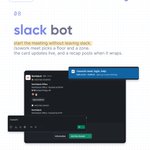
and /Sowork meet starts a meeting without leaving slack, with a recap when it wraps.
Which one are you turning on first?
Try it free with your team → sowork.com


Your office answers back.
Connect Claude or ChatGPT to SoWork with one URL and ask what you missed in yesterday's sync.


Every line of a SoWork meeting transcript has a timestamp and a name.
Search "friday" and you get who promised the home page, and at which minute.
sowork.com

Your teammates can see you're in Figma before they ping you.
Turn on the apps you want to show, and they appear next to your name in the office. The rest stays private.
sowork.com