

Official Twitter account of the @NYUStern Learning Science Lab
New York City
Joined August 2019
- Tweets75
- Following149
- Followers73
- Likes10

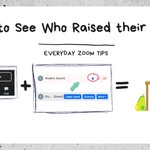

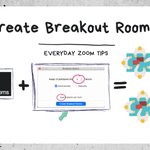
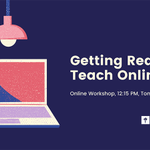


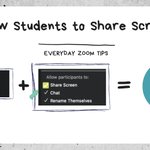


Are you getting ready to teach remotely this summer? Save your spot at our workshop tomorrow, 12:15pm. RSVP here for the Zoom link >> ow.ly/4ItX50zyBBV #NYU #NYUStern

Have you updated to Zoom Version 5.0 yet? Make sure your app is up-to-date. Here's how >> ow.ly/CFhZ50zxn74 #nyustern
Interested in running student presentations remotely?
1. Enable screen sharing via the Security icon
2. Verbally invite the students to present, assign an MC to monitor the chat
3. Consider having students rate presentations in a Google Form after class


This summer all NYU classes will be taught remotely. Join us tomorrow (Weds 4/22) for our virtual workshop: Getting Ready to Teach Online. Save your spot here >> ow.ly/cS3950zkK6z #NYUStern #NYUfaculty

1


3 ways to help students feel comfortable speaking up online:
1. Share questions in advance
2. Ask students to sign up for a question
3. Use polling to regularly check in: "How well do you feel like you understand this?"
#onlinelearning #teachingonline
Take a break! Consider building a break (or two) into longer online sessions to give you and your students a chance to stretch, get a cup of coffee, or just look at something other than your screen for a few minutes. #onlinelearning #teachingonline
Add a poll to the Zoom meeting you scheduled in NYU Classes:
1. Go to nyu.zoom.us
2. Click "Meetings" + choose your session
3. Scroll down, click "Add" create your poll and "Save"
Don't see the option? Make sure you're using Chrome.
#nyustern #zoomtips

3 ideas for ... managing big classes on Zoom
1. Share a visual lesson plan
2. Put the chat box to work for questions (ask a student or TF to monitor it)
3. And switch things up regularly
#onlinelearning #teachingonline

Check your audio before class starts to make sure you can hear and be heard
1: Join the meeting
2: Click" ^ " next to the microphone
3: Choose "Test Speaker & Microphone"
#remoteteaching #zoomtips

1