

大地收藏家 | 🐧 | DM welcome | EN/CH/JP Building @AstraFoundry https://xitter.cf/t.co/wsF66zQHzZ
Pale Blue Dot
Joined November 2020
- Tweets9.1K
- Following1.7K
- Followers10.5K
- Likes49K

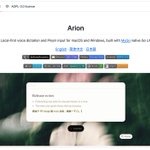





我就知道有人给 Arion 点完 star⭐️ 没看 README
要不然就会有人发现:
是用 MyGO 写的!
@localhost_4173


Steven Lynn retweeted

CrychicUI based on MyGo almost there!!!! @localhost_5173
crychicui.zhangyanghaha0407.…
Live progress.
1500+ components library, all with sound and animations.


GitHub 组织的名称是【AstraFoundry】
【Astra】星辰
【Foundry】铸造
人类的语言是以音频和文字为模态对文明建模;AGI 的本质是以人类能理解的所有模态对宇宙建模
AstraFoundry 以 build in public 的形式进行无限次思想实验的产品化尝试,也许终抵群星
Arion 会是第一步
astrafoundry.si


Steven Lynn retweeted
ELY Terminal 0.1.9 更新啦!!!!
希望能有多点转发和Star🌟🌟
github.com/ELY-Open-Source/E…
新增:
- 界面支持简体中文:设置 › 外观 › 语言,切换后所有窗口和菜单栏立即生效。
- Linux 安装包:在 tar.gz 之外,新增适用于 Ubuntu 22.04、Ubuntu 24.04 和 Debian 12 的 DEB,适用于 Fedora 43 的 RPM,以及 AppImage。
- 设置 › 终端 › 起始位置 可选“指定文件夹”;选“主目录”时,WSL 会话从发行版自己的主目录启动,而不是 Windows 的主目录。
- 设置 › 终端 可分别关闭“拖动会话以排序”和“会话菜单”。
变更:
- 自己用 OSC 133 标记输出的程序(omp 等)会保留自己的状态:每条消息之间,会话行都保持“工作中”;shell 的下一个提示符仍会清除它,嵌套的 shell 也一样。
修复:
- Windows:程序的输出即时显示,不再等到按键才出现。
- Windows:滚轮每格滚动 Windows 设置的行数,设为“一次滚动一个屏幕”时滚动一屏;Linux 上每格滚动 3 行,不再是 9 行。
- Windows:Git for Windows 的 sh.exe 和 bash.exe 会报告所在文件夹,文件和 Git 面板随之更新。
- 擦除、插入或删除切开宽字符时,整个字符一起清除,不再残留半个中文字符,Codex 等程序中都是如此。
- macOS:在中文等输入法下,“Option 键作为 Alt”照常工作,输入法也照常组词。
- Linux X11:中文输入法在 libX11 写出的各种字符集下都能组词上屏,繁体中文和粤语也包括在内;0.1.8 会因此崩溃。
- KDE Plasma 的 Wayland:Ely 只在主窗口处于活动状态时出现,不再浮在其他窗口之上。
- GNOME 的 Wayland:窗口最大化时,Git 标签和窗口的其他部分都能正常点击。
- 分支名很长时,“修改最近一次提交”仍保持在一行。
- 更新通知总是打开它所指版本的页面,不受之后检查结果的影响。
感谢 miaoaa66、yaoyao368345、xihale 和 totorowldox 提交的 PR,感谢 YIzhongyue 为 Issue #20 写的修复,也感谢每一位提出 Issue 的朋友。
---
Added:
- The interface speaks Simplified Chinese: Settings › Appearance › Language switches every window and the menu bar at once.
- Linux packages: a DEB for Ubuntu 22.04, Ubuntu 24.04 and Debian 12, an RPM for Fedora 43, and an AppImage, beside the tarball.
- Settings › Terminal › Start in takes a folder of your own; with Home, a WSL session starts in the distribution's home, not in Windows'.
- Settings › Terminal turns off dragging session rows or their right-click menu.
Changed:
- A program that marks its own output with OSC 133, omp among them, keeps its status: its row stays working through every message, and a shell's next prompt still clears it, a nested shell's too.
Fixed:
- Windows: output reaches the screen as the program writes it, without waiting for a key.
- Windows: a wheel notch scrolls the lines Windows sets, and a screen under "one screen at a time"; on Linux a notch scrolls 3 lines, not 9.
- Windows: Git for Windows' sh.exe and bash.exe follow their folder, so Files and Git do too.
- An erase, insert or delete that splits a wide character clears all of it, so no stray Chinese characters stay behind, under Codex among others.
- macOS: Option as Alt works under Chinese and other input methods, and they still compose.
- Linux X11: Chinese input methods compose and commit in every character set libX11 writes, Traditional Chinese and Cantonese among them, where 0.1.8 crashed.
- KDE Plasma's Wayland: Ely shows only while the main window is active, not over other windows.
- GNOME's Wayland: the Git tab, and the rest of a maximized window, take clicks.
- "Amend last commit" stays on one line beside a long branch name.
- An update notification opens its own release's page, whatever a later check found.
Thanks to miaoaa66, yaoyao368345, xihale and totorowldox for the pull requests, to YIzhongyue for the fix behind Issue #20, and to everyone who opened an issue.
Steven Lynn retweeted

Added a new skill: /teardown
It creates a technical illustration of any object and lets you customize individual parts, colors and annotations. You can then export the result as an SVG or PNG.
npx skills add jakubkrehel/skills
Steven Lynn retweeted

关于插件及其官网的设计资源,我已经在 Github 开源,感兴趣的朋友可以关注下:
插件:github.com/kubai087/lumno-ex…
官网:github.com/kubai087/lumno-we…


Opus 5.5 生成 svg 的效率实在太高,让他给 lumno.kubai.design/ 生成了一组以 UI 线框为主体、且与功能关联明确的空状态,他给了我这些结果⬇️
图标是 @remixdesigner 的开源图标库 Remix icon
One shot,提示词如下,直接复制,把 【】 换成你的场景就能用:
画一张浏览器扩展的空状态插图,场景是【书签文件夹里什么都没有】。风格是“缩小版的真实产品界面”,不是插画。输出一个独立的 inline SVG。
画布与底板
- viewBox 0 0 160 120,圆角 18 的底板铺满画布。
- 底板浅色 #fafafa;上面叠 45° 细斜纹,线宽 1,间距 7,颜色 rgba(15,23,42,0.05);内描边 1px rgba(15,23,42,0.07)。
物体(缩小版的真实产品界面)
- 白色不透明卡片或窗口,圆角 10–13;1px 描边 rgba(47,42,34,0.08);阴影向下偏移 5、模糊 4.5、颜色 rgb(47,42,34)、不透明度 0.13。
- 浏览器窗口顶部是 18 高的标签条 #eef1f5,激活的标签是白色,圆角 5。
- 文字一律用占位条代替:普通 4 高 #e5e9ef,标题 5 高 #cdd4de,两端全圆角。
- 空格子 #f1f3f6;露在后面的卡片 #f3f3f4。
- 图标只用 Remix icon的线性款。普通图标 #a3abb7,次要操作 #6b7280。
- 只有一个强调色元素,表示下一步操作(按钮、重试、新增);没有下一步就不用强调色。强调色 #3462ad。按键或主按钮用石板灰渐变 #404859 → #273042,上面配白色图标。
深色模式
- 底板 #26262b,斜纹 rgba(255,255,255,0.035),表面 #323238,标签条 #2a2a2f,占位条 #3f3f47 / #52525b,图标 #7d828c,强调色 #7ea6ea,阴影黑色、不透明度 0.36。
- 颜色写成 CSS 变量,放在 SVG 内部的 <style> 里,并用 SVG 自己的 id 限定作用域。根元素写 data-theme="light|dark|auto";auto 跟随 prefers-color-scheme。
构图
- 画的是这个空状态在真实界面里的样子,按比例简化;不要抽象符号。
- 一个场景,2–3 个物体,外接框居中于 (80, 60),四周留白至少 14。
- 不要文字、人物、渐变插画背景,也不要半透明物体互相叠加。
技术
- 不引用外部资源,不用 <image> 或 <use>。
- 阴影用 feGaussianBlur + feOffset + feFlood + feComposite + feMerge 拼出来,不要用 feDropShadow(有些 HTML 解析器会把它的名字转成小写)。
- 所有 id 都带上同一个随机前缀,同一页放多张图也不会冲突。
- 可选动画:强调色元素在 prefers-reduced-motion: no-preference 时做一次缩放弹出,用 transform-box: fill-box。


