

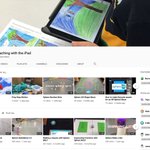
Download 'Teaching with the iPad' featuring practical tips for teachers who would like to learn more about integrating the iPad into their daily practice.
Australia
Joined August 2017
- Tweets204
- Following1K
- Followers542
- Likes356






Teach with iPad retweeted
Excited to share my new #bookcreator template called 'My First Numbers'. This book allows students to revise and practice numbers from 1 – 20. Ideal for embedding concepts, differentiation and #remotelearning
@BookCreatorApp teachingwiththeipad.com/book…

Teach with iPad retweeted
Looking for inspiration and ideas for #RemoteLearning? Check out 'Teaching with the iPad' on @YouTube. Teaching with the iPad features a variety of content that will inspire, support and empower teachers to deliver Digital Technology in the classroom.
youtube.com/channel/UCPyHE76…

Teach with iPad retweeted
It’s been a massive week working with teachers on our #onlinelearning program. Today we worked with #Clips creating introductory videos for classes. Oh and we had a bit of fun. 😀 @AppleEDU #iPad #BurnsiseSTEAM #Animoji
Check out the Sphero Grasshopper. Made from a paper cup, plate and some straws. An awesome Sphero construction project for any students learning about insects. @Sphero @SpheroEdu Find out more at teachingwiththeipad.com/sphe…
Teach with iPad retweeted


Meet the Sphero Spider. A great construction idea for class projects on spiders. But be careful, she is a little bit scary. :) @SpheroEdu @TeachwithiPad #Redback #Spider
Find out more at teachingwiththeipad.com/sphe……/
Teach with iPad retweeted
Bring insects to life with the Sphero Ladybird. A great little construction project to make with a paper cup, plate and paper straws. @SpheroEdu Find out more at teachingwiththeipad.com/sphe…
Teach with iPad retweeted
A few photos from our new #Steam program. The lower school have been working on #LEGO construction. So amazing to see students #prototyping ideas and expressing #Creativity @LEGO_Education #STEM


Teach with iPad retweeted
Learning about Digital Systems explores a number of areas including components, old and new technology, inputs and outputs, software and hardware. It also challenges students to create a Digital System of the future. Download at teachingwiththeipad.com/digi… @BookCreatorApp

Teach with iPad retweeted
Check out @Sphero Soccer-Bots. A great little fun project to engage students in robotics, construction and STEM. Find out more at teachingwiththeipad.com/sphe… @SpheroEdu #Robotics #STEM
Teach with iPad retweeted
'What a Load of Rubbish' is designed for Year 3 and 4 students to collect, explore and sort data using a Digital System. The template format allows teachers to tailor the book to students needs before sharing. Find out more at teachingwiththeipad.com/digi… @BookCreatorApp #Data

Teach with iPad retweeted

Finally! My @SpheroEdu #RVR can now run completely remote using a #RaspberryPi 3, RaspiCam & Internet connection...Now I can annoy the PE teacher in the other building while controlling it from my classroom computer. #STEM @Raspberry_Pi @ThePSF – at Brookfield, IL
Meet Robbie the Robot. He is new at school and having trouble finding his way around. Help Robbie learn about directions, commands, sequence, code creation and debugging. Visit teachingwiththeipad.com/digi… to download @BookCreatorApp template book. #Coding

Templates put the focus on the learning content, provide a scaffold for students and can be edited to differentiate for students needs. How to make a Book Creator Template youtu.be/5hEdeEF-pp0 via @YouTube @BookCreator
Teach with iPad retweeted
Excited to publish the first two #BookCreator template books in my Digital Technology Series. 'My Garden Walk' and 'My Data Story' allows students to collect, sort, analyse and display data. @BookCreatorApp teachingwiththeipad.com/digi…


Teach with iPad retweeted
Check out @Sphero BattleBots 3.0 - Featuring a peg clip and shark fin. Makes them handle like a sports car 😀 Find out more at teachingwiththeipad.com/sphe… @SpheroEdu #battlebots
Teach with iPad retweeted

"The #EveryoneCanCreate guides can help ignite creativity by giving teachers fun and meaningful skills to bring to any lesson!" @HopkinTeach #ADE2019
Teach with iPad retweeted

Another look at recreating an iconic lunar landing scene using @nasa photos and audio clips. Quick tip: use a large sphere at the center of your scene as a 360° backdrop! #augmentedreality #ar #arvrinedu #edtech #everyonecancreate
Teach with iPad retweeted
How do you stay informed, inspired, and connected? Whether it's participating in #AppleEDUchat, checking out @AppleBooks authored by your peers, or tuning into a podcast like @VrainWaves— share your fav tools and resources for supporting PL. @mrkalb #EveryoneCanCreate #ADE2019
Teach with iPad retweeted
The interior angle of a Triangle using @SpheroEdu #greenscreen and @ARMakrApp A great way for students to demonstrate their knowledge. Find out more at buff.ly/305X88l #AugmentedReality #Keynote #iMovie