

Life long techy and photographer.
St. Elsewhere
Joined February 2012
- Tweets16K
- Following964
- Followers258
- Likes2.4K



@mimestream Currently Snoozed on Mac isn't yet server side so won't sync to iOS correct? Couldn't the Snoozed Sidebar feature just assign a gmail label such as Mimestream/Snoozed, and then on iOS the Snoozed section would pull in emails with that label?
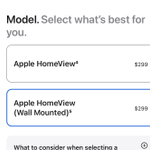
Curious why when pre-ordering AppleTV it charges when it ships, but HomeView will charge when order is placed, even though both available the same day next month? And installments for AppleTV but not for the equally priced HomeView? @daringfireball
@todoist If I choose one now such as Google, can I later change it to Apple or Vice Versa? Or if choose enter, can later switch to Google or Apple? Can I choose multiple later? If choose email, do you support 2FA codes (not just email/sms)? Passkey support?

@LGUS For the new LG Smart Thermostat, I see it's round. The big question can your turn it land right like a Nest to adjust temperature or only taps on the screen? As the is what I miss most about the Nest and would be the main improvement of the Schneider lock.
Love, love, love. @mimestream For solo development work emails however, the lack of built in triage support for email status, and context sidebar to pull in third party relevant data, and support for rules and automations make it better fit for personal email.
But the Mac app feels very Electron, and iOS also does not feel Apple native at all. Light years from Mimestream on Mac and iOS. I wonder what modern Apple companies like Mimestream use. Deciding if those work benefits are worth the worse apps, and worth holding out
@missiveapp For the GitHub integration, can one create a new issue/new feature request and have it let me create one in GitHub? And most importantly, when other people email about the same item, be able to search in Missive macOS and iOS app for existing missiveapp.com/integrations/…
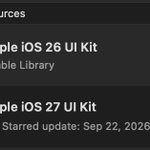
@sketch When using "y" to show official iOS 27 GUI, is there a way to filter to show just dark mode and just iPhone? Since otherwise from the little thumbnails with text cut off hard to review all available options for the specific device designing for at a particular time.
And wish like with Figma, could view them all in a normal canvas like this rather than just in that special window. sketch.com/s/04c24d8b-38fb-4…
@flexibits I have so many Apple Reminder lists. In their app. Reminders lets you organize them into folders/groups. Why not sure if those sync natively would love at least if could create same in Fantastical and have them show when creating new reminders.
@sucurisecurity Has this bug been fixed yet? Where your plugin, when the new 2FA is enabled, breaks compatibility the Last Login records/notifications? wordpress.org/support/topic/…

@flexibits Say I want to do quick entry to create person contact for “John Smith” with email “[email protected]” and phone “+15555555555” and Instagram handle “jsmith” and list “Friends” and with birthday of 1/1/2000, and a custom date label of “first contact” value “10/10/2010”?
@macbartender In ChatGPT shows this now. Clicking on the yellow icon shows this. All the hooks reference your app "'/Users/johnsmith/Library/Application Support/Bartender/NotchBar/AgentStatus/hooks/codex-notify-hook.sh' # notchbar-agents-codex-hook".


Oh is this new?? On web/iOS could right click and delete but thought could on macOS instead having to Archive, the go in the archive and find and delete painstakingly before. @openai

Another issue. In list view, right click and select new card. Creates new card but not in edit mode (like it should). If you instead double click in empty space in list view it does open the new card in edit mode as expected.