

TechWise is a grant-funded project led by Greenbush that promotes practical tips and strategies to assist older Kansans.
Joined September 2024
- Tweets51
- Following31
- Followers5
- Likes0







📷 Attention older adults! Join us for a FREE 1-hour presentation on tech tips & digital security. Bonus: FREE biscuits & gravy! 📷
Register now for this Dec. 10 event at Greenbush

1
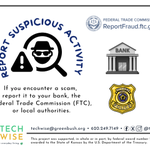
🕵️♂️💻 Think you’ve spotted a scam? Don’t brush it off—report it!
If something feels off, trust your gut and contact your bank, the FTC (📍 ReportFraud.ftc.gov), or local police. Staying alert keeps everyone safer online.


Those tempting ads with “prizes!” or “urgent” messages? They're often loaded with typos, awkward language, and shady email addresses—and they can lead you straight to harmful websites. Stay alert and stay safe online!
#TechWiseTips #OnlineSafety #DigitalLiteracy

The internet’s a wild place—don’t buy a “designer bag” that shows up as a potato sack. Stick to the big dogs like Amazon, Walmart, and Target. If a deal looks too good to be true... it probably ships from Nevergonnagetit.com.

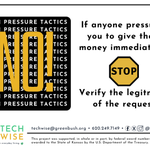
If someone demands money right away, pause and verify the request. Scammers rely on urgency—protect yourself by saying NO and double-checking before acting. #TechWise #FraudPrevention


Sesame is changing the game by letting you talk with AI—literally. This site allows for smooth, real-time voice conversations with artificial intelligence. No typing is required; just speak and listen.
plus.greenbush.org/content/1…


🚨 Think before you connect! 🚨
Public Wi-Fi may be free, but it’s not always safe! ☕📶
⚠️ Avoid using it for:
🔹 Online banking
🔹 Shopping
🔹 Entering sensitive info
Stay secure—use your mobile data when needed! 🔐📱

10
📱💾 Ever wonder what MB, GB, and TB mean on your device?
🔹 Megabyte (MB) = 1,000 bytes
🔹 Gigabyte (GB) = 1,000 MB
🔹 Terabyte (TB) = 1,000 GB
Your phone has limited space—manage it wisely!
🔗 Learn more with TechWise: [email protected]

Protect your phone from water damage—even in humid spots like the bathroom! A single splash can cause serious (and expensive) harm. Follow @TechWiseKS for more tips on keeping your devices safe and running smoothly.

⚠️ Think Before You Download! ⚠️
Before installing a new app, check the permissions it asks for! 🚨 If it doesn’t need access to your camera, contacts, microphone, or location, why is it asking? Stay safe & protect your privacy! 🔒

8


🚨 Stay safe online! 🚨
Avoid clicking on unknown links in emails or text messages—they could be scams or carry viruses. ❌🦠
Protect yourself by staying cautious! #techwiseks

📱 Ever wondered what makes your smartphone tick? From apps to hardware, this guide breaks down the basics! 🧐💡
Learn about operating systems, buttons, cameras, and more.
#techwiseks


