

Looking for a shortcut to a more productive workday? Try TextExpander, productivity software that keeps your most-used content a shortcut away.
Chrome, Mac, PC, iOS, Android
Joined March 2009
- Tweets16.3K
- Following551
- Followers12.1K
- Likes3.5K





Counting 14 days from today on your fingers? 🗓️
Date math does it for you. Add a date placeholder to your Snippet and the date fills in on its own. No more typing dates by hand.
Sign up for free and get 30 days of access to premium features: hubs.li/Q04BZ8h50

Already a TextExpander user? Instructions on how to set up Conditional Sections here: textexpander.com/learn/using…

One Snippet. Every version of your reply. 🎛️
With Conditional Sections, “refund approved,” “need more info,” and “outside the return window” all live in one Snippet. Pick the branch from a dropdown as it expands.
Try it with 30 days of access to premium features: hubs.li/Q04BNNZy0
Great question! Here’s the catch: you can create unlimited Snippets, and 5 are active at a time, with a swap every 2 weeks. New accounts also get 30 day access to premium features to see what unlimited active Snippets feel like.
Thanks, Sam! A new MacBook and TextExpander is a great combo. Your keyboard is about to get a lot less typing. 🙌
TextExpander retweeted

You can now use TextExpander for free across Mac, iPhone, iPad, and more 9to5mac.com/2026/10/08/you-c… by @mvcmendes

Monday, 9 am. Google Doc, Notion, Slack, chat history. 🔍
You’re hunting for the AI prompt that worked last week. Keep your best prompts in one place instead: hubs.li/Q04BqN570

Your best blog posts come from research, outlining, and editing. Don’t skimp there.
Save time on everything else with Snippets: quotes, tricky names, transitions, templates, and header fields, all a few keystrokes away. ✍️
hubs.li/Q04B6Xm40

Use TextExpander? Your honest G2 review helps the next team decide if it's the right fit. It takes about 3 minutes, and we read every one.
hubs.li/Q04B6RJh0
How does a Support team serving 250,000+ practitioners reply fast and still sound human? Shared Snippets for accuracy. Personal Snippets for voice. Result: 6,034 hours saved in 12 months. 🙌
hubs.li/Q04ztzML0

Thanks for the tag, @SirenFinance! A few characters in, a whole paragraph out. That’s the idea.
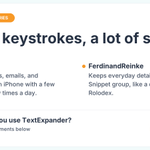
macfixer fills in names, emails, and addresses on iPhone with a few letters. FerdinandReinke keeps a digital Rolodex of Snippets.
Your stories are our favorite.
How do you use TextExpander?

Deal hunting tip: save your go-to shopping prompt as a TextExpander Snippet. Type ;deal, fill in the product and your budget, and your AI assistant gets the same great ask every time. TextExpander deploys. AI searches. 🛒
Get 30 day access to premium features at hubs.li/Q04zhg810
Muse can connect to TextExpander. Ask it to find the replies you send on repeat, and it drafts a fill-in Snippet for each one. You approve. Then expand them anywhere you type. ✍️
Sign up for TextExpander: hubs.li/Q04z8RKM0
Hi @stoutyhk thanks for your patience, and sorry for the wait! You've got it: the new iOS app is a companion app focused on expanding your Snippets wherever you type. Editing and creating Snippets on iOS is something our Product team is busy building, so keep an eye out!
Now your Snippets know when to wait. ⏸️
Meet the Delay macro: add a timed pause anywhere in a Snippet so slow-loading apps get a beat to catch up. Every keystroke lands right where it belongs.
👉 hubs.li/Q04yWpK90
It's Friday. You should be wrapping up your week, not typing the same reply for the third time. 🙃
Phone, then laptop, same text both times. TextExpander fixes that: build a Snippet once, use it everywhere.
Close out your week. Start expanding!
hubs.li/Q04xNNf70
TextExpander just ranked #1 in Text Expanders on G2's Fall 2026 report 🏆
Not our words. Yours.
"I like how simple TextExpander is for saving and reusing things I type regularly. I can create shortcuts for common replies, links, or pieces of text and insert them quickly without copying and pasting every time. It is a small thing, but it saves time during repetitive work."
- Shubham S., Co-Founder
Thanks to everyone who left a review. See what real users are saying: hubs.ly/Q04y2bhN0
Learn more about Conditional Sections: textexpander.com/learn/using… to create a Conditional Section?utm_campaign=cond-sections&utm_medium=social&utm_source=x&utm_content=how-to