

Helping Aussie SMB owners get the most from their Google Workspace investment | newsletter: https://teapawt.org/t.co/E5XbXYfT0a
Ngunnawal land, Australia
Joined March 2013
- Tweets2.2K
- Following62
- Followers89
- Likes113


Pinned Tweet
Not sure how much longer I'll be on this platform! So I'll just note I send out a weekly newsletter designed to help small business owners get the most from their Google Workspace subscription
eepurl.com/gXyI5v

1
Have you been asking for reviews and whilst customers say they've left one it hasn't shown up on your Google Business Profile? This amazing thread by the OG of Local Search explains why and how to fix it.
teapawt.org/mblumenthal/status/160…

A thread about Google’s Local Review filter
1/ Google rolled out a new local review filter starting in March of 2022 as reflected in this chart, measuring SMB complaints in forum. It accelerated in August
It is now the most frequent complaint in the forum

ALT Complaints over time in the Google Business Profile forum about missing review
Ok, I'm a hard no on that - how about you? teapawt.org/CyberGovAU/status/1595…

You find an amazing deal, but it’s through a private seller. They want you to pay via direct bank transfer before they send the item. Do you do it?
2%Yes, immediately.
2%Yes, but ask for a photo
96%This sounds like a scam.
103 votes • Final resultsAgree that this is an unpopular opinion (especially in the engineering heavy org where I used to work). I think these skills are actually more important than 'hard' skills and they're infinitely harder to do day in and day out, especially as a leader. teapawt.org/MelisOnCheddar/status/…

I love this idea and am stealing it for tip 18 of 50 ways to use #GoogleKeep as a small business owner. In fact why not make multiple positivity notes and set them to pop up at random dates/times? Great way to give future you a smile!

Always one for positivity...
I can't tell you when I set this note in my Google calendar, but this note always makes me smile. Gotta love yourself first lol

Tip 17 of 50 ways to use Google Keep as a small business owner: Create to-dos from Gmail.
You probably get most of your daily tasking through email right? So why not create a Google Keep note that’s linked to that email but has all the power of colours / labels and reminders?
1
Tip 16 of 50 ways to use Google Keep as a Small business owner: Keep a list of your work achievements
As a small business owner it is very easy to get caught up on the day to day activity and forget about your achievements.
1
Tip #15 of 50 ways to use Google Keep as a small business owner: Write down every conference you go to and the key people you met there.
This is really useful if you ever want to re-connect with someone, or are trying to work out where or how you met someone.
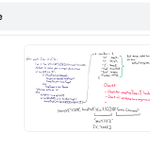
Tip #14 of 50 ways to use Google Keep as a small business owner: Archive whiteboard discussions
Yes, yes I know digital whiteboards are meant to make this sort of thing so much easier, but I’m sure I’m not the only one who can't actually access a digital whiteboard.
1

Tip #13 of 50 ways to use Google Keep as a small business owner: List and share step by step processes
These are step by step checklists of regular processes that I have to take or follow when making a decision or undertaking a certain activity at work.
1
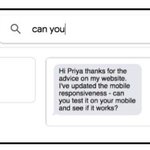
Tip #12 of 50 ways to use Google Keep as a small business owner: Create email templates for use in the Gmail mobile app.
Do you often get the same or similar question from new customers or clients? Chances are you often reply back with variations of the same email . . .
1
Tip #11 of 50 ways to use #GoogleKeep as a Small Business owner: Create a linked master note of individual notes
Usually I send all my related notes to Google Doc to create a single, master document of my activity in a project or something similar. However, sometimes I want...
1
Tip #10 of 50 ways to use Google Keep as a small business owner: Reusable Packing lists.
I’ve set up a number of packing lists to be used for certain trips (like my ‘going overseas’ list which contains passport as a list item whilst my ‘going to Melbourne’ list contains
1
Tip #9 on how to use Google Keep as a small business owner: Record tasks you’ve asked other people to do.
In the title of the Google Keep Note, I put the day I assigned the task, the name of the person and a brief reminder of what they’re doing. In the Note's body I...
1
1
Tip #8 on how to use Google Keep as a small business owner: Keep a gratitude diary.
Numerous studies show that keeping a gratitude journal helps you in multiple ways both personally & professionally, including getting better sleep, and experiencing fewer symptoms of illness. But,
1
Tip #7 of 50 ways to use Google Keep as a small business owner: Save receipts for returns or warranty purposes as searchable images.
Sometimes I want to keep receipts because I may need to return an item, or for warranty reasons rather than for tax reasons. But...
1
1
Tip #6 of 50 ways to use Google Keep as a small business owner: Save Google Keep searches in your browser. One of Keep's weaknesses is its inability to save searches – e.g every time you want to find all notes that have images AND the word ‘client’ you need to start from scratch
Google Keep Tip #5 (of 50! for Small Business Owners): Create a mind map
I’m not a big Mind Mapper but I know people who swear by it and certainly Google Keep allows you to create mind maps quite easily.
1
Google Keep tip #4 (of 50! ways to use Keep as a Small Business Owner)
Record quotes and thoughts whilst at a conference. Ok, this one is obviously from pre-pandemic times!
1
Google Keep #3: Take photos of important things when travelling
You know how when you check into a hotel, they generally want to know your car registration number? Which is fine when you’re driving your own car but if you have a hire car - argh.
1