

Building a Windows-familiar Linux operating system. Simple on the surface. Powerful underneath.
Joined October 2026
- Tweets14
- Following10
- Followers2
- Likes21


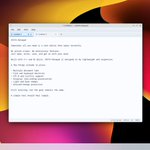
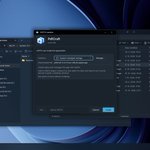


People see the screenshots and assume it’s just a Windows theme on Ubuntu or Arch.
It’s not.
VESTA has its own shell, application lifecycle, and installer.
The familiarity is deliberate. The rest is built underneath.


Coming from Windows, some Linux editors feel unfamiliar.
Ours is built to open fast and stay simple.
Would you switch to this one?

VESTA OS retweeted

It is becoming f*cking dangerous
A 23-year-old dev from China just ran 300 Claude Code agents in parallel and hooked them to a verification layer so none of them could bullshit him
He opens the live dashboard:
- 300 agents writing and checking at the same time
- Every output verified against the source in ~100 ms
- Three passes over 100 company profiles → zero errors left
- Everything dumped straight into an Obsidian vault
The trick is the split: one model does the work, a cheaper one decides if the claim is actually true. The loop doesn’t stop until everything checks out
An analyst team would bill weeks for this. He got it in one run
Same kind of Second Brain + swarm setup that keeps circulating. Bookmark the full breakdown


Another look at VESTA OS, this time in Dark Theme.
Light and Dark are being developed as two parts of the same visual system, sharing the same controls, layouts and interactions.
Still refining the details as development continues.
#VestaOS #Linux #LinuxDesktop #ArchLinux

The VESTA Installer.
Designed to make installing applications feel straightforward: open a downloaded installer, and VESTA identifies the format and handles the process through the appropriate supported backend.
#VestaOS #Linux #LinuxDesktop #ArchLinux


A first look at VESTA OS.
VESTA Explorer and the desktop environment, running in a real development session.
Visual refinement is ongoing.
#VestaOS #Linux #LinuxDesktop #ArchLinux
