

Microsoft Partner & Solo Dev. Freezes background RAM (800MB→0.1MB) via Kernel APIs to stabilize 1% Low FPS. 🛡️ Microsoft Store Exclusive. 100% Local.
Joined June 2024
- Tweets926
- Following0
- Followers52
- Likes263




Pinned Tweet
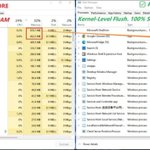
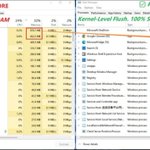
Tired of Chrome/Edge eating 800MB+ RAM while gaming? I built a tiny Windows tool that safely flushes background apps, dropping Chrome to 0.4MB without closing it. Frees up 1.7GB+ RAM for smoother gameplay. #PCGaming #WindowsOptimization

3
7
2,338
unused ram is wasted ram anyway. win11 memory compression handles thread pages just fine. focus on frame pacing and 1% lows instead of staring at task manager idling numbers.
13
standard windows thread quantum is 15.6ms. with 4k/8k polling mice, high-frequency interrupts force heavy context switching.
locking system timer resolution to <=0.5ms shrinks scheduling jitter, keeping main render thread stable under input load.
#Win32 #Windows11 #GameDev
3
2
111
Got a 9800X3D or RTX 5080 and still seeing random 1% Low drops?
It’s usually not your GPU. If background apps keep fighting for system timers, Windows thread scheduling breaks your frametimes anyway.
Fix thread contention at kernel level.
#PCGaming #Hardware #Windows11
1
130
High polling mice (4K/8KHz) and high refresh displays require finer Windows scheduling granularity.
Input stutters often involve thread preemption and DPC queue delay. Locking timer resolution to <=0.5ms reduces system scheduler quantum jitter.
#PCGaming #CS2 #Windows11
145
Stop stressing over RAM usage in Windows 11. Modern OS memory caching is dynamic—unused RAM is wasted RAM.
Want smoother 1% Low FPS in games? You don't need risky 'tweak' scripts. Just freeze idle background processes.
#Windows11 #PCGaming #GamingPerformance
1
214
Windows 11 26H2 optimizes baseline RAM, showing MS targets latency.
Pure technical fact: Freezing idle background processes via native Win32 APIs reduces L3 cache contention far better than registry hacks, keeping OS updates intact.
#Win32 #Windows11 #GameDev
1
5
435
Quick thought on Windows memory control:
Calling K32EmptyWorkingSet on suspended processes forces Windows memory manager to sweep unused physical pages into pagefile, keeping RAM clean for active games.
#Win32 #Windows11 #Cpp #GameDev
217
Real OS optimization isn't registry placebo or deleting core services. It’s about leveraging native Win32 APIs for WDDM queue management & thread scheduler priority.
Respect hardware limits & OS architecture—stop breaking Windows for fake FPS. #PCGaming #Windows11
2
228
Modern PC gaming bottlenecks are being solved at the API level, not through random registry hacks. 💀
Microsoft's DX12 Work Graphs and DirectStorage directly bypass CPU overhead in hardware.
Trust native Windows engine architectural updates, not placebo batch files.
1
184
Every time Win11 updates, gamers scream about FPS drops. 📉
Tweakers blame "bloatware", but the real culprit is cleared GPU Shader Caches & reset Thread Priority scheduling.
Stop nuking your OS. Let shaders rebuild and optimize kernel threads instead. ⚙️
#Windows11
1
2
464
Forcing 0.5ms system timer resolution isn't a miracle tweak. ❌
On Win11, locking strict timers breaks Timer Coalescing & disrupts CPU C-States.
Result? Scheduler jitter & micro-stuttering. Modern optimization is about smart affinity, not brute timers. ⚙️
#Windows11
2
134
Stripping Windows for "lower latency" is a total myth. ❌
Microsoft engineered the modern kernel with elite thread scheduling. Disabling Defender won't boost FPS—it just breaks native API stability.
Trust the official architecture.
#Windows11 #PCGaming #Tech
1
1
180
Most gamers blame GPU drivers for micro-stutters, but Windows audio processing (AudioDG.exe) often causes massive DPC latency spikes.
Disabling audio enhancements and locking thread priorities brings back solid 1% lows.
#PCGaming #Windows11 #GamingPC @Windows
1
131
From DDR5 prices hitting $1.2k to @AMDRyzen’s new chipset driver boosting 0.1% lows by 16%, performance comes down to system tuning.
Unparking cores and taming background bloat is how you master frame pacing for free.
#PCGaming #AMDRyzen #Windows11 #Hardware
120
Most gamers blame GPUs for stutters, but micro-stutters are usually caused by CPU thread contention.
Frequent background thread wakeups pollute L3 cache and mess up render thread sync.
Squeezing background bloat is key to smooth 1% Lows and frame pacing.
100