
Self-proclaimed tech geek, speech geek, and board game geek!
Highland Park, IL
Joined September 2014
- Tweets116
- Following79
- Followers190
- Likes3







Tech Tip Tues - Do you forget to loop back with staff after no ones responds to an email? Set that email to return to your inbox if no one responds after a selected amount of time with Boomerang for Gmail. boomeranggmail.com/

1
2
Tech Tip Tues - Need people to make a copy of a Doc? Force them by replacing "edit" at the end of the URL with "copy" - Directions here: techlearning.com/tl-advisor-…

3
Tech Tip Tues - Not so much a tech idea, as an excellent example of the skills that tie into executive functioning. Watch kids resists in the brilliant Marshmallow Test: youtube.com/watch?v=QX_oy961…
3
Tech Tip Tues - Do you use Ctrl+C for copy and Ctrl+P for paste? How about Ctrl+K to add a link? Try it in a Google Doc!
9
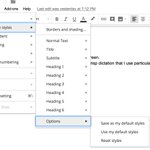
Tech Tip Tues - change the default font in a Google Doc so it opens with exactly the settings you want every time!
youtube.com/watch?v=eqjkVeo3…

1
8
Tech Tip Tues - You can search for images directly in Google Docs. Drag and drop them directly into your writing! Insert --> Image --> Search the Web

1
4
Tech Tip Tues - French painter Jean-Marc Côté and other artists were commissioned in early 1900s to predict 100 years in the future. This was their vision of public school.

3
Tech Tip Tues - Dictation now works in Google Slides! Use your voice to add words to the speaker notes. Tools -> "Voice Type Speaker Notes"

3
Tech Tip Tues - Use PVC to make all sorts of useful things: photo backdrop, desk organizer, reading tent, and more! diycraftsy.com/48-diy-projec…
4
Tech Tip Tues - Try reading in a whole new way. Spirtz delivers each word to the same physical location. Makes a HUGE difference for some!
1
2
Tech Tip Tues - change the speed of YT videos to speed up easy content or slow down difficult content. Click on settings button in video.

2
Tech Tip Tues - want a pictorial way to view your bookmarks? Try making Symbaloo your Chrome home page: symbaloo.com/

3
Tech Tip Tues - Need icons? Check out the thenounproject.com/ and find the perfect icon for anything you need for FREE!

Tech Tip Tues- Try Google’s free highlight tool, collect & sort notes you flag by color, useful for note-taking! goo.gl/6jULZt

Tech Tip Tues- did you know that you can record your screen on an iPad? Settings -Control Center -Customize Controls -add “Screen Recording”

6
Tech Tip Tues- Make a “talking head” picture on blabberize.com for a fun way to practice oral reading. youtube.com/watch?v=Sqz7MvCb…
2
Tech Tip Tues - Teachers have the paid version of Read&Write. Use the vocabulary feature to create a vocab list with pics with one click!

Tues Tip Tues - make your own screenshots of texting conversations to reinforce concepts in a fun way! ifaketext.com

5
Tech Tip Tues - Try writing a “Choose-Your-Own Adventure” story using Google Forms! Here’s how: youtube.com/watch?v=MIvk1S0z…

1
Tech Tip Tues - Who doesn’t love some wiggly letters in their Google presentation? Cut, paste, and have fun!
docs.google.com/presentation…
4