

Technical Research Artist at Adobe Research (English account). My posts are strictly my personal views and do not represent Adobe.
California, USA
Joined July 2018
- Tweets215
- Following230
- Followers263
- Likes1.2K




I love to see iPhone Duo will support Apple Pencil. I hope it will support the pressure sensibility. #iphoneduo

96
Another Imaginary City Walk video with Firefly. :)
#AdobeFirefly
youtu.be/12swpd6QPZ4?si=G530…
56
Continuing my experiments with concept art city walk using Adobe Firefly.
In this iteration of my "Imaginary City" series, I expanded the environment by adding a dramatic aerial flyover above a factory complex. Fascinated by being inside of a concept art.
youtu.be/t6tdzFj54v4?si=G0Wh…
90
I finally did something I’ve wanted to do for a long time! I'm making "walking" videos, but specifically walking through my concept art cities. Made with #Adobe #Firefly youtu.be/WjoBGbMw91c?si=mcyz…
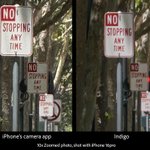
If you have an iPhone or iPad and haven’t tried Project Indigo yet, it may be worth checking out. The image quality can be much better than Apple’s default Camera app, and it’s free. It doesn’t even require an Adobe sign-in.

123
Research team at Adobe is looking for a Media Quality Reviewer.
linkedin.com/posts/ratheesh-…

63
I designed a new Balance Supporter for the Apple Vision Pro that works with the Dual Knit Band. As much as I love the device, it gets heavy fast. This updated design improved the comfort way more than I expected. It’s now on Printables—give it a try!
printables.com/model/1482622…

79
The new Dual Knit Band for Vision Pro is nice, but still a bit front-heavy. So I brought back the Balance Supporter — updated to fit the new band. Works surprisingly well! I’ll upload it to Printables.com after I finish tweaking the adjustment system.


Apple Vision Pro is awesome, but my face hurts after wearing it for a few hours. I made a balance supporter with my 3D printer, and it worked well! By some request, I made an adjustable version. Interested? Print it yourself. printables.com/model/1037680… #AppleVisionPro

1
75

Just got my hands on the Wacom MovinkPad Pro 14. super slim yet bigger canvas, no camera bump, pen never needs charging, and sketching on it feels amazing. Could totally be my next go-to sketchbook.
1
2,160
Daichi Ito retweeted

ずんだもん、後ろ姿はこうなっていたとは!
前回のMAXのSneaksで大好評だった #turntable がイラレのベータにのりました。すでにやってる人もいそうだけど、ずんだもんを回してみました。ベクターのイラストをグループ化して実行するだけで、2Dのイラストを立体的に回せます。サムズアップ、ダウンボタンでフィードバックしてね。 #AdobeIllustrator
Made with #ProjectNeo . "Import SVG" function made it expand the range of expression.
Check out Sascha Boeckle's latest post featuring an image created with MAX Sneaks tech, Project Perfect Blend! He looks awesome next to that gigantic chocolate. #AdobeMAXJapan
instagram.com/p/DGUkUOByaRh/…

76
Daichi Ito retweeted
At #AdobeMAXJapan, Daichi Ito (@daich_j), Technical Research Artist at @AdobeResearch, wowed the crowd with cutting-edge tech sneaks — each powered by groundbreaking innovations from Adobe Research! adobe.ly/4gP4eos

Adobe MAX Japan 2025 is a wrap! Big thanks to everyone who came to the Sneak demos. Loved seeing all the excitement from everyone who attended. You all made it awesome! #AdobeMAX
youtube.com/live/QIKNzFfHnks…

1
429
Check out new work on my @Behance profile: "Town (rough painting using Fresco, Photoshop)" be.net/gallery/215763379/Tow…

84

Artists! Adobe Fresco is now totally free, and you can even load Photoshop brushes! #AdobeFresco adobe.com/products/fresco.ht…

282
Project Neo is great for making simple objects quickly, but it can't export as mesh. Tried out Substance Sampler's 3D capture to turn rendered images into a polygon character—just for fun!
#ProjectNeo #SubstanceSampler
1
4
248
Really digging Project Neo’s new rendering style, Illustrative. It has that cool, rough oil painting vibe. #ProjectNeo #AdobeMax