

The pro-code no-code app builder for Web, iOS, and Android
Chicago
Joined April 2018
- Tweets1.3K
- Following12
- Followers5.9K
- Likes6.3K
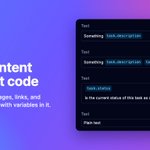


Three visual-editing details from Draftbit's latest update 🧵
1/ Drag onto the canvas. Pull a component straight onto the preview. The screen makes room as you move, so you see where it lands before you let go.

ALT Build right on the canvas: a component being dragged onto a Draftbit app preview.
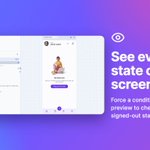
3/ Preview every state. Force either side of a condition from the Component Tree to check empty lists, signed-out views and errors. Preview only, never your code.
Which state do you forget to check most?

ALT See every state of a screen: the Component Tree forcing a condition so the preview shows an empty 'No tasks yet' state.
Release notes: draftbit.com/whats-new/conne…

Credit tip for Draftbit's AI agent: plan the big change with Claude Opus 5.5 or GPT-6.1 Sol, then switch to Sonnet 5.5 or Haiku 5.5 for the small stuff. 🧵
→ Sonnet 5.5 ≈ half the credits of Opus 5.5 per token. Good for everyday changes and bug fixes.
→ Haiku 5.5 ≈ 1/20 of Sonnet's credits, and Anthropic's fastest model.
You can now connect an existing app from GitHub to Draftbit, and Draftbit works directly in your repo, not a copy.
→ Connect repo → Draftbit GitHub App (no token to renew) or a fine-grained access token
→ Pick branch + app folder; the picker lists every folder with a package.json, so monorepos work (e.g. apps/mobile)
→ Your files stay as they are: nothing to migrate, chat + code editing + preview right away
→ Saving commits to your branch. Teammate pushed? Sync pulls their commits first
Works on every plan.

New in Draftbit: publish any saved version of your app.
The Publishing page now has a Versions tab that lists every saved version.
→ Pick one, hit "Publish this version", and ship it to iOS, Android or Web
→ Versions you've already published show badges for platform, version number and result
→ App stores still need a higher version number, and Draftbit fills it in for you
→ Builds use your current environment variables, so a very old version may need updates before it builds
API, CMS and Supabase backends always publish their latest version.
Shipped something you want back? Re-ship the version that worked.

ALT Ship any version you've saved. The Draftbit Publishing page's Versions tab lists saved versions with published badges (iOS 1.4.0, Android 1.4.0, Web), and a Publish this version menu offering Web, iOS and Android.

If your team's app takes payments through the Stripe MCP in Draftbit, there's one change to make before October 31.
From that date, Stripe's MCP will only accept OAuth or Stripe Agent keys. Connections that still use a standard API key will stop working.
The fix is small: open the Stripe connection in Draftbit and choose Sign in with OAuth, or paste an Agent key. RevenueCat connections can use OAuth now as well.
If you manage several client apps, it's worth checking each project's connection this week rather than finding out from a failed checkout.
How do you keep track of third-party credential changes across projects?

ALT Stripe MCP: switch to OAuth before October 31. Standard API key connections stop working. The fix: open your Stripe connection and sign in with OAuth, or paste an Agent key. RevenueCat connections can now use OAuth too.
Details in the release notes: draftbit.com/whats-new/conne…
You asked: "Who owns the code I build in Draftbit?"
You do. All of it.
→ On paid plans, export your full source code as a .zip or push it to GitHub
→ Your code is never used for AI training
→ API keys and credentials are encrypted at rest (AES-256), and traffic goes over TLS
What else would you want to know before moving a real project in?
From one prompt to a 5-screen e-commerce app in Draftbit:
→ Pick the agent + model (Codex, Claude Code, …)
→ Prompt: Home, Product Detail, Cart, Checkout, Profile
→ Start from the Ecommerce template
→ Onboarding wires up a Supabase backend
→ Missing images/icons? One follow-up prompt fixes them
→ Save, then check the commit history
Full 9-min walkthrough 👇
Solo founder. No engineering team. A production-ready food delivery app.
Rajesh built ZingoEats with Draftbit. What made the difference for him:
→ API integrations handled inside the platform
→ Granular control over the design
→ Custom code + API documentation: "once I mastered those, my development speed doubled"

Idea → MVP, faster than expected.
Arnaud wanted an app for discovering fun things to do in Marseille. The hard part: getting from concept to prototype.
With Draftbit he built the MVP "much faster than I expected."