

Screely instantly turns your screenshot into a beautiful mockup without complicated software. Made by @jurn_w
Nederland
Joined May 2018
- Tweets96
- Following1
- Followers462
- Likes152

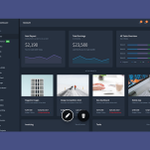


Our Chrome extension has a new friend; our Edge extension is now downloadable on Microsoft's store!
microsoftedge.microsoft.com/…

Added some new stickers! 2 cursors, numbers and a star. Perfect for when you are creating a walkthrough, tutorial or documentation and you need to highlight certain elements or create a step-by-step explanation

1
2
New feature: Screely now saves your settings and automatically applies them to the next screenshot you upload!
1
11
After a long hiatus I finally have time to work on Screely again so here is some new stuff:
- Padding now also shows a numeric value
- You can now disable the window shadow
- Simplified the interface
More coming soon!


2
9
The main reason I can't dedicate a lot of time to further development is that I have to prioritize paid freelance work over Screely
If you would like to support Screely, consider buying the web extension that makes using Screely even easier! chrome.google.com/webstore/d…
Loving Screely? Vote for us as Side-Project of the Year for Product Hunt's Golden Kitty Awards! producthunt.com/golden-kitty…
7

Another release before the weekend, just published the Screely Chrome extension. Take a screenshot of the current page and open it in Screely. With a single click!
Download it on the chrome store now chrome.google.com/webstore/d…
IT IS LIVE!🎉
Our biggest update yet! Completely redesigned and build from scratch to be better and faster than ever.
Redesigned windows, new button styles, adjustable padding and the ability to download your image as PNG, SVG or JPG!
Try it now👉 screely.com

The brand new editor is almost done👀
Looking for a few people to test it before releasing it to everyone, do you want to get early access and try it out? Send a DM and I'll send you the beta link!

After the new homepage, I'm now working on the design of the new image editor. Here's a little sneak peek👀
Hope to launch it in 2-4 weeks🚀

4
15
The major redesign is now live!🎉🎉🎉
Check it out and let me know what you think👉 screely.com/
A little behind the scenes of how Screely got started👇

How I Built my Side Project and Got 31,000 Users the First Week, by @jurn_w medium.freecodecamp.org/how-…

5


You can now toggle the fake window on/off on Screely!
For when you just want to put your screenshot on a background, without adding a fake window
1
11
@stinhambo Hey Steven, thanks for letting me know you'd like to drag an image to the page via Drift! I'm happy to say that Screely now has drag-and-drop support 😎
Screely made #1 Product of the Week on @ProductHunt🎉
Now at 1600 upvotes and counting! 👊
