

Running AI agents on multiple Raspberry Pis for local workflows & automation. CS @ IU Intl | Founder
Taipei, Taiwan
Joined March 2025
- Tweets1.8K
- Following4.4K
- Followers530
- Likes4.3K




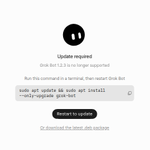
Is this the best way yet to cut Grok Bot token burn ?
👉 Link your VPS via Tailscale
👉 Let Grok Bot act only as the orchestrator
👉 Offload the actual execution to OpenClaw or Claude Code server-side
Here it is asking how I want to run a NAS audit before burning a single extra token:

4
3
61
Will we forget all about this week’s Gemini 4 Neon hype once Opus 5.6 hits? – at Taipei City, Taiwan


Opus 5.6 is unceremoniously the most powerful model I've laid my hands on. This is insane.
claude.ai/artifact/Cy2d8Vn63…
Have a go.

49
0xWulf retweeted

Starting today, we're offering free Kimi API credits to support scientific research worldwide.
Selected teams will receive free Kimi API credits, access to our latest models, and opportunities for long-term collaboration.
The program builds on our commitment to open-weight models by making frontier AI more accessible to researchers.
AI has the potential to change what can be studied, who can study it, and at what scale, making it possible to pursue a wider range of scientific questions with limited resources.
Both theoretical and experimental research in fundamental science and engineering are welcome. We hope to help researchers take on more challenging and original questions, including those that have historically received less attention or funding.
Apply by Dec 8 for the first round: kimi.ai/news/kimi-for-scienc…

0xWulf retweeted

- 11% more usage for Grok Bot
- 50% more usage on routines
Happy Thanksgiving!

wtf I've been using /swarm in Antigravity agy-cli wrong this whole time
run /swarm board and you actually get to watch the little bot swarm cook 🧑🍳

53
0xWulf retweeted

Resetting Gemini quota for all Antigravity users for Thanksgiving!
We’re very thankful for all of our users ❤️
We’re growing very quickly and are working tirelessly to make sure you all have a great experience!
Now that @Antigravity keeps getting better and better, what's the actual point of Google AI Studio beyond generating API keys?
At what point do you guys decide to merge the two products?

1
1
73
0xWulf retweeted
We've increased the cache hit rate for Neon in Antigravity again by another 4.5%. This means you can complete 28% more tasks within quota.
In the last 5 days, we've effectively increased Neon usage on the subscription by close to 75% through caching and harness improvements!
Dear @GoogleAI and @antigravity at this point can you just drop the third-party quota in the Google AI Pro Plan for Claude Opus 5.5 completely?
I'd much rather have more Gemini 4 Neon quota. Thank you!

75
Don't give me gravy with my turkey.
This Thanksgiving, I am firmly on Team Anti-Gravy-ty! @antigravity

42

I started with one Grok Bot on Sunday.
Somehow I now ended up with a 9-bot wolf pack plus a middle-management layer.
At what point does one have too many 🤖?

17
Own your mistakes and go to therapy. Few tech CEOs admit that in public.
Respect to Jensen Huang for doing it.

30
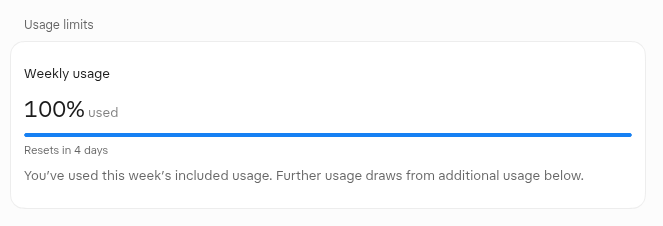

0xWulf retweeted

MCP Apps are now supported in Google Antigravity. Generate interactive charts, sandboxes, release boards & custom file viewers right into your workspace.

You know your Antigravity coding session was too long when you end your conversations with
"...and nothing else was touched."
35
I used Gemini 4 Neon as a Linux sysadmin cleaner, and it worked better than I expected.
The key is a two-phase workflow: it audits first and deletes nothing until I approve.
I just ran it on 3 Linux hosts (2x Raspberry Pi 5 and 1 workstation):
• 78 GiB (~83.8 GB) of disk space reclaimed
• ~1.9M inodes freed
• Zero broken services, and no secrets, volumes or kernels touched
Phase 1 is strictly read-only. The model inspects each item, checks for open file handles with lsof +L1 and sorts everything into Safe or Review. Then it waits for an explicit YES (or a list of item numbers) before it runs anything.
Here's the exact prompt I used 👇

3
3
88
Act as a senior Linux systems engineer on this host.
Goal: Audit and safely clean up unused artifacts, caches, trash, and orphaned files to reclaim disk space without breaking running services or touching sensitive data.
Execution Rules (Non-Negotiable):
- Phase 1 (Read-Only Audit): Do NOT delete, purge, or modify anything yet. Inspect the system first and present a categorized cleanup plan with exact absolute paths and reclaimable sizes.
- Phase 2 (Execute on Approval): Wait for my explicit "YES" (or specific item numbers) before running any destructive command.
- Stay strictly on this local host. Do not SSH elsewhere, do not restart services, and do not modify configs or crontabs.
- Use absolute paths for all commands.
Scope to Inspect:
1. Baseline disk & inode usage (/usr/bin/df -hT, /usr/bin/df -ih).
2. Package manager orphans & cache (apt autoremove --dry-run, /var/cache/apt/archives, snap/flatpak unused revisions if present).
3. Systemd journal size (/usr/bin/journalctl --disk-usage) and oversized/rotated logs in /var/log and ~/logs.
4. User trash (~/.local/share/Trash) and safe-to-rebuild caches (~/.cache, ~/.npm, ~/.pnpm-store, /tmp).
5. Docker/Podman reclaimable space (docker system df, dangling images, build cache — NEVER prune named volumes or active containers).
6. Stale remnant artifacts (*.tmp, *.old, old *.bak files) and deleted files still held open by processes (lsof +L1).
Protected Zones (DO NOT TOUCH):
- Secrets & auth: ~/.ssh, ~/.gnupg, *.env, keys, certs, rclone/docker configs.
- Operational data: ~/bin, ~/projects, Obsidian vaults, active backups.
- System-critical: /etc/nginx, live systemd units, currently running + latest installed kernels.
Output Format for Phase 1:
- Current disk usage baseline.
- Grouped table of cleanup candidates (Category | Path/Target | Reclaimable Size | Risk Level: Safe / Review).
- Exact commands you plan to run in Phase 2.
- After Phase 2 (once approved), report exact commands run and before/after df -hT output.
1
25