

Licensed Radio Amateur since 1970. Member ARRL, MARCO, YLRL. Interests: Antenna modeling, CW, digital communications, propagation, software defined radio.
- Tweets306
- Following52
- Followers154
- Likes515





ALT In this new TunaTinS_v2.1.0 Arduino sketch NT7S’s Etherkit Si5351 library replaces the Adafruit Si5351 library and offers these further enhancements to the Tuna Tin S QRP Transmitter project: The Etherkit Si5351 library automates the PLL setup and offers continuous coverage of the RF spectrum from 4 kHz through 225 MHz. The sketch now includes presets for the QRP calling frequencies on all 15 amateur bands from 137 kHz through 222 MHz. The tuning steps are now: Band change, 1 MHz, 100 kHz, 10 kHz, 1 kHz, 100 Hz, 10 Hz and 1 Hz, in either direction. You can now correct the Si5351 frequency to within 1 Hz at 10 MHz. The companion TunaTinS_v2.1.0_Calibration sketch calculates and display the parts per billion (ppb) crystal frequency correction factor (the third argument in the Etherkit Si5351 library’s si5351.init(SI5351_CRYSTAL_LOAD_8PF, 0, 0); command). Use the encoder control to adjust either the frequency or the tuning steps. Depress the control to alternate its mode between

ALT Procedure for Frequency Calibration Download and run the TunaTinS_v2.1.0_Calibration sketch. Tune a receiver to WWV on 10 MHz or to another 10 MHz frequency reference (or measure with a frequency counter). Adjust the Tuna Tin S encoder to zero beat the Si5351 signal against the 10 MHz reference signal. Read and record the ppb value from the first line of the OLED display. Open the TunaTinS_v2.1.0 sketch in the Arduino IDE. Go to Line 59 and replace the 0 with your calculated ppb value. const long ppb = 0; // Substitute this zero with your parts per billion Si5351 frequency reference error here Save the edited sketch and upload it to your Arduino. It is normal to observe 2-3 Hz frequency drift over time due to temperature variation.


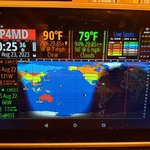
ALT This 12 year old Kindle Fire 7" tablet is too slow for modern apps, but now its "Silk" browser serves to display the Ham Clock Live web server that runs on my headless Raspberry Pi. http://www.clearskyinstitute.com/ham/HamClock/


