

I'm a versatile clipboard manager for your Mac. Optimize your workflow with my powerful filter system.
On your Mac
Joined July 2012
- Tweets391
- Following2
- Followers1.6K
- Likes15
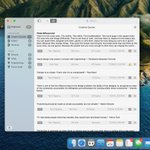



Pastebot 2.4 has been released which now supports M1 Macs and Big Sur. The direct version is available now and the App Store version should drop sometime today.
tapbots.com/pastebot/

that icon looks like the much older version of Pastebot Sync. Should be safe to click the Delete button.
just to confirm.. you can paste using the quick paste menu, right? It only fails when you use sequential paste?
We'll look into it. Are you on the latest version of LibreOffice? Can't replicate the issue on my install
we've talked about this but haven't figured out a good way to do this yet. Sequential paste is pretty quick. Check the docs.
Try Pastebot before you buy. A 14 day demo is now available: tapbots.com/pastebot/
if you remove that file you should see File > Install Paste Script appear in Pastebot's main menu. Use that to install it again.
if never want to paste into other apps remove PB-Paste.scpt in your Library/Application Scripts/com.tapbots.Pastebot2Mac folder.
Pastebot 2.1 is now available on the App Store!
What’s New: d.pr/n/CNsW
Download: itunes.apple.com/us/app/past…
possibly, there's one known issue where it sometimes quits when logging in, but works fine otherwise.