
🧑💻 Python & RPA | 📈 Growth + community | 6-yr founder | Building AI tools
Joined August 2025
- Tweets659
- Following0
- Followers123
- Likes477






I recently came across Graphify — a /graphify skill for Claude Code, Cursor, Codex, and Gemini CLI. It turns a codebase (plus docs, SQL schemas, configs, PDFs) into a persistent knowledge graph you can query later.
Here's the problem.
Most agent sessions still rediscover the map every time: open files, dump context, lose the thread, burn tokens on the same call graph. You don't need another RAG demo — you need a map that survives the next session.
What I'm trying this week (plan, not a claim I already ran it end-to-end):
1. Run /graphify . once on the repo I touch most.
2.Ask one structural question agents usually botch: "what breaks if I rename this service?" / "where do auth and billing meet?"
3.Keep edges labeled honestly — extracted vs inferred — so I don't treat guesses like facts.
Their mixed-corpus benchmark prints ~71.5× fewer tokens per query vs reading raw files. Cool number. My bar is simpler: does the next agent session start from a map instead of a scavenger hunt?
Repo: github.com/Graphify-Labs/gra…


I recently dug into GPT-6.1 Terra — visual reasoning + acting across apps. Standard API pricing lands around half of the prior Terra tier. On Agents’ Last Exam-style computer work, medium effort sits around 57.6%, with cost-per-task dropping from ~$0.84 to ~$0.29 in the published chart.
Here's the problem.
Cheap computer use still buys expensive mistakes if the agent never shows you what’s on screen before it clicks. One wrong form submit, one “pay now” ghost click — the invoice savings disappear.
What I’m actually trying this week:
1.Pick one recurring job (invoice scrape, form fill, dashboard check).
2.Force a rule: screen / DOM receipt first, then act.
3.Re-run that same job on the cheaper Terra tier and compare invoice vs quality, not vibes.
Half-price tokens only help if money, deletes, and prod still stay behind a human gate.
Of course, those cost figures are benchmark estimates — your real job may burn more reasoning steps.


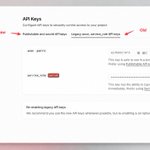
I rotated my Supabase API keys and accidentally took down my entire website.
What should've been a 30-minute task turned into a two-hour debugging nightmare, including 15 minutes of downtime.
My stack: Next.js + Supabase + Vercel.
I ran into three unexpected problems.
1. Disabling the old keys broke the new ones too.
According to the docs, disabling legacy keys shouldn't affect the new ones. But after I hit Disable, both started returning 401 Invalid API key.
Every database-dependent endpoint went down. I had to generate another set of keys and update everything again.
2. One wrong character cost me a lot of time.
While recovering, I accidentally mistyped a character in a new key. Everything kept returning 401.
Lesson learned: Never manually type API keys. Always use the copy button.
3. My debugging script was broken too.
Even after fixing the keys, my tests kept failing.
Turns out, the script I was using to validate them was silently removing two characters.
Sometimes the tool you're using to debug a problem is the problem.
Here's my key rotation checklist now:
• Find every place using the keys: Vercel, local environments, CI, cron jobs, and other integrations.
• Test the new keys locally, including permission checks.
• Replace keys one environment at a time and verify each change.
• Redeploy after updating environment variables. Remember, NEXT_PUBLIC_ variables are bundled at build time.
• Verify actual application behavior, not just HTTP status codes.
• Only disable old keys after everything is confirmed working, with a recovery plan ready.
And one critical security rule: sb_publishable_ keys can be exposed publicly, but sb_secret_ keys must stay server-side.


My biggest takeaway?
Rotating API keys isn't difficult. Making sure nothing breaks afterward is.
These are the kinds of tasks you rarely perform, which makes them surprisingly easy to mess up.
If you're running Supabase in production, test your key rotation process before an emergency forces you to do it.
Stop letting Codex waste its context window on massive logs and browser snapshots. This MCP is a game changer.
I recently came across an interesting open-source project called Context Mode, and I think anyone using Codex or Claude Code should check it out.
Here's the problem.
Every time Codex opens a page with Playwright, checks GitHub issues, or runs tests, tons of raw output gets dumped into the context window.
A single browser snapshot can take up 56KB. Most of that information is completely irrelevant. Sometimes all you actually need is one error message.
Context Mode takes a different approach: instead of feeding everything to the AI, it lets the AI write scripts to process the data and only returns the useful results.
For example, instead of reading hundreds of files into context, Codex can run a script in a sandbox, analyze everything there, and return a tiny summary.
The project's benchmarks are pretty impressive:
·Full debugging session: 45,300 → 2,600 tokens
·Playwright snapshot: 56KB → 299 bytes
·Overall context reduction: ~94%
Of course, these are benchmark estimates, not a guarantee that you'll get 94% more Codex usage.


It also supports hooks that automatically redirect large tool outputs into the sandbox, so you don't have to manage everything manually.
One important detail: installing the MCP alone isn't enough. Make sure the hooks are actually working.
What I like most is the philosophy behind it.
AI coding tools are getting smarter, but we're still wasting huge amounts of context on information the model doesn't really need.
Instead of making AI read everything, let it write code to extract exactly what matters.
If you regularly use Codex for browser automation, debugging, testing, or analyzing logs, this is definitely worth trying.
The future of AI coding isn't just about smarter models. It's also about cleaner context.
GitHub: github.com/mksglu/context-mo…

I put Grok Bot in charge of directory submissions for my product.
Across 3 days, it submitted to 21 sites with $0 in submission fees.
If you’ve done this manually, you know the grind: create accounts, verify emails, paste the same product details, then update a spreadsheet.
Grok Bot has its own cloud computer, browser, inbox, and scheduled tasks. Here’s the workflow I set up. 🧵

I Spend Over $870 a Month on AI Tools. Here's Where the Money Goes.
People keep asking me how many AI subscriptions I actually pay for. So here's the breakdown.
Grok: $300/month
ChatGPT Pro × 2: $400/month
Claude: $100/month
Gemini: $20/month
Kimi, DeepSeek & Sider: ~$54/month
Total: Around $870/month.
Sounds crazy, right? But these tools are doing real work for me every single day.
I currently run over 40 Grok Bots that monitor competitors, generate content, prepare daily reports, and sync everything to my knowledge base.
My two ChatGPT Pro accounts handle automation through Codex, including ad workflows and AI agents.
Claude is my go-to for coding and writing. Kimi handles repetitive tasks, while DeepSeek is great for cheap, reliable API calls.
I actually downgraded Gemini from Google's $250 plan to $20 because the experience wasn't worth the extra cost.
My strategy is simple: one main AI, several backups.
Each tool has its own job. If one hits its usage limit or goes down, another takes over. The workflow keeps running.
Is $870/month expensive? Absolutely.
But when dozens of AI agents are helping me run multiple projects and saving hours of manual work, I see it as an investment in productivity.
And you definitely don't need to spend this much to get started. Master one tool first, then expand when you actually need to.
Curious: How much are you spending on AI every month? And which subscription gives you the best ROI?

The whole process takes 5 steps:
① Build a queue. Give the bot a directory list. It checks my Feishu tracker for duplicates, filters for free submissions, and prioritizes sites by recommendation level and Domain Rating.
② Prepare a product kit. Product name, descriptions in different lengths, categories, tags, logo, screenshots, and FAQ answers. Add UTM tags to submission URLs so I can track referral traffic.
③ Schedule submissions. Every weekday afternoon, it takes the next 5 sites, checks whether we’re already listed, then registers and fills out the forms. Paid submissions, phone verification, and Google-only login get skipped or flagged.
④ Automate email verification. A Cloudflare Email Worker forwards verification emails to both me and the bot. It can retrieve codes and confirmation links without waiting for me.
⑤ Track and follow up. The bot updates Feishu after each submission, appends notes, sends a daily report, and checks every Monday whether the listings have gone live.
The actual numbers:
Oct 17: 7 submissions
Oct 19: 5 submissions
Oct 20: 9 submissions
Total: 21 sites. Submission fees: $0, excluding the Grok subscription.
Submitted doesn’t mean published or indexed, so follow-up matters. I also use UTM data to see which listings actually bring visitors.
I set the rules, approve anything involving money or identity, and handle exceptions. The bot does the repetitive work.
Now I mostly just check the daily report—and the queue keeps moving.
Picked this up in a builder group chat — not my own war story, just worth passing on.
Someone went from a big “Agent + infinite canvas” product to a tiny tool you understand in one glance. The lesson was simple: when your product can do everything, users bounce in ten seconds because they can’t tell what problem you solve. Wide capability = sky-high expectations; miss one thing and you get roasted. People they paid to acquire still used it like a form — and an Agent used as a form is slower, flakier, and worse than an actual form.
A few lines from others in the thread stuck with me:
Forms make money from normal people. Agents are more of a fundraising game.
Normal users want “what do I fill in → what do I get,” crystal clear. Infinite canvases and do-everything Agents are pro tools — niche, picky, expensive to educate, and token-heavy.
Your builder friends aren’t your users.
The circle hyping Agents ≠ people outside the bubble who will pay. One person said almost nobody has asked them to “add an Agent / infinite canvas.”
Picking the product beats clever ideas.
If you want to make a bit of money first, copy a direction that already has PMF and ship one sharp wedge. Don’t invent a weird hybrid out of taste. Don’t start by copying the all-in-one giants.
Care about UI — but keep it simple.
Pretty helps trust a little. What actually retains people is deleting extra copy and motion.
One-liner: Agents sound like they can do anything. Solo builders should ship something users understand in one look. Lock the capability into a form, keep expectations honest, and disappointment stays small.
Heard it in a group — sharing in case it helps other indie builders.
A tiny monitoring agent under 5MB that keeps an eye on all your servers.
Managing multiple VPS instances, Docker containers, and NAS devices can quickly become a headache.
Which server is running out of memory? Which container is eating up CPU? Is a disk about to fill up?
Instead of SSHing into every machine to check, there's a lightweight open-source tool called Beszel that puts everything in one dashboard.
And the best part? Its compressed Docker agent image is under 5MB!
Install an agent on each server, connect them to the central dashboard, and you can monitor CPU, RAM, disk usage, network traffic, and individual Docker containers, all with historical charts.
It also supports automatic alerts for high resource usage, offline servers, unhealthy containers, and expiring SSL certificates. Notifications can go straight to Telegram, Discord, Slack, or webhooks.
Setup is straightforward. Run the hub with Docker, install the agents, and you can have basic monitoring up and running in about 10 minutes.
I shared Netdata recently, and both tools are worth knowing.
Netdata is great for deep troubleshooting. Beszel is perfect for lightweight monitoring across multiple servers.
If you're running a few VPS instances, self-hosted apps, or a homelab, this is definitely worth checking out.
Open-source, free, and no need to maintain a full Prometheus + Grafana stack just to monitor a handful of machines.


You can now run an entire AI company on your own.
I used to have five or six Claude Code and Codex terminals running at once. One agent writing code, another running tests, another handling documentation.
The problem? Managing all those agents quickly became more work than doing everything myself. And one agent stuck in a loop could easily burn through hundreds of dollars in tokens overnight.
Then I came across Paperclip, an open-source project with a pretty interesting idea:
If AI agents are becoming employees, why not give them an actual company to work in?
You start by setting a goal and hiring an AI CEO. It creates a strategy, breaks down tasks, and helps build a team of AI developers, testers, and marketers.
Claude Code, Codex, Cursor, and OpenClaw can all work together. Each agent gets a role, a manager, and assigned tasks, just like a real organization.
But here's my favorite part: Paperclip manages budgets, not just tasks.
You can set spending limits for the entire company, individual agents, and specific projects.
At 80% of the budget, you get a warning. At 100%, the agent automatically stops. No more waking up to a massive API bill.
It also supports scheduled workflows. Agents wake up when there's work to do, complete their tasks, log the results, and go back to sleep.
Content creation, coding, testing, daily reports, and routine operations can all be handled by different AI employees.
Paperclip doesn't make individual AI agents smarter. It makes them work together like an actual team.
We're moving from one person juggling a dozen AI tools to one person managing an entire AI-powered company.
And I think that's where things get really interesting.
The real advantage of a one-person company won't be how many AI tools you know. It'll be how well you can organize them into a team that actually gets things done.


Further Reading:
GitHub Repository: github.com/paperclipai/paper…
Official Documentation: docs.paperclip.ing
Plugins & Community Resources: github.com/gsxdsm/awesome-pa…

This is the missing piece of a one-person AI team — agents that bring the queue to you, keep working when you step away, and only ask before touching money paths.

AI-generated architecture diagrams finally look good!
You know those architecture diagrams Claude Code or Codex usually generates? A bunch of rounded rectangles, random arrows, and way too many colors.
Technically correct, but painfully obvious they were made by AI.
I recently came across an open-source project called diagram-design, and it's a pretty neat solution to this problem.
It's a Skill for Claude Code, Codex, Cursor, and other AI coding assistants that teaches them actual design principles.
The idea is simple: less is more.
Use color sparingly. Keep spacing consistent. Align everything properly. Avoid unnecessary shadows and visual clutter. Make the important stuff stand out.
And the best part? You don't need to design anything yourself.
Just say something like:
"Create an architecture diagram showing my frontend, backend, database, and Redis cache."
The agent plans the layout and generates a standalone HTML file with embedded SVG. It supports 40+ diagram types, including architecture diagrams, flowcharts, sequence diagrams, and Gantt charts. You can also export everything as SVG or PNG.
Two features I particularly like:
Brand matching: Give it your website URL, and it can adapt diagrams to your brand colors and typography.
Diagram redesign: Feed it an existing Mermaid, draw.io, or Excalidraw diagram, and it'll redesign the layout while preserving the important information.
Installation takes one command:
npx skills add cathrynlavery/diagram-design
It's not a replacement for Mermaid if you need diagrams that are easy to maintain in Git. But for technical blogs, documentation, presentations, and product demos, this looks really useful.
AI doesn't struggle to understand architecture anymore. What it still struggles with is good design taste.
Turning design principles into reusable Skills is a pretty clever way to fix that.


Just found a pretty cool tool called next-ai-draw-io.
One annoying part of writing technical docs is always the architecture diagram.
You open draw.io, drag boxes around, align everything, connect arrows, fix the colors… and 30 minutes disappear. Then the architecture changes and you have to do it all over again.
AI image generators don’t really solve this either. They can generate a nice-looking architecture diagram, but what you get is basically a PNG. If one label is wrong or an arrow points the wrong way, you usually have to regenerate the whole thing.
next-ai-draw-io takes a much better approach.
Instead of generating an image, the AI generates actual draw.io XML.
That means every box, line, label, and connection remains editable. You can drag things around manually, change the text, or ask the AI to modify only one part of the diagram without redrawing everything.
And it works with Claude Code through MCP:
claude mcp add drawio -- npx @next-ai-drawio/mcp-server@latest
After that, you can simply tell Claude Code:
“Read this project and create a system architecture diagram.”
It opens draw.io in the browser and generates a fully editable diagram.
Even better, if your repo already has an architecture.drawio file, Claude can load it, update it based on the latest code, and export it again.
That’s probably the part I like most.
AI isn’t just generating a disposable picture anymore.
It’s generating a source file you can actually maintain.
For architecture diagrams, flowcharts, README visuals, and technical docs, this feels much more useful than generating another PNG.


Further Reading:
GitHub Repository: github.com/cathrynlavery/dia…
Official Website: diagramdesign.dev
Diagram Gallery: cathrynlavery.github.io/diag…

