

Empowering #Discord with AI Capabilities and IOTA monetization 🧠💬✨ Enrich your Discord Server with our bots: https://teapawt.org/t.co/aOtkkQDrwx A @softstock product.
Discord
Joined April 2023
- Tweets96
- Following4
- Followers173
- Likes19






Pinned Tweet
🧠🤖👍
Getting viral #IOTA tweets was never that easy📈
Add Service AI to your Discord and craft the best tweets with your friends.


Softbot has now soared to 100 Discord servers, marking a milestone as the most successful non-crypto bubble project in the #IOTA space!
softstock.io/bot
Since it's not just one bot 🤖(Service AI) anymore, but many more🤖🤖🤖, we are rebranding to *softbot* - a @softstock product.
1
136

Introducing *Total Value Spent*
Now you can find live numbers about total credits spent on bot tasks and more on softstock.io/bot.
Did you know #Discord owners can earn credits?

With todays update of softstock.io, new
#chatbots made their first appearance.
We launched #KimGPT & #CarlosGPT on the most active invite-only #IOTA Discord. We broke out of the crypto bubble with #PirateGPT joining #Piratecord.
Have a look: softstock.io/bot
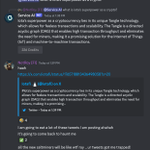
In conclusion, while increasing the supply of IOTA could potentially provide the IOTA Foundation with more resources, it could also have negative implications for the value of the token and the perception of the Foundation."
1
1
500
Important findings:
Increasing the supply of IOTA *could* dilute the value of existing tokens.
Service AI can add valuable objectivity to discussions in Discord. You can find more of that on our server: discord.gg/fvbsHc6q
Add the bot to your server: softstock.io/addbot

459
When executing Service AI commands /generative-fill or /generative-remove, you will be required to submit an image with markings. Here's a guide on how to edit your image on #macOS, #Windows, and #iOS:
#generativefill #AdobeFirefly
Again no #Photoshop needed, just command the bot and get a bit of credits with #SMR beforehand.
This prompt will only set you back 4 cents.💸
In the next tweet, we'll guide you through the process of adding markings to an image.
On #mac you can simply use the preview app to do the necessary editing. With #Windows right click the image and go to *edit*. This opens the program Paint, which lets you create the markings easily. Finally in #iOS you can use the pencils in image edit more.
#ServiceAI #Photoshop
1
102