

I make your favorite Pokemon apps // Also Apple + Rivian things.
Planet Earth
Joined January 2014
- Tweets8.1K
- Following292
- Followers949
- Likes6K





Two things about Marques's iPhone Duo Vid:
1. He said A LOT about the crease by not really having anything to say about it at all. Which is a major nod to Apple engineering.
2. This email to Tim Cook 😂


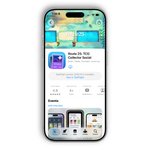
iPhone Duo update is live
• Enjoy a fresh new design optimized for every screen size and orientation, whether you're in portrait mode, using a large screen, or somewhere in the fold
• Keep your place when closing and reopening a binder. On iPhone Duo, choose whether folding shows the cover or keeps your current page open
NEXT-GEN BINDERS
• Customize your binders with colors and designs that fit your custom sets, master sets, and everything in between
• Flip through pages of 4-pocket or 9-pocket binders just like the real thing!
• Configure your 3-ring or side-loaded orientation
• Expand your single-page binder into a full-screen experience
• Add cards directly into empty binder pockets and rearrange them across pages.
• Build master-set checklists with missing cards shown as grayscale artwork or labeled spaces.
OPTIMIZED DESIGN
• Binder is now rebranded as Collection, and Folders are now branded as Binders! Trust us, it makes much more sense and we think you'll love it!
• Search is more powerful with natural language, and combines browsing the global Pokédex and complete TCG Expansion catalog
• Adaptive layouts make better use of iPad and landscape displays across Collection, Feed, card details, onboarding, and more
• Improved Trainer Talk experience
• Discover Route Stats alongside Trainer Talk in a rotating Home highlight panel, with manual browsing, pause controls, and a countdown indicator
• New Liquid Glass post button theme available
PERFORMANCE BOOST
• Optimized launch sequence under the hood for faster loading
• Experience smoother scrolling and improved performance optimizations throughout Route 25
• Swipe through multi-card posts without accidentally scrolling to another post.
I'll miss the identity the red icon brought to Apple Music, but still, this is next-level branding.

Go behind the scenes of Made by Sound.
A story of music, collaboration and craft with @fredagainagain1 and NEST Acoustics. Discover how sound brought the Apple Music logo to life, captured entirely in camera. Just music, made visible.

I do wish that @Rivian would only charge for idle time when the entire charging station was over 50% full or something.
This location had 12 bays, and I was the only one there, but still had to run out of IKEA when it was done to avoid idle fees!


Renewed the Artbox App domain for another year ✅
Artbox is the easy button for parents to document, save, and share their kids artwork ✨
artbox.app/

Every time I extend my Studio Display to my iPad, it enables Do Not Disturb. Anyone know how to prevent that from happening?
I've already configured Notifications > when mirroring or sharing the display > Allow Notifications
But that doesn't seem to affect it


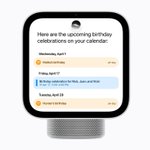
Who is the Apple HomeView for?
I can't think of a reasonable use case for it.
Checking your schedule without pulling out your phone? It's still a screen! Use your HomePod with personalization. No screen needed.
Controlling a smart home? Let me walk downstairs to my kitchen so I can go look at the HomeView to turn on my lights. No way -- just whip out your iPhone or use your voice with your HomePod or Apple Watch.
Maybe, MAYBE if you only own an iPhone and nothing else -- no Apple Watch, No HomePods, no iPad... maybe you could argue a use case here as a smart speaker.
But even then it's a stretch because who wants to get up and walk to another room to use a stationary screen that's not a television?
I'm happy to be wrong here. Maybe I just need to use one to have the light bulb moment.

Maybe my kids will finally be able to touch my MacBook Pro screen without me going "IT'S NOT A TOUCH SCREEN!"


“Beta”

Siri AI in iOS 27 is so frustrating. I'm talking "slap my forehead" frustrating.
Me: Hey Siri, remind me at 1pm to check my email.
Siri: From Things: do you want to add a timed reminder in Things to check your email at 1pm?
Me: No, add it to Reminders
Siri: [exact same message as before]
Me: [frustrated] Ok, sure
Siri: [shows new message]: From Reminders: do you want to add a timed reminder in Reminders to check your email at 1pm?
Me: [slams phone down in frustration]
Now I have a reminder in both apps, even though I never even confirmed the second one, and that's the only one I really wanted. How is Siri from 5 years ago more reliable and accurate than today? @Apple