

Weber School District's Educational Technology Department
Ogden, UT
Joined June 2016
- Tweets260
- Following151
- Followers367
- Likes200




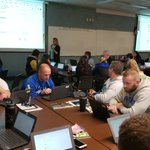


Our virtual conference is going to be huge! So many great and relevant sessions to choose from.. #WSDlearn

You can now register for Learn 2020. Don't miss out on the opportunity to sign up for over 150 sessions! Go to learn2020.sched.com/ or learn.wsd.net
This is impressive!

On the day of the @nearpod rollout, over 90 teachers are in a live PD via the great @irvrhees increasing their skills! I love our @weberdistrict teachers' dedication!
#wsdedtech
Listening to Adam Savage @donttrythis talk at #PSLIVE19 . Everything he’s talking about right now: sharing the credit, share your interests with passion, sharing the knowledge, etc. all translates to #GreatTeaching. We NEED Adam to be our Keynote at #Brainblast20! #wsdedtech
WSD Tech Services retweeted

Nice work, @TeacherWinters @TeacherPopeUT @ThisIsJudkins
You guys are amazing and just the kind of passionate teachers we need and want in #weberschools. Represented us well in Philly! #ISTE19 #iste2019 #wsdedtech

Hey #iste19 thanks to everyone that stopped by our poster session this morning. We ran out of handouts in the first half hour - So here is a digital copy for everyone that needed one.
This was my @iste highlight for the past two years. Thank you again!
#notatiste19 #utedchat

WSD Tech Services retweeted

Appreciate our local innovative leaders @nick_r_harris @weberdistrict @DavisSchools @juabhighwasps @JuabSD bringing CBE to life for Utah students and informing @UTBoardofEd efforts! #uted #utpol #UTCBE @DicksonSyd


Get ready! WSD ISMs are prepping for #brainblast19 already. Registration coming soon....
@BrainBlast
**Room transformation courtesy of @cawall12 and @kylene_brooks

Just getting our #wsdedtech training underway with the great @RJofToday
We'll learn about migrating away from blogs, moving to #Windows10 , and, of course, @GoogleForEdu stuff!

Congrats to all the Twitter winners from the #wsd1to1 conference. Thanks for sharing your insights.
@rostoffers @CBSaun @CHallExplore @ThisIsJudkins @klattin5 @MsKolilis

WSD Tech Services retweeted

Tired of navigating up to the URL to make a copy. In Chrome use the shortcut Ctrl+L. This automatically selects the URL of your current page. Then use the Ctrl+C to copy.
#TechTipTuesday @wsd_tech

ALT CTRL+L to select the url in Chrome.


If you didn't get a chance to fill out the form. Here's another chance. #wsd1to1
docs.google.com/forms/d/e/1F…
Easy wins with Google Classroom session with @alicekeeler.
Such amazing info for our wonderful WSD teachers!
#wsd1to1

All these jobs of the future. What do they have in common.....? *pause for effect*.... They ALL use spreadsheets!!!!!!
😂😂😂😂 (but I think she's serious). @alicekeeler #wsd1to1

WSD Tech Services retweeted
Thinking is fun! Learning is thinking. If learning is happening, then teaching is fun! Thanks @alicekeeler #wsd1to1

WSD Tech Services retweeted

It's not our job to rescue students from thinking #wsd1to1 @alicekeeler
Room numbers for today's sessions:
B100, B101, B102, B104
B217, B216, B215
Sessions are posted on the doors!
#wsd1to1

WSD Tech Services retweeted
Can't wait!

Is it Friday yet? I can't wait for this event with @alicekeeler and all the other great presentations planned. @TeacherWinters @cawall12 @spotokar @DaxSederholm @Mrs_Augustin @irvrhees @AmberHo15200392 @nick_r_harris
