

Where smart note-taking meets getting things done.
Joined June 2020
- Tweets75
- Following68
- Followers346
- Likes79


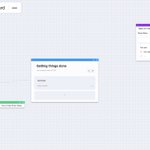

🦾 The sidebar is a powerful tool that enables an effective workflow.
One of its many features is the ability to work on multiple notes at a time.

6
Create a workspace that looks like you.
🎯 Use our whiteboards for creating, linking and editing notes, managing tasks in kanban boards, and brainstorming with mind maps.
🪄 Mark a task as done anywhere and it will be automatically moved to the completed bucket of your kanban.
Increase productivity by scheduling time for your most important tasks.
We've made scheduling easy.
Drag-and-drop tasks from your todo-list to your calendar.
3
Small things add up to a good user experience.
You can now create new blocks by pressing shift + enter.
2
🚀 Release your inner creativity with mind maps.
Mind maps are a great tool for brainstorming and breaking complex topics into smaller chunks.
In our latest release, we've added support for mind maps and sticky notes to our whiteboards. Try it out!

3
How do you plan your recurring work? 🧐
We support adding recurring tasks that occur daily, weekly, or monthly.
Track your progress by seeing how many times the recurring task has been completed or missed.


Visual learners ahoy! 👋
Create workspaces to you liking using our whiteboards. Add new or existing notes, create connections, and add custom todo-lists.
Give your thoughts more clarity.

10
Organizedly retweeted

✨Some amazing #Notion Alternatives for #productivity:
1. @coda_hq
2. @wallingapp
3. @rem_note
4. @evernote
5. @routinehq
6. @mymind
7. @cinwell_li's Notea
8. @Organizedly
9. @nimbuswebinc
10. @Dropbox
11. @zengobi
#notionalternatives #notiontwt
remoteverse.com/notion-alter…
Organizedly retweeted

7 promising new, emerging, and rapidly growing personal knowledge management apps to watch in 2022:
• @heptabase
• @logseq
• @napkin_one
• @nota_md
• @organizedly
• @tangentnotes
• Unigraph by @thesophiaxu
Check out the full post at: elizabethbutlermd.com/7-prom…
We launched Organizedly on @AppSumo! Check it out. appsumo.com/products/organiz… #Appsumo #Launched #Product
2
✅ Level-up your daily task management with our new feature: Planner.
The planner is an automatically created weekly kanban view. Overdue and backlog tasks are automatically shown in the first lane.
Don't get lost in your tasks. Stay on top.

1
4
