


livingood retweeted

AI Video Factory 0.6.0 is out! 🎬
One topic → script, characters, narration, animation, subtitles and a finished video.
64 visual styles: manga, watercolour, blueprint, Ottoman miniature, pixel art, claymation and more.
In vector mode, Claude draws the SVG artwork and code animates it. No image or video generation API needed for the visuals.
Prefer generated images or video clips? Plug in media providers and choose your motion mode.
New in 0.6.0: evidence-based frame reviews, automatic replanning of weak scenes, and explicit approval when scenes still fall short.
Reusable characters. Multilingual narration. Budget controls. A Studio where you make the final call.
Open source.

livingood retweeted

motion designers are going to f*cking hate me for this!
opus 5.5 paired with these 16 open-source repos is now a complete production-grade motion studio.
any promo, explainer, or 3d animation generated from pure code.
here is the exact architecture:
VIDEO ENGINE
01 hyperframes · write html, get a rendered video (built for agents)
github.com/heygen-com/hyperf…
02 remotion · build and render video in react
github.com/remotion-dev/remo…
03 remotion skills · official video skills for your agent
github.com/remotion-dev/skil…
04 openmontage · a full agentic video studio with 12 pipelines
github.com/calesthio/OpenMon…
MOTION & CHOREOGRAPHY
05 gsap skills · official gsap know-how for timelines and scroll
github.com/greensock/gsap-sk…
06 anime.js · handles timelines, easing, and complex choreography
github.com/juliangarnier/ani…
07 video-shotcraft · 124 shot recipes for cinematic product promos
github.com/Vincentwei1021/vi…
08 impeccable · polishes, critiques, and audits any design
github.com/pbakaus/impeccabl…
3D & SPATIAL
09 three.js · runs 3d directly in the browser on your gpu
github.com/mrdoob/three.js
10 blender · models, rigs, and real 3d renders
github.com/blender/blender
11 blender mcp · lets claude drive blender to build whole scenes
github.com/ahujasid/mcp-for-…
12 anatomy · generates isometric exploded views of real machines
github.com/wheresryan22/anat…
FINISH & EXPORT
13 comfyui · full image and video generation pipeline
github.com/Comfy-Org/ComfyUI
14 faster-whisper · generates tight captions from any voiceover
github.com/SYSTRAN/faster-wh…
15 ffmpeg · encodes, converts, and ships the final mp4
github.com/FFmpeg/FFmpeg
16 mediabunny · reads, writes, and converts video right in the browser
github.com/Vanilagy/mediabun…
send this exact stack to your opus 5.5 and generate your first animation tonight.
then dive into the full opus 5.5 motion design playbook below ↴


livingood retweeted

this channel is 12 days old
1st video: 5,076 views
2nd video: 1.3M views
today its at 2.7M total views, assuming a $10 RPM thats already over $27,000 on his first 11 videos
faceless "what if" videos are still booming if you find the right questions
i already built a free claude skill that makes what if videos 100% in code
steal the prompt ↓
<inputs>
Ask me for, in one message:
1. The topic, as one line: "everything you need to know about ___ before you ___ (play, buy, watch, visit, file, switch)". If I have none, pitch me 3 that launch or peak in the next 30 days and tell me the date for each.
2. The viewer: who they are and what they are about to do.
3. The length: a 60-90 s sample, 5 minutes, or the full 20-35 minutes.
4. The voice: an ElevenLabs voice id and key if I have them, otherwise a free local voice. If it is paid, tell me the character count (about 1 credit each) and wait for my yes.
5. Any footage I already have, and any source I do not want used.
6. The two colours for the gradient, or let you pick them from the subject's key art.
Everything is researched fresh on the day. Never copy another video's script, order or jokes.
</inputs>
<direction>
A faceless 1920x1080, 30 fps explainer built entirely on real moving footage of the subject: official trailers, gameplay reveals, launch films, keynote clips, press b-roll, archive film. About 90% of the picture is that footage. There is no face-cam, no talking head, no AI-generated plate and no stock clip that is not the subject.
The picture changes about every 2 seconds, always with hard cuts, at the same rate from the first second to the last. Every concrete thing the voice names gets proof on screen inside half a second: a rounded glass card holding a photo, a real headline screenshot, a character panel, a typed quote or one big number. While a card is up, the footage keeps running behind it, blurred 26 px and darkened 40-60%.
One look for every graphic: dark plum glass #1E1322, a thin pale-pink border #F7D3EA with a soft pink glow (255,120,205), Montserrat Black in uppercase, and a left-to-right gradient #FF93DC to #FFB27C on captions, chapter words, numbers and names. Source pills are pink #FB96E6, cream #FFF1DE or peach #FFBA90 with dark caps. If the subject is not warm and neon, take two neighbouring hues from its key art and keep the panels near-black in the same hue.
The voice is fast, flat and plain. It says "you" constantly, marks every opinion as one, and names where each fact came from.
Banned: a greeting, a channel or narrator name, "in today's video", "let's dive in", a recap of what was just said, "thanks for watching", dissolves between shots, a subtitle for every word, a sound effect on cuts or text, music loud enough to notice, any shot shown twice, any shot over 6 s, a card over a face, a mock-up shown as a real screenshot, a leak used as evidence, and any fact with no named source.
</direction>
<structure>
Length and pace: 205-215 words a minute. 60-90 s is about 210-320 words; 5 minutes is about 1,050; 20 minutes is 4,300; 30 minutes is 6,400. The picture changes about 28 times a minute, 24-29 times in the first 60 s.
The shape: line 1 is a fact about the subject or a "you" line about the viewer's habit, with the first concrete fact inside 10 seconds → an intro of 30-65 s (110-230 words) holding one stakes line about the viewer, one scope promise ("everything" or a number), 3-6 teaser facts of one clause each, one trust line ("I checked every single thing") and one promise parked "at the very end" → a handoff of under 8 words that names section 1 → sections of 2:10-2:40 each (none under 0:55, none over 4:15; 10-13 of them in a full video, 2 in a 5-minute cut), ordered as a chain so each bridge can truthfully say "you now have X, so Y" → inside a section: open on old way vs new way or a one-word label, put the biggest change first, flag the most important item out loud in the middle ("and this is the big one"), end long sections with three actions in one sentence, then a 1-2 sentence bridge that states the next topic as a problem → every intro teaser is paid off later with a spoken callback ("remember the ___ from the start?"), never two payoffs in one section, the last one in the final 10% → the end promise is teased again between 20% and 40% of the way through → one subscribe ask between 30% and 50%, 2-4 sentences, joined by "because" to a tease of the next section → the close, under 60 s: a personal plan in three steps, "here's my hot take" in 3-4 sentences, "but you tell me" with an either/or question, then one sign-off line.
The fact unit, repeated every 15-25 s (about 57 words, 16 s): the claim in 1-2 sentences of 15 words or fewer → the named source in the same or next sentence ("X told Y", "X says", "you can see it in the trailer") → a confidence label if it is not official ("only X has reported it", "the reports don't agree yet", "nobody has shown that", "busted") → a line starting with "So" that says what you do, avoid or check → sometimes one joke, always after the fact, never two in a row.
The voice rules: sentences average 12-14 words, at least 28% of them 8 words or fewer, none over 50. At least 72% one-syllable words. "You" or "your" at least 8 times a minute, "I" 2-4 times, "we" almost never. 30-40% of sentences start with "And" or "So". A named source at least every 20 s, never 85 s without one. A "So" line at least every 30 s. Round every number with "about", say units the way people say them, and follow a big number with something the viewer knows ("about 210 gigs, a third of your console's drive"). Pick one piece of advice as the motif and say it at least 4 times, including in the last line.
</structure>
<build>
1. Tools (all free, all local). Install what's missing and tell me what you installed:
- Python 3.10+ with numpy and Pillow, FFmpeg with ffprobe, yt-dlp
- Playwright with Chromium, for headline screenshots and for drawing the graphics layer
- faster-whisper with large-v3-turbo, int8 on the CPU, for word timings
- Montserrat Black and Bold (free licence)
- Kokoro (kokoro-onnx) for the free voice, or my ElevenLabs key read from a file and never printed
- One project folder per video: research, script, a media folder with a source list, the voice, the timeline, the renders
2. Research, before any writing:
- Search the web and open the pages. Nothing from memory.
- For each fact keep the claim, the page, the exact words it rests on, the date and the confidence: official, on-record interview, seen by a previewer, single source, sources disagree, estimate, unknown, false.
- Prefer the maker's own pages, then on-record interviews, then named outlets. Check every fact against a second source and drop what you cannot confirm.
- You need one usable fact per 16 s of film, so about 19 for 5 minutes.
3. Script, then a check you run on it:
- Write one sentence per line under section headings, and mark each teaser, payoff, joke, flag and the ask.
- Write a small checker and run it until it passes: first fact inside 10 s, intro 30-65 s, every teaser paid off, mean sentence length 12-14 words, a named source every 20 s, "you" 8 times a minute, words per minute, one ask between 30% and 50%, none of the banned phrases.
- Write out how the voice should say anything it will get wrong: product names, numbers, places ("212" as "two hundred and twelve").
- Show me the script, the source list and the checker's result before you record.
4. Voice and timing:
- Record one take per section, not per sentence: it flows better.
- Transcribe each take with faster-whisper and match its words to the script with difflib. Take every time from that match, never from the voice service's own timestamps, which drift up to 0.4 s late on long takes.
- List every word that was heard differently from the script. A name spelled another way is fine. A wrong word means redoing that one section only.
- Cut silences down to 0.30 s, and only inside real silence (under -35 dB), keeping 35 ms either side. Then, if the pace is still under 205 wpm, speed up by at most 1.12x and stop there, even if it lands lower.
- Level with a light compressor and two-pass loudnorm to -18 LUFS, loudness range 3 LU or less, true peak under -2 dB.
5. Media, with every file's page, link and date saved in one source list:
- Footage: list the search results first and take the maker's own upload, never a re-upload with someone's watermark. 2-4 sources per 10 minutes of film.
- Split each source into scenes with FFmpeg's scene score, make a numbered sheet of them, and look at it. Drop logos, title cards, rating boards, "presents" plates, burned-in dates and anything intimate or graphic.
- Count the shots: you need about 25 different ones per minute. If you are short, add official stills as full-frame shots, 2.8 s each with a 3% push-in over 2.5 s, but keep them under about 10% of the runtime.
- Crop letterboxed sources to fill the frame.
- Headlines: screenshot the headline alone on the page's own background with Playwright. If the crop is not clean, set the headline as text on white with the outlet and the date.
- Photos: the page's main image, free-licence sources first (the maker's press kit, Wikimedia Commons, NASA).
6. Timeline and graphics, every time keyed to a word in the script, never to a fixed second:
- Footage: cut every 1.7-3.7 s (aim for 2.6 s), alternating bright and dark scenes. Wherever the voice names something you can see, pin that exact shot under the word. Cut mid-sentence, not on pauses.
- Cards start 0.12 s before their word and fade in and out over 0.25 s. Holds: photo 2.6 s, headline 2.8 s, character 2.8 s, number 1.5 s, quote until 0.9 s after its last word. A card needs at least 1.2 s on screen. Aim for a card up 35-40% of the runtime.
- Photo card: the image keeps its own shape, up to 44% of the frame wide (portrait up to 30% wide and 74% tall), tilted 1.4°, with a name pill on its lower-left corner, footage behind darkened 42%.
- Headline card: 50% of the frame wide, tilted 1.1°, the outlet as a pill on its top-left corner, footage behind darkened 50%.
- Character card: a 474x896 portrait panel at x 64.5% (or 10.5% on the left), photo on top, name in the gradient, two lines under it, over sharp footage with no darkening.
- Quote card: from x 19% to 81% with its top at y 54%, a pink opening mark, the words typed one by one with the voice in white, then a pink attribution pill, footage behind darkened 55%.
- Number card: one gradient figure 250 px tall, shrunk to fit 80% of the width, with a small spaced line under it.
- Captions: only the 1-6 key words of a sentence, centred at y 80%, wrapped at 60% of the width. 116 px for 1-2 words, 106 px for 3, 92 px for 4-5, 80 px for 6. Each word fades in over 0.2 s on the moment it is spoken, the layout never shifts, and the phrase is gone at the next cut or 0.6 s after its last word. One about every 6-7 s in the intro and every 8-10 s later.
- Chapter words: 1-3 words at 214 px, shrunk to fit 72% of the width, held 2 s over footage blurred and darkened 60%. One per section.
- Source pills: 27 px caps, tilted a few degrees, stacked from the top-left corner (66 px in, 52 px down, 76 px apart), one the first time each source is named in a section. Use them for confidence too: REPORTED, ESTIMATE, BUSTED.
- Never more than 5 s of bare footage in the first minute, or 7 s after it.
- Draw all of this as one transparent HTML page, export it frame by frame with Playwright, and lay it over the footage in FFmpeg, switching the blur on and off on the exact frames a card starts and ends.
7. Render, measure and look:
- Before any render, draw every shot in film order with its caption written on it, and read all of them. Fix every caption that sits on the wrong picture.
- Render a 960x540 preview first. Pull 4 frames a second from the first minute and from two 30 s windows later, and read every sheet: cards on their word, captions building with the voice, no card over a face, nothing bare for too long.
- Look at one full-size frame of each card type and fix the finish: border weight, glow, corner radius, type size, blur depth.
- Render 1080p, then measure and show me the numbers next to these targets: 25-31 picture changes a minute, median shot 1.9-2.4 s, 3% or fewer shots over 6 s, a card up 35-40% of the time, stills under 10%, longest pause 0.5 s, -18 LUFS, voice and captions within 50 ms of each other at the end of the film.
- Do at least three look-and-fix rounds, then give me the film, a phone copy under 25 MB, a credits list of every source, and an honest list of what still falls short.
</build>
<gotchas>
- A trailer is cut for mood, so its best shots are often the wrong picture for a factual line. Check every caption against the shot under it, or "in-game purchases" ends up over a love scene.
- A slower narrator makes the film longer, which empties the footage pool. Add shots or stills. Never let a shot come round twice.
- Stills creep up when footage is short. Past 10% of the runtime the film starts to feel like a slideshow.
- Voice services return word timestamps that drift late on long takes. Cutting on them lands mid-word.
- Speech-to-text hears "80 bucks" as "$80" and respells names. That is not an error. A missing or different word is.
- Voices mispronounce product names and read "212" as digits. Respell them for the voice and keep the on-screen text as written.
- Age-gated uploads cannot be fetched without a login. Use the open trailers, the maker's own site and official screenshots.
- Re-uploads carry another channel's watermark and end card. Check the channel name before you download.
- A card over a face or over text already in the footage looks broken. Move the card to the side or pin a different shot.
- If a cut lands a few frames from a card going up, the blur flickers. Move the cut onto the card's first frame.
- A caption that starts under a centred card collides with it. Put it below the card or end it when the card comes up.
- Exporting 9,000 transparent frames takes about 20 minutes for a 5-minute film. Render the preview first.
- A mock-up of a store page or a notification must be marked as one. A real capture gets a source pill.
- Say which rung every claim is on: official, reported, estimate, unknown. One wrong fact in public costs more than a missing one.
- This is commentary over quoted footage. Keep the source list, write the credits, and let me decide what gets published.
</gotchas>
<start>
Ask me the six input questions in one message. Then do the research and show me the sourced script and the checker's result before you record or download anything.
</start>


livingood retweeted

Buat yang baru banget mau coba ngedit video di Claude, saya bikin tutorial singkatnya. Silakan cek dan terapkan.
Setelah post ini, saya share juga dokumen panduan gratisnya terkait step-by-step dan kode yang perlu dijalankan di Claude.
Jangan lupa like, dan bookmark!
livingood retweeted

Oke sesuai janji, dan video gw baru beberapa hari udah ada yg hit 1m views.
Ini cara gw Bikin video motion graphics 1 menit modal Rp0.
Semua pakai AI versi gratis: ChatGPT, Gemini, dan Claude free.
Minusnya? Claude free sering kena limit 😅
Tapi buat belajar nggak masalah, dan hasilnya udah oke banget.
Ini step by step-nya 🧵👇


Setelah bersemedi beberapa minggu, gue nyoba hal baru: bikin video animasi sains.
modalnya 0 rupiah. cuma pakai HP. tanpa aplikasi editing.
Video?? Dari claude
Voice over?? Create tts dari gemini canvas dan gapake elevenlabs
episode pertama: magic com kok bisa tahu nasinya udah mateng?
kalau ga sibuk, nanti gue bikinin tutornya 👇

livingood retweeted

TWO FREE AI VIDEO GENERATION TOOLS YOU MIGHT NOT KNOW ABOUT.
Sharing these because free tools that actually work make AI video creation easier.
Hope you find them useful. You’re welcome.😊
My Telegram is 9 years old. Older than 95% of all accounts.
My Age pays $AGE and $GRAM for old accounts. Check yours: myageapp.xyz/r/317066694-w0Q…

2
My Telegram is 9 years old. Older than 95% of all accounts.
My Age pays $AGE and $GRAM for old accounts. Check yours: myageapp.xyz/r/317066694-w0Q…
1
livingood retweeted

fu*cking every Uncensored AI models on internet
free to use. $0. no GPU needed.
hft.md/uncensored-ai
save it rn.


livingood retweeted

I rewrote my Grok Bot prompt and ran it for 24 hours with $105
it came back with $4,829.00. the new f*cking prompt is at the bottom, word for word
and it sold one coin right before it dropped 43%.
what changed from the last version: Momentum now waits for the breakout to hold and never chases a green candle, and I asked it to show me every handoff between agents live. Grok read it and built the desk:
> Scanner pulls fresh pools every 15 minutes and scores them
> Rug Check vetoes thin liquidity or whales sitting on the supply
> Momentum buys only after a breakout holds
> Exit sells into strength in pieces and cuts losers fast
every handoff shows up live in the app, Scanner to Rug Check to Momentum to Exit.
that coin was SYGNAL. it ran +453% that day. the bot took +249% and got out. after that SYGNAL dropped 43% from the high.
and two never made it past the scan:
> Elysium, -86% in 75 minutes
> HELL, -59% in 75 minutes
both vetoed on the spot. by my math that’s about $190 it didn’t lose.
the one big swing was AICoin, the cleanest setup of the day. 34% of the wallet, held for an hour with the stop trailing up behind it, +$1,002.
everything else stayed under 15% of the wallet, and those small trades made about $3,300, 70% of the profit.
one honest thing: a third of the wallet in one coin is still a big bet, even on the cleanest setup.
87 of 100 green.
here’s the new prompt:
Run a 4-agent memecoin desk in Grok Bot on Solana for the next 24 hours, hands-off.
Scanner: pull fresh pools every 15 min, score liquidity, holders, top-10 share, volume and new buyers.
Rug Check: veto anything with thin liquidity or whales sitting on the supply.
Momentum: buy only after the breakout holds, never chase a green candle.
Exit: sell in pieces into strength, cut any loser fast.
Sizing: keep routine trades small, size up once on the cleanest setup of the day. Reinvest all profit.
Show me every handoff between agents live.
and run it on paper first.
save this one, it’s the better version.
$105 to $4,829, and the smartest trade of the day was the one it got out of early.


livingood retweeted

ESTO ES UNA PASADA
Han subido a GitHub un repo que te deja usar Claude Code GRATIS y PARA SIEMPRE
Redirige todas tus peticiones a 49 proveedores gratuitos, como DeepSeek o Kimi
1.300 millones de tokens gratis cada mes
Lo tienes configurado en 5 minutos
Ya supera las 46.000 estrellas y miles de devs lo están usando ahora mismo

livingood retweeted
free Grok Bot prompt
it took $101 to $6,292.00 in 24 hours
no course, no paid group, no link. just the whole f*cking prompt at the bottom
and the best thing it did all day was say no. twice.
I pasted it into Grok Bot, and it built the whole desk on its own. four agents, each one handing the trade to the next:
> Scanner goes through new pools every 15 minutes, liquidity, holders, top-10 share, volume, fresh buyers
> Rug Check cuts anything suspicious before it moves on
> Momentum only buys a confirmed move
> Exit sells in pieces, on plan, no waiting for the perfect top
here are the two it said no to:
> duge, -78% in 75 minutes
> Percolator, -67% in 75 minutes
both flagged at the scan and skipped. one entry in either could have undone hours of small wins.
the one time it went big was ORBIT. it got in about 15 minutes after the listing with 35% of the wallet, held for 4 hours and 15 minutes, and sold in pieces on the way up. +$1,480. not the top, just the plan.
but the small stuff did most of the work again. dozens of trades at +$10-70 each made about $4,353, around 70% of the profit.
one honest thing: 35% of the wallet on a coin that’s 15 minutes old is aggressive. this time it worked.
79 of 100 green.
here it is:
Build a Solana memecoin trading desk in Grok Bot that runs on its own for 24 hours.
4 agents with clear handoffs: Scanner, Rug Check, Momentum, Exit.
Scanner: sweep new Solana pools every 15 minutes. Check liquidity, holders, top-10 concentration, volume and fresh buyers.
Rug Check: kill anything shady before it goes further.
Momentum: enter only on a confirmed move.
Exit: take profit in pieces, sell on plan, never wait for the exact top.
Sizing: small fast trades on routine setups, one bigger position only on the best setup of the day. Reinvest all profit.
Run it on paper first.
save it, you’ll want it later.
a couple of paragraphs of prompt, and it built a desk that knows when to say no.

livingood retweeted

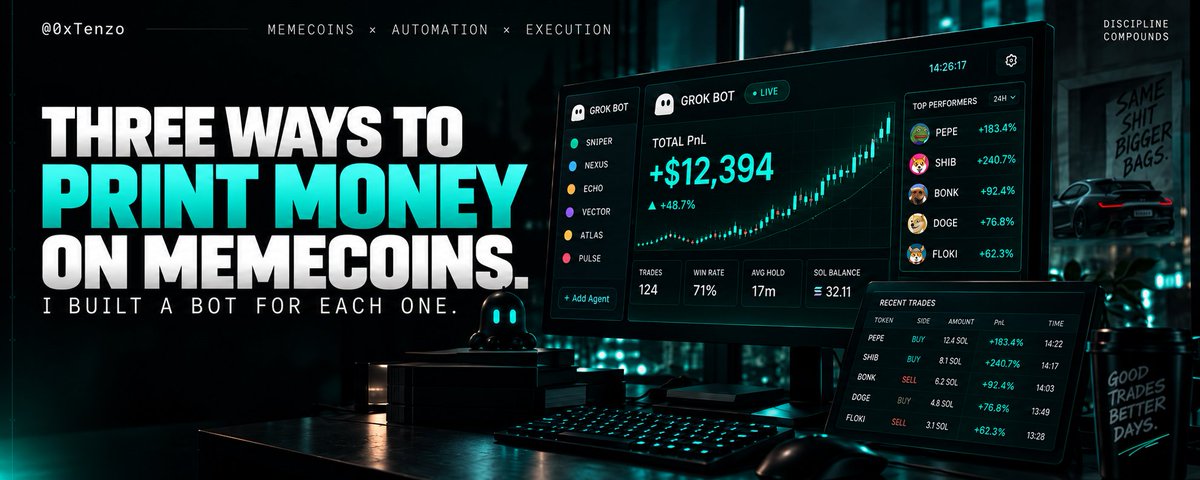
不要再花钱买交易机器人了。
我这个机器人用的是3个免费GitHub仓库,我睡觉的时候,它把110美元跑到3421美元。
晚上8点。Grok机器人连上GMGN:
gmgn.ai/r/MjhhuWaq
钱都在我自己钱包里,它拿不走,也没法提现。
弄完我就睡觉去了。
它就守着几条简单规矩:
→ 只做Grok打分70/100以上的币
→ 只跟着真正赚到钱的钱包
→ 每一笔最多投8%,进去之前就设好−6%的止损
这3个仓库全是开源免费的:
01 / xAI SDK
github.com/xai-org/xai-sdk-p…
用来接上Grok。给每个币打分差不多1秒。83/100 → 可以做。58/100 → 跳过。
02 / Solana Trader PnL API
github.com/vybenetwork/solan…
跟单之前先查一下,这个聪明钱钱包是不是真的赚钱。
+126K 美元(30天)→ 可以跟着。
−4.4K 美元(30天)→ 不跟。
03 / Meme Radar
github.com/nhovongoc0-max/me…
只是一个扫描工具,只读数据,覆盖Solana、Base、BSC。看到聪明钱或者很多新人冲进来的Meme就标记。它碰不到你的密钥。
我睡着之后,账户一点点涨起来:
→ 晚上9:25:147美元
→ 凌晨12:52:367美元
→ 凌晨2:36:611美元
→ 凌晨4:18:1041美元
→ 早上6:02:1881美元
→ 早上8:00:3421美元
一共扫了2960个Meme。
查了1212个钱包赚亏情况。
176笔交易,39个Meme。
赚最多一笔816美元,亏最多一笔29美元。
有些钱包看着像聪明钱,算下来30天还亏了37K美元。仓库02就是用来避开这种坑。
不用花钱订阅,不用进那种很贵的信号群,也不用每月花99美元买面板。
今晚睡觉前存一下。
你会换掉哪一个仓库?
livingood retweeted

I PASTED 4 FREE GITHUB REPOS INTO GROK BOT. WHILE I SLEPT THEY TOOK MY $231.70 TO $3,892.78
16.80x in 8 hours 38 minutes, then i withdrew every dollar
9:58pm, the only thing i typed under the links: "add these repos to our setup"
each repo became an agent:
01 / Scanner = GMGN Skills, skips thin pools
github.com/GMGNAI/gmgn-skill…
02 / Analyst = TradingAgents (121K stars), bull vs bear before every buy
github.com/TauricResearch/Tr…
03 / Executor = Jupiter Agent Skills, does the swap
github.com/jup-ag/agent-skil…
04 / Brain = xAI SDK, sells, -6% stop under every buy
github.com/xai-org/xai-sdk-p…
11 sells, 9 green, 2 red, -$17.58 on the reds, both cut by the -6% stop
best sell: +$1,049.96 at 3:50am, watch 0:22
$231.70 → $1,069.28 → $3,892.78
i always thought GitHub was for coders. i just pasted links
which repo would you swap out?
the app it trades in is in the 1st reply
all 4 are free. save this for tonight
the 1 prompt that builds the agents and the app is in my article below ↓


livingood retweeted

THIS IS PURE F*CKING GOLD FOR TRADERS
1,640 Grok Bot projects on GitHub. all free. i kept the 10 worth running today
the trading desks
01 HyperGrok · 7 bots on Hyperliquid, 17 skills. nothing goes live until you type approve
github.com/galleonlabs/hyper…
02 PumpGrok · 10-seat Solana memecoin desk. SCOUT, RUG, WHALE, SNIPER, EXIT. never touches your keys
github.com/swcstudiospace/Pu…
03 fomo-live-bot · copies fomo.family traders every hour. paper first, live when you say so
github.com/noam99moyal/fomo-…
04 askgrokwallet · a wallet with rules. small spends pass, big ones ask you
github.com/richard7463/askgr…
the team setups
05 Grok Bot Templates · bot profiles rated "Bot Ready". copy, paste, done
github.com/cobusgreyling/gro…
06 Grok Bot Architecture · chief of staff + specialists + human approvals. 10 steps
github.com/tiagovilasboas/gr…
07 Agent Org Chart · 11 ready org charts, one command each
github.com/serenakeyitan/age…
08 Foreman · watches your bots. not allowed to guess. 103 tests against lying bots
github.com/Archive228/forema…
the wow ones
09 grokbot-x · finds posts, writes drafts, publishes, rewrites its own playbook overnight
github.com/YannisKiefer/grok…
10 PhoneZero · had a green day? it literally calls the restaurant and books you a table. dials only after your ok
github.com/function1st/Phone…
and the map with all 1,640
github.com/RongleCat/awesome…
the order that keeps your money alive
research first. paper second. approvals always. money last
which one are you running first?

